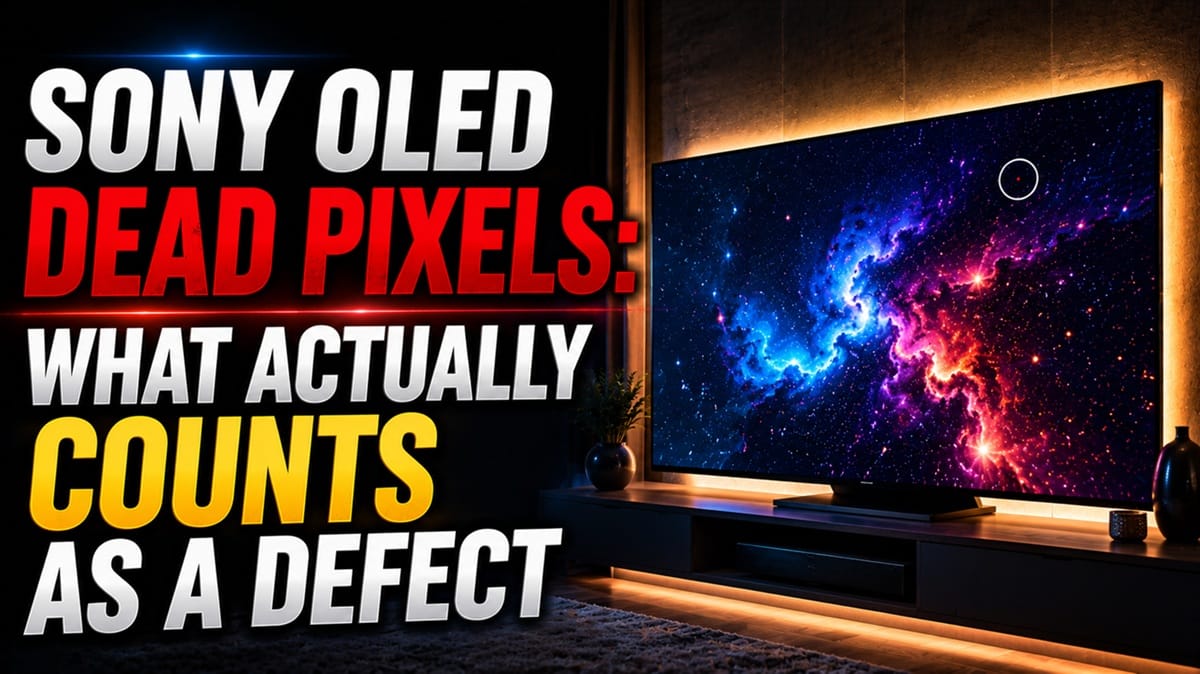
Sony OLED Dead Pixels: WOLED vs QD-OLED, and What Actually Gets Replaced
Last updated: July 2026
🕒 8 min read
Disclosure: GearPulse360 participates in the Amazon Associates Program. This particular article contains no affiliate links; other content on our site may.
Your Sony OLED and your neighbor’s Sony OLED might not even share the same panel underneath. That starts to matter the moment one of you spots a dot that won’t turn off.
Sony doesn’t make its own OLED glass. Depending on the model, that dot came from one of two different panel manufacturers, built on two different pixel structures.
That’s exactly why “Sony OLED dead pixels” isn’t a single, simple topic. Based on Sony’s own effective-pixel disclosures and independent long-term testing data, a handful of fixed dots on a brand-new set doesn’t necessarily mean you got a bad unit.
Two questions matter more than the dot itself: is this actually a panel defect, and does the specific type of Sony OLED you own change what happens next.
Below, this piece works through both, starting with what separates a dead pixel from everything that only looks like one — a distinction our Sony OLED that keeps shutting down guide runs into from the software side of things.
Table of Contents
The Short Answer
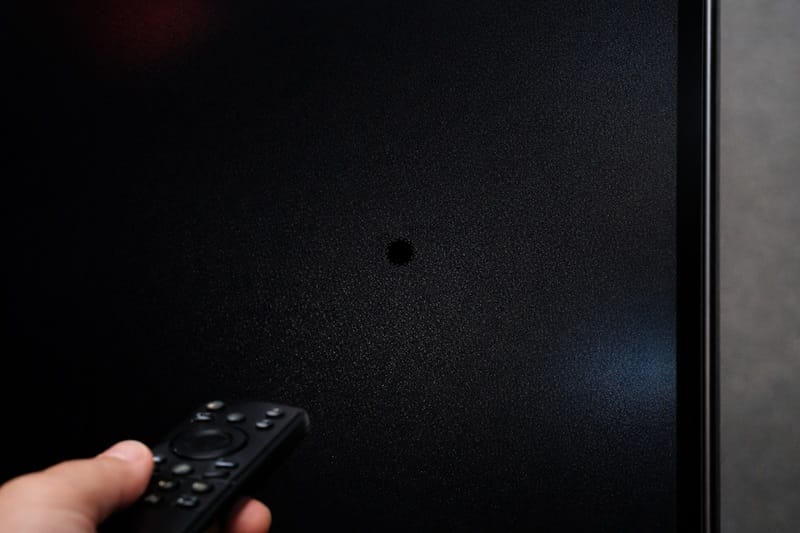
A Sony OLED dead pixel is a single subpixel that has permanently stopped producing light, appearing as a tiny black dot regardless of what’s on screen. Sony’s own documentation treats a small number of these as within normal manufacturing tolerance, not a malfunction, so a claim typically only moves forward once the count and clustering pass a specific threshold.
What Counts as a Sony OLED Dead Pixel
Dead vs. Stuck: Two Different Failures
A dead pixel is a subpixel that has lost power entirely. It shows up as a black dot that stays black in every scene, on every input, in every lighting condition.
A stuck pixel is different: the subpixel is receiving current but can’t switch off, so it shows up as a fixed red, green, or blue dot instead of black. Both come from the same underlying cause, but they’re graded separately when a manufacturer evaluates a claim.
Sony’s own terms of use state that a display can have an effective-pixel rate of 99.999% or higher and still show occasional black dots or bright points of light. This is described as a structural property of the display, within common industry standards, rather than a defect, according to Sony’s official help guide.
On an 8-million-pixel 4K panel, that percentage still leaves room for a handful of fixed dots without tripping any warranty threshold.
Why It Happens: The Backplane, Not the Brand
A dead or stuck subpixel almost always traces back to the TFT (thin-film transistor) backplane underneath the OLED material — the layer of microscopic switches that tells each subpixel when to light up and by how much.
During manufacturing, a small percentage of these switches fail to form correctly at a molecular scale that’s effectively impossible to inspect perfectly across every unit. This is a structural reality of large-format OLED production generally, not something specific to how Sony assembles a television.
Why Sony Is Different: Two Panel Sources, Two Families
WOLED, Sourced from LG Display
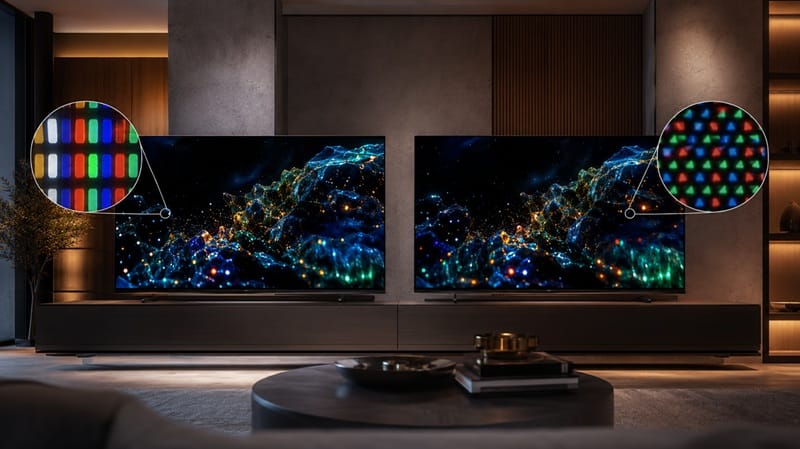
Most of Sony’s current mid-tier OLED lineup uses a WOLED (white OLED) panel supplied by LG Display — the same panel family used in LG’s own OLED sets. Every subpixel starts from a white OLED layer, with a color filter on top splitting it into red, green, and blue.
A dead subpixel on this panel type behaves the way OLED dead pixels have behaved for years: an isolated black dot from a single failed switch on the backplane.
QD-OLED, Sourced from Samsung Display
Sony’s flagship OLED models instead use a QD-OLED panel supplied by Samsung Display, where a blue OLED emitter passes through a quantum-dot layer to generate red and green light directly.
The underlying backplane failure that produces a dead pixel is comparable across both panel types, since both still rely on a TFT backplane driving individual subpixels. Sony’s own WOLED sets aren’t exempt from this either — during a multi-year accelerated longevity test, RTINGS recorded a column of dead subpixels developing on a Sony A80K OLED after thousands of hours of use.
The color and brightness signature of a stuck subpixel can look slightly different on a QD-OLED panel, because of that quantum-dot conversion step, but no comparable long-term case has turned up yet on Sony’s QD-OLED models in the same test.
None of this settles which panel supplier makes for the better television overall — picture quality, gaming response, and long-term reliability all get decided on their own terms, separately from where the panel came from. For that fuller comparison, our best OLED TVs in 2026 roundup covers this year’s field.
If a dead-pixel scare has you rethinking the purchase entirely, our Sony OLED buying guide walks through which current model fits your room and budget in the first place.
Confirming It’s Real, Not a Signal Issue
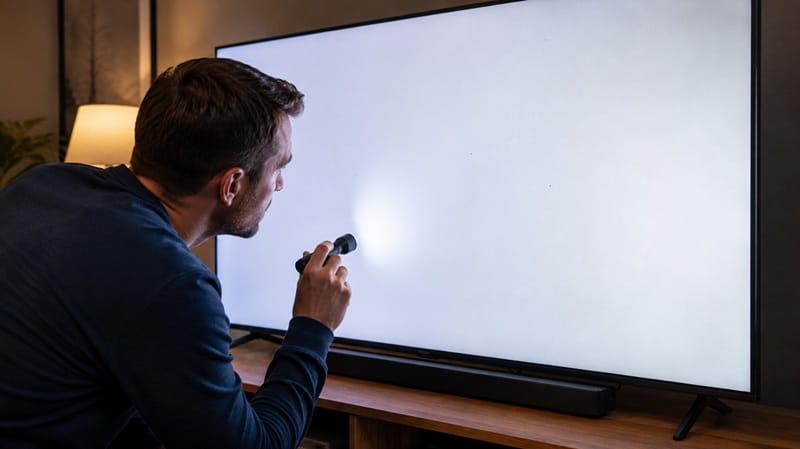
Before treating a dot as a genuine Sony OLED dead pixel, it’s worth ruling out the far more common false alarm: a signal or connection artifact that only looks like one. The table below walks through how to tell the two apart.
Symptom → Cause → Fix
| SYMPTOM | LIKELY CAUSE | FIX | DIFFICULTY |
|---|---|---|---|
| A black dot that never lights up, on every input | A subpixel circuit failed on the TFT backplane during manufacturing | Confirm it appears identically across every source, then document it for a warranty claim | Easy |
| A dot permanently stuck red, green, or blue | A stuck subpixel — current is reaching it when it shouldn’t switch off | Same cross-input check; graded separately from a dead pixel under Sony’s effective-pixel policy | Easy |
| A dot that shifts or disappears when you change inputs | Not a panel defect — usually an HDMI handshake glitch or a compression artifact from the source device | Reseat the HDMI cable, try a different source, and update the source device’s firmware first | Easy |
| Several dots clustered together in one area of the screen | Localized backplane damage, either a manufacturing cluster defect or shipping impact | Photograph the cluster and count before filing a claim, since clusters are weighed differently than isolated dots | Medium |
If the issue persists after these checks, contact Sony support directly with your findings.
What This Means for You in Practice
Who Should Pay Attention to This
If you’ve noticed a fixed dot within the first few weeks of ownership, on any current Sony OLED, this is worth documenting as a possible Sony OLED dead pixel rather than dismissing it.
Retailers’ own return windows are often faster and less restrictive than a manufacturer warranty claim, so acting early matters more than which specific panel type you own.
If a dead-pixel concern is part of a bigger decision about whether Sony’s current lineup is worth the premium over LG or Samsung, our breakdown of whether Sony’s OLED lineup is worth it in 2026 looks at that question more broadly than pixel defects alone.
Who Doesn’t Need to Worry
If you’ve owned your Sony OLED for months without a single fixed dot appearing, there’s no reason to go hunting for one, and panel type doesn’t change that.
A dead pixel that develops well outside the warranty window is a different situation entirely from one present at unboxing — that’s closer to hardware aging than a manufacturing defect, the same distinction that applies when a set starts having power issues after the warranty period, covered in our Sony OLED power board failure after warranty guide.
FAQs: Sony OLED Dead Pixels
What counts as a Sony OLED dead pixel?
A Sony OLED dead pixel is a subpixel that has permanently stopped emitting light, appearing as a small black dot regardless of the source or scene. It’s distinct from a stuck pixel, which stays lit in a single color instead of going dark.
Will Sony replace my TV for a dead pixel?
Not automatically. A single isolated dot generally falls within Sony’s published effective-pixel allowance, so a claim typically only moves forward once the count and clustering exceed that threshold.
How many dead pixels does it take before Sony will act on a claim?
Sony evaluates pixel-related claims against its published effective-pixel rate rather than a single universal number, and the exact threshold has varied by region and product line over time.
Documenting the count, location, and whether the dots are clustered or isolated is the most useful thing to have ready before contacting support.
Is this covered if I bought an extended warranty?
It depends entirely on the specific plan’s terms, since third-party extended warranties often define pixel defects differently than Sony’s own manufacturer warranty covered above. Checking the plan’s exact wording on “pixel defects” or “cosmetic defects” — and whether it references the same effective-pixel allowance Sony does — is worth the five minutes it takes before assuming coverage.
Are Sony’s QD-OLED models more prone to dead pixels than the WOLED ones?
Sony doesn’t publish a defect-rate breakdown by panel type, and neither LG Display nor Samsung Display has put out figures a buyer could compare directly. The one real data point on the record comes from RTINGS’ multi-year accelerated longevity test: a column of dead subpixels developed on a Sony A80K, a WOLED model, after thousands of hours of use, which RTINGS traces to contamination introduced during manufacturing.
A single documented case on one WOLED unit is an observation, not a pattern — it says nothing about WOLED sets generally, and the absence of a matching case on a Sony QD-OLED model in that same test isn’t proof the QD-OLED side holds up better, since the test wasn’t built to compare panel types against each other. Whichever panel is under your TV, the same steps apply for confirming and reporting a dead pixel.

iYaiii
Editor, GearPulse360
iYaiii is the editor and founder of GearPulse360, specializing in TV reviews and consumer electronics. He researches every recommendation before publishing.
✅ Based on spec analysis and Sony’s official and RTINGS data — last verified July 2026