Sony OLED Thin Panel Wall Mount Design: Why These TVs Sit So Flush Against the Wall
Last updated: July 2026
🕒 8 min read
Disclosure: GearPulse360 participates in the Amazon Associates Program. This particular article contains no affiliate links; other content on our site may.
You measure the bracket, check the VESA holes, and everything lines up on paper — until the TV actually goes on the wall and it doesn’t sit quite as flush as the “ultra-slim” language on the spec sheet implied. That gap between how thin a Sony OLED sounds and how it behaves once it’s actually mounted is what Sony OLED thin panel wall mount design really comes down to.
Based on Sony’s own installation documentation and independent testing data, the panel itself really is thin — the screen layer alone is closer to a phone case than a traditional television. What throws people off is a separate section near the back or bottom of the TV where the processing board, speakers, and most of the ports live, and that section doesn’t shrink at the same rate the screen does.
The rest of this piece unpacks what’s actually behind that layered thickness, how it changes which wall mount bracket fits, and where Sony’s current design sits relative to the rest of the lineup covered in our Sony OLED buying guide.
Table of Contents
The Short Answer: Sony’s Thin Panel Wall Mount Design, Explained
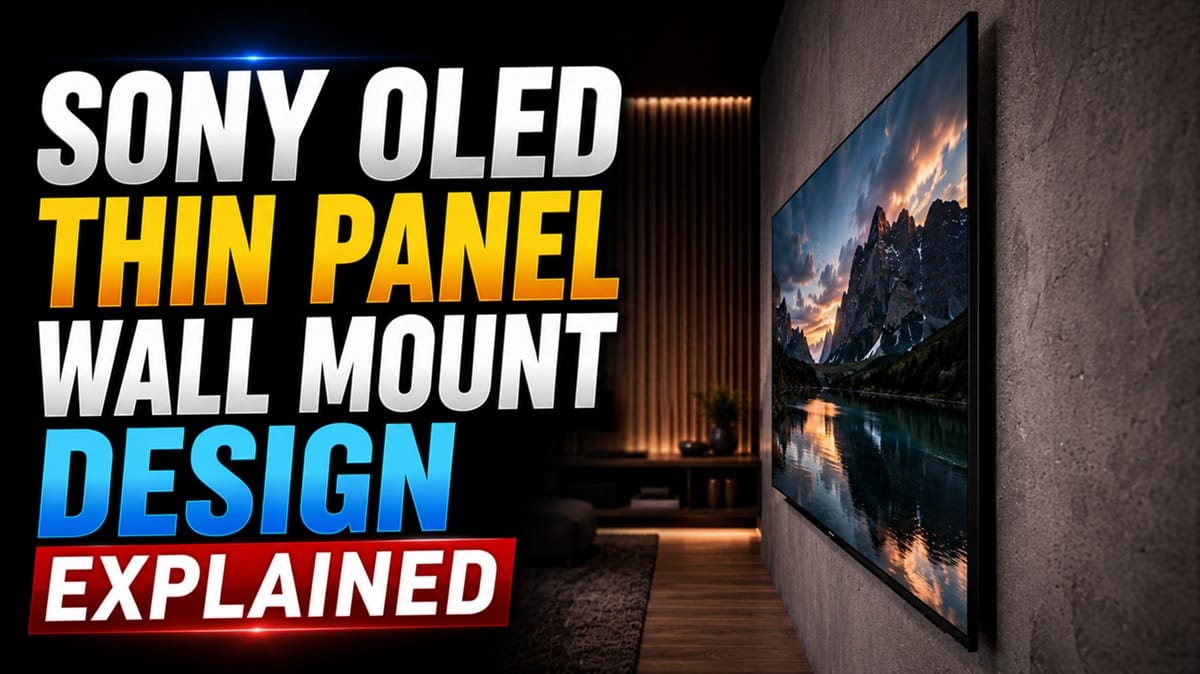
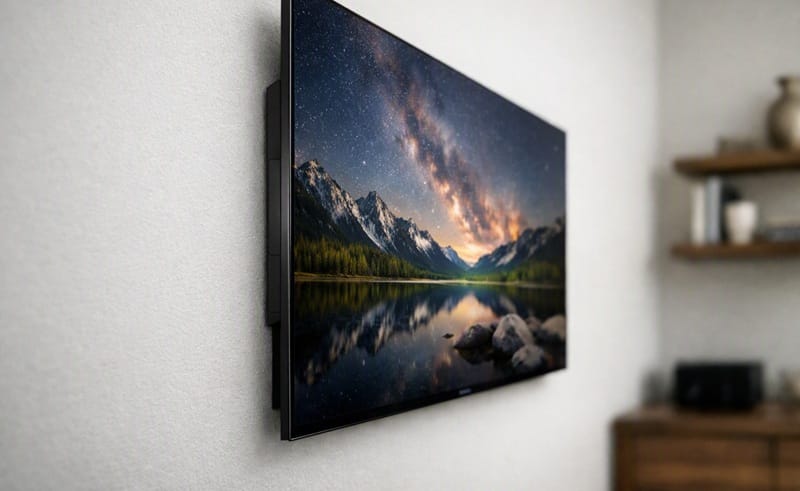
Sony builds the screen itself thin, but houses the processing board, speakers, and most of the connection ports in a separate, thicker section near the back or bottom of the TV — so the overall wall-mount depth ends up thicker than the panel alone suggests. That’s a deliberate engineering trade-off, not a shortcoming: the thicker section handles heat dissipation and componentry a paper-thin surface can’t hold. Sony OLED thin panel wall mount design still means checking bracket clearance against that thicker section, not just the screen spec.
What’s Actually Behind Sony’s Thin Panel Wall Mount Design
The Panel Itself vs. the Electronics Housing
OLED pixels are self-emissive, so they don’t need a backlight layer the way LCD and Mini LED panels do. That’s what lets the screen section get so thin in the first place. The processor, speaker assembly, power circuitry, and most of the ports still need somewhere to sit, though, and Sony packages that hardware into a thicker section rather than spreading it evenly across the back of the panel.
Sony’s own wall-mount support documentation reflects this directly: it specifies screw lengths of roughly 8mm to 12mm for attaching a bracket, and it notes that the wall itself needs to withstand up to four to six times the TV’s mass depending on the model, since the load isn’t distributed the way a flat, evenly-thin panel would distribute it.
The Back Panel and Cable Routing
According to RTINGS’ testing of the Sony BRAVIA 8 II OLED, the back of the TV uses a checkerboard-style pattern that’s typical across recent Sony models, with the input section positioned close to the side edge specifically so it stays reachable after the TV goes up on a wall mount. That same review notes a cable-management clip beneath the input section and covers included in the box for routing cables cleanly, both details that matter more once the TV is fixed to a wall than when it’s sitting on a tabletop stand.
Why the Uneven Thickness Matters for a 2026 Wall Mount Install
Low-Profile Brackets Aren’t All Built the Same
A bracket marketed as “ultra-low-profile” is usually designed around a flat, evenly-thin back. A Sony OLED with a stepped or checkerboard-style rear doesn’t fit that assumption cleanly, so the bracket needs enough clearance for the thicker electronics section, or the TV won’t sit as flush as a flat-panel low-profile mount promises. Checking a specific model’s installation guide before buying a bracket avoids the mismatch.
VESA Compatibility Isn’t Automatic Either
Sony’s screw hole spacing often matches the VESA standard in width and height, but the number and depth of the holes can still differ from what a generic third-party bracket expects. If flush wall-mount depth is one factor among several you’re weighing between brands, it’s worth remembering it’s just one variable — our LG vs Samsung vs Sony OLED comparison weighs it alongside picture quality, gaming performance, and price.
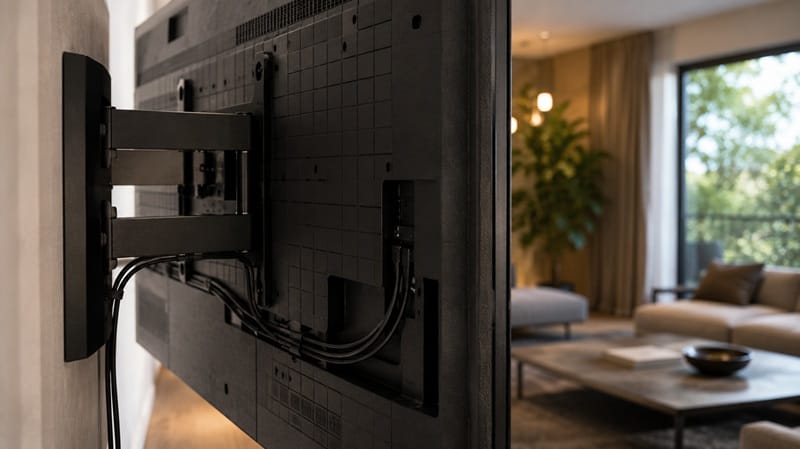
A stepped back panel changes what you measure for, not whether a Sony OLED works on a wall mount at all. If you’re still weighing which OLED to buy before you even get to bracket shopping, our best OLED TVs in 2026 roundup ranks this year’s picks by design, picture quality, and price tier.
How Sony’s Wall Mount Design Compares Across the Current OLED Lineup
RTINGS’ testing describes the BRAVIA 8 II’s overall design as closely resembling the flagship A95L, with thin bezels and a nearly frameless front. What varies is the back profile and thickness from generation to generation and model to model — Sony doesn’t appear to standardize the electronics housing across its whole OLED range, so a bracket or clearance measurement that works for one year’s model isn’t guaranteed to work for the next.
That variation is also why exact thickness numbers are worth pulling from the specific model’s own spec sheet rather than assuming every “thin panel” Sony OLED behaves the same way once it’s on the wall. Even the tabletop stand footprint changes by model and size — RTINGS measured the 65-inch BRAVIA 8 II’s stand footprint at 56.7 inches by 13.4 inches, which only matters if you’re skipping the wall mount entirely, but it’s a reminder that Sony’s spec sheets vary more between models than the marketing language suggests.
What This Means for You in Practice
Who Should Pay Attention to This
Anyone planning a flush, minimalist wall install, or comparing Sony models specifically for how they’ll look mounted, is the audience this piece is really written for. If you’re deciding between Sony’s current OLED lineup with the wall-mount experience specifically in mind, our full Sony BRAVIA 8 II review covers the back panel and cable routing in more depth than a spec sheet alone.
Who Doesn’t Need to Worry
If you’re planning to use the included tabletop stand instead of mounting on the wall, most of this doesn’t apply — the electronics housing sits under the panel either way, and it’s only really noticeable when you’re trying to get the back of the TV flush against drywall. It matters less, too, if you’re still comparing several Sony OLED models side by side rather than committing to a bracket for one specific unit; a broader look across the Sony OLED lineup can help with that comparison once our dedicated Sony roundup is live.
FAQs: Sony OLED Thin Panel Wall Mount Design
What is Sony OLED thin panel wall mount design, exactly?
It’s the two-part construction Sony uses across its current OLED lineup: an extremely thin screen layer paired with a separate, thicker section that houses the processor, speakers, and most of the ports. According to RTINGS’ review of the Sony BRAVIA 8 II OLED, the front of the TV has thin bezels and a nearly frameless look, even though the back profile isn’t uniformly flat.
Does a thinner OLED panel automatically mean a flush wall mount?
Not automatically. A thin screen and a flush wall mount are two different things — the screen can be remarkably thin while the electronics housing behind it still needs clearance, so the TV won’t necessarily sit flat against the wall the way ultra-slim marketing photos suggest it will.
Do I need a special wall mount bracket for a Sony OLED?
You need one rated for your specific model’s VESA pattern, weight, and clearance around the electronics housing, not just a generic flush mount. Sony’s own installation documentation notes that screw hole spacing can match the VESA standard in width and height while the hole count or depth still differs, so third-party bracket compatibility isn’t guaranteed model to model.
Is the thicker electronics section a sign of a design compromise?
Not really — it’s where the heatsink, speaker drivers, and connection board have to go, since a panel this thin can’t hold that hardware inside the screen itself. Sony isn’t unique here, either; most other OLED brands deal with some version of the same trade-off, just with different housing shapes and thicknesses depending on the model.
Will future Sony OLED models get thinner to mount?
There’s no verified basis for predicting how thin future models will get, since Sony hasn’t published a roadmap for panel or housing thickness beyond the current lineup. The safer approach is treating each new model’s spec sheet as its own case rather than assuming next year’s clearance numbers will carry over from this year’s.

iYaiii
Editor, GearPulse360
iYaiii is the editor and founder of GearPulse360, specializing in TV reviews and consumer electronics. He researches every recommendation before publishing.
✅ Based on spec analysis and Sony’s official and RTINGS data — last verified July 2026