TCL TV Randomly Turns Off After Warranty Repair? Here’s What’s Actually Happening
Last updated: August 2026
🕒 7 min read
Disclosure: GearPulse360 is a participant in the Amazon Associates Program. This article does not contain affiliate links, but other pages on this site may, and we may earn a commission from qualifying purchases made through those links at no extra cost to you.
TCL already sent someone out once. The technician left, the TV worked fine for a few days, and now it’s shutting off on its own again — mid-show, right at startup, or at no particular time at all. A TCL TV randomly turns off after warranty repair often enough to be a recognizable pattern, and it stings differently than the first breakdown, because you already did what TCL asked and the problem showed up anyway.
There are really only two explanations, and they lead to different next steps. Either the repair reset a power setting that happens to mimic a hardware failure, or the original fault is still there and the repair didn’t fully clear it. TCL’s own troubleshooting flow treats the settings check as the first step before anything else, which is a reasonable signal that the setting-reset version is the more common one — though TCL doesn’t publish a breakdown of how often each cause actually occurs. Either way, the second explanation is the one that actually requires going back in.
A shutdown right after service doesn’t automatically mean the technician missed something, even though it can feel that way the moment you get the TV home. The sections below separate the two causes, then cover what our TCL TV warranty claim denied coverage doesn’t: what to do when a claim was approved and the repair happened, but the set still isn’t working right.
Table of Contents
The Short Answer: Why a TCL TV Randomly Turns Off After Warranty Repair
Most of the time, it’s a power-saving setting that got reset to factory default during the repair — the kind of thing you’d never think to check twice because you already disabled it once, months ago. Less often, it’s the original power-supply or mainboard fault resurfacing because the first repair didn’t fully clear it. TCL’s own troubleshooting documentation treats these as two separate diagnostic paths, and the sections below split them the same way.
What Causes a TCL TV to Turn Off Right After Service
A Settings Reset That Looks Like a New Fault
TCL TVs ship with several overlapping power-saving features — a sleep timer, an auto power savings option that shuts the set down after a set number of hours of inactivity, and an eco or low-power picture mode. Any one of these can be re-enabled during a repair without anyone touching a menu on purpose, simply because reflashing firmware or replacing a board restores default settings alongside whatever it was actually sent in to fix. TCL’s own factory reset documentation confirms this directly — a reset of any kind returns the TV to its original out-of-the-box settings, wiping out any custom power configuration along with it.
The giveaway is timing. If the TV shuts off at roughly the same interval each time — after two hours, after four hours, a few minutes into a specific streaming app — that pattern points at a setting, not a component failure. TCL’s own power-issue troubleshooting starts in the same place: rule out the power source, the cable, and the firmware version before treating a shutdown as a repeat hardware problem.
When the Original Problem Simply Wasn’t Fixed
The less common but more frustrating case is a power-supply or mainboard fault that a first repair didn’t fully address, whether because the wrong part was replaced, a marginal component was reused, or a connection was left slightly loose during reassembly. This version doesn’t follow a timer — it can happen at any point, with no pattern tied to how long the TV has been on.
Why This Tends to Show Up Specifically After a Repair Visit
What Changes During a TCL Service Visit
A repair visit can touch three different layers depending on what’s actually replaced: the mainboard, the power board, or the software sitting on top of both. Replacing or reflashing any one of them resets settings that have nothing to do with the original fault, which is why a shutdown right after service can look brand new when it’s really an old setting resurfacing at the same time as the repaired defect.
That’s a different failure path than a TV that starts freezing or getting stuck in a reboot loop without ever having been serviced — a pattern covered in TCL Google TV freezing or stuck in a reboot loop — though the two are worth comparing symptoms against, since a freeze-then-shutdown combination can point at either cause.
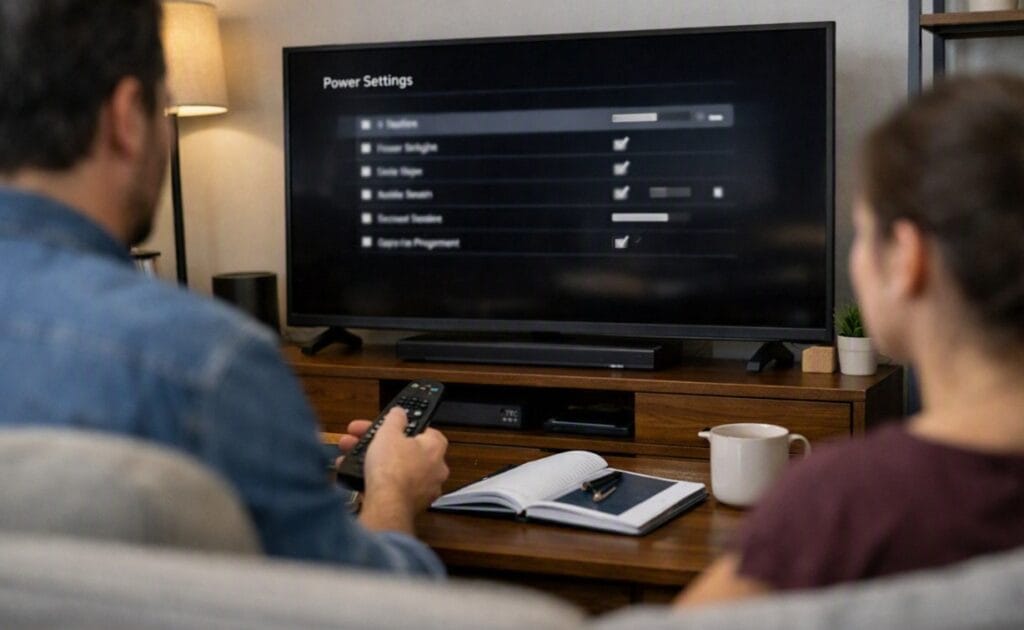
If the power and eco settings above are already ruled out and the shutdowns still show no pattern, the next step is scheduling that second repair rather than troubleshooting further alone. Going through a second repair on the same set is a legitimate reason to start weighing whether that time is better spent elsewhere — our best 4K TVs of 2026 roundup is there if a repeat repair cycle turns into an actual replacement decision.
Second Repair or Replacement: How TCL Decides
A repeat failure on the same fault, within the same warranty period, is generally what pushes a claim from “another repair” toward a replacement conversation — but that decision sits with TCL’s service process, not with a fixed rule you can point to in advance. What you control is the documentation: keep the original repair ticket, note the exact date the shutdowns resumed, and describe the pattern (timed versus random) when you call back in.
A TV that’s been opened once already is also easier to diagnose the second time. Service technicians can rule out the parts already replaced, which narrows the list of remaining suspects faster than a first-time visit.
What This Means for You in Practice
Who Should Push Back for a Replacement, Not Just Another Repair
If the same symptom returns within days or weeks of the repair, with no consistent timer pattern, and the TV was already fixed once for a power-related issue, that’s a reasonable case for asking TCL to consider a replacement instead of a third trip through service. Repeated identical failures are the strongest evidence you can bring to that conversation.
Who Doesn’t Need to Worry Yet
If the shutdowns started only after the repair and follow a consistent time interval, this points to a setting, not a failed repair. Working through the power and eco menu first, before calling TCL back, catches the setting-reset version without a second service visit.
If part of the hesitation is whether TCL’s Mini-LED backlight is inherently less reliable on power delivery than other panel types, that’s a separate question from what’s covered here — our OLED vs Mini LED compared breakdown goes into how the two technologies differ on that front specifically.
FAQs: TCL TV Randomly Turns Off After Warranty Repair
Does a TCL TV randomly turning off after warranty repair mean the repair failed?
Not necessarily. A repair visit commonly resets a power-saving setting to its factory default, which produces the same symptom as a genuine hardware fault without being one. TCL’s own Google TV power troubleshooting guidance walks through the same basic checks whether the TV was just repaired or not, which is a reasonable place to start before calling the repair itself into question.
Is it normal for TCL to reset all my settings during a repair?
Yes, and it’s easy to miss because the menus don’t look different — the toggle is just back in its default position. If you’d previously turned off the sleep timer or auto power savings, check both again after every repair visit, not just the first time the TV starts acting up.
How long should I test before calling TCL back a second time?
A few days of normal use is usually enough to tell the two scenarios apart. If the shutdowns follow a consistent time interval, that points to a setting; if they happen at random points with no pattern, it’s worth contacting TCL sooner rather than waiting it out.
Will a second repair use up my TCL warranty coverage?
A second repair on the same fault, within the original warranty period, doesn’t typically shorten your remaining coverage window on its own. What can complicate things is timing near the warranty’s expiration date, which is worth confirming directly with TCL support before assuming you’re covered either way.
Should I ask for a different technician if the same problem keeps coming back?
It’s a reasonable request, especially if you suspect a specific step was missed the first time. TCL doesn’t guarantee technician continuity between visits, but noting the prior repair ticket number when you call back gives whoever picks up the case more to work from than starting over.

iYaiii
Editor, GearPulse360
iYaiii is the editor and founder of GearPulse360, specializing in TV reviews and consumer electronics. He researches every recommendation before publishing.
✅ Based on spec analysis and TCL’s official support documentation — last verified August 2026