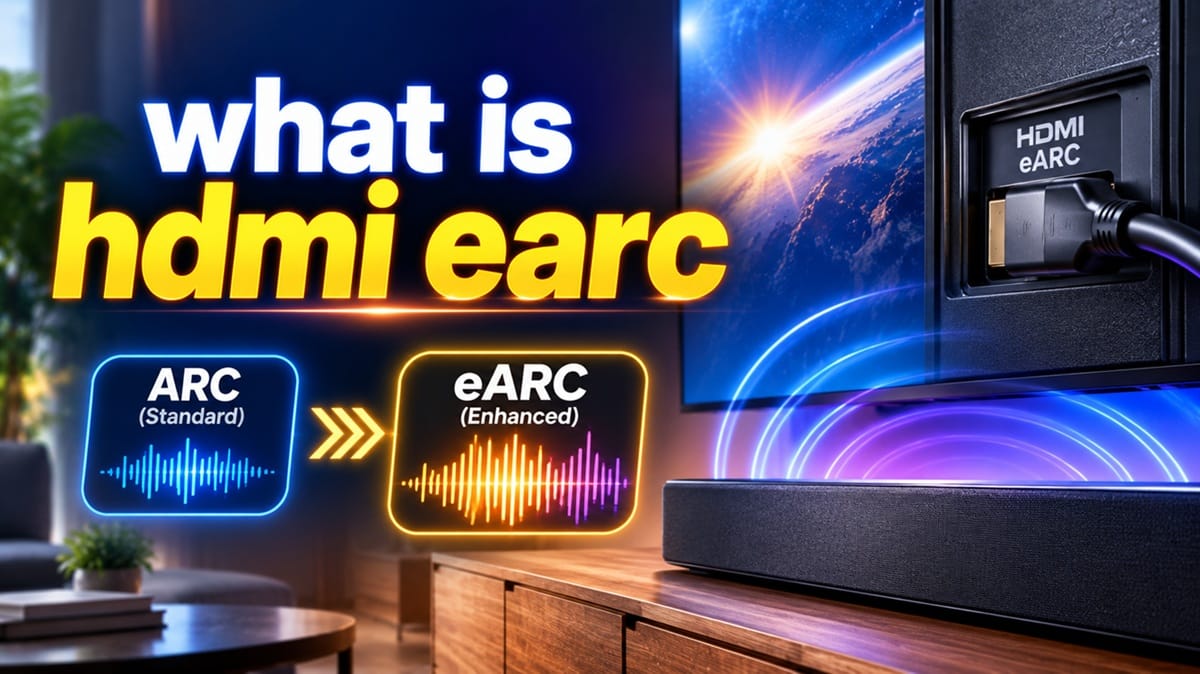
What Is HDMI eARC, and How Does It Work With Standard ARC on a TV?
Last updated: August 2026
🕒 7 min read
Disclosure: GearPulse360 is a participant in the Amazon Associates Program. Some pages on this site contain affiliate links, and we may earn a commission from qualifying purchases at no extra cost to you.
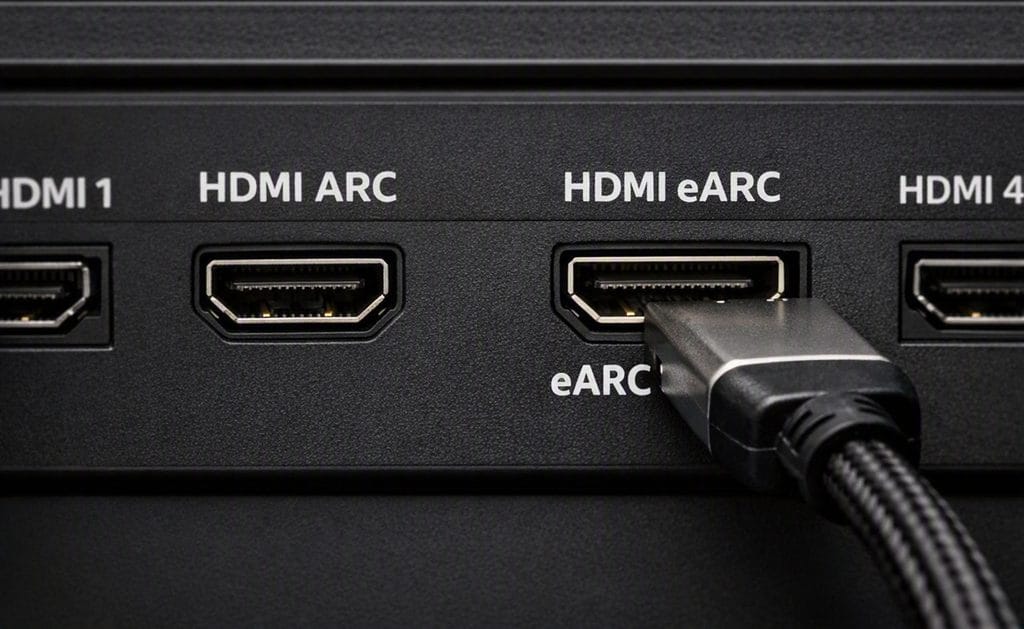
You’ve just plugged a soundbar into the back of your TV, and one of the HDMI ports has “ARC” printed next to it. Another port on your soundbar says “eARC.” They look like they should do the same thing, but which one you use actually changes how good your TV’s sound can be — and that’s exactly what this guide sorts out.
If you’re asking what is HDMI eARC, the short version is that it’s the newer, higher-bandwidth version of a feature that’s been quietly simplifying home theater setups since 2009. Based on editorial research into LG and Samsung’s own support documentation, the confusion around ARC and eARC almost always comes down to one thing: people assume any HDMI cable and any HDMI port will give the same result, and that isn’t true once eARC is involved.
This piece covers what ARC and eARC actually do, how they differ in practical terms, and how they connect to the audio handshake problems that show up when eARC or CEC connections stop working the way they should. If you’re mid-troubleshoot rather than just curious, that companion piece walks through the failure points directly.
Table of Contents
Quick Answer
HDMI ARC (Audio Return Channel) lets a TV send audio back to a soundbar or receiver over the same HDMI cable used for video. HDMI eARC (Enhanced ARC) is the newer version, with far more bandwidth for lossless and object-based audio like Dolby Atmos.
- Best for: Connecting a TV to a soundbar or AV receiver with one cable instead of separate audio and video runs
- Not ideal for: Lossless surround formats if your gear is ARC-only, not eARC
- Key advantage: eARC removes the bandwidth bottleneck that limits standard ARC to compressed audio
The Short Answer: What ARC and eARC Actually Do
ARC and eARC both let a TV send audio out through an HDMI port instead of just receiving it, so a single HDMI cable can carry your soundbar’s audio without a separate optical cable. eARC does the same job with dramatically more bandwidth than standard ARC, and that added headroom is the difference between compressed surround sound and full lossless formats like Dolby Atmos.
How HDMI ARC Actually Works
A Two-Way Street on One Cable
Before ARC existed, HDMI only moved audio and video in one direction: from a source device (a streaming box, a game console, a cable box) into the TV. If you wanted your TV’s own built-in apps — say, Netflix running directly on the TV — to output sound to a soundbar, you needed a separate optical or coaxial cable to carry it back out.
ARC changed that. According to LG’s official HDMI connection guidance, an ARC-labeled HDMI port can both receive video from external devices and send audio back out to a connected soundbar or receiver, all over one cable. That’s why ARC quietly became one of the most common features on a modern TV — it’s less about a specific sound quality upgrade and more about cutting down on cable clutter and remote-juggling.
Why It Was Introduced
ARC arrived with the HDMI 1.4 specification. Its main job was consolidation: instead of running a video cable one direction and an audio cable the other, ARC let both travel over the same physical connection, and it typically lets you control volume across devices with a single remote through HDMI-CEC.

eARC vs ARC: Why the Difference Matters in 2026
The Bandwidth Gap
Here’s the part that actually determines what you hear: standard ARC has very limited bandwidth, enough for compressed formats like Dolby Digital and standard 5.1 surround, but not enough to reliably carry uncompressed or object-based audio. eARC, introduced alongside the HDMI 2.1 specification, expands that bandwidth dramatically, enough to pass lossless formats like Dolby TrueHD, DTS-HD Master Audio, and full, uncompressed Dolby Atmos.
That’s why you’ll sometimes get Dolby Atmos-labeled sound through an older ARC connection but it doesn’t sound the same as what an eARC connection delivers. Some TVs can push a compressed version of Atmos over standard ARC, but the lossless version needs eARC end to end — TV, cable, and soundbar all supporting it.
The HDMI 2.1 Cable Requirement
eARC generally needs an HDMI cable rated for its higher bandwidth. If you’re chasing eARC-quality audio on a newer TV, it’s worth checking whether the picture and connectivity side of the TV holds up too — our breakdown of what budget TVs actually deliver on HDMI features covers where corners tend to get cut on lower-priced models.
If you’re closer to shopping for a whole new TV rather than just sorting out a soundbar connection, our best OLED TVs of 2026 roundup ranks current picks by picture quality, gaming performance, and overall value, ARC/eARC support included.
Do You Need eARC, or Is Standard ARC Enough?
If your setup is a basic soundbar playing stereo or standard 5.1 surround, standard ARC handles that without issue, and you likely won’t notice a difference switching to eARC. Where it starts to matter is object-based audio: Dolby Atmos, DTS:X, or any lossless multichannel format where the extra bandwidth is what makes the format work as intended rather than getting compressed down.
The practical test is simple: check your soundbar or receiver’s display when playing Atmos content. If it shows a compressed variant instead of full Atmos, and both your TV and soundbar are eARC-capable, the fix is usually confirming eARC is actually enabled in the TV’s audio settings menu rather than left on the ARC default.
What This Means for You in Practice
Buy This If…
You have — or plan to buy — a soundbar or AV receiver that supports Dolby Atmos, DTS:X, or another lossless format, and you want to actually hear the difference rather than a compressed stand-in. In that case, confirming both your TV and audio device support eARC (not just ARC) is worth checking before you buy.
Skip This If…
You’re running a basic 2.1 or 5.1 soundbar without lossless or object-based audio support. Standard ARC covers that use case fully, and chasing an eARC-specific upgrade won’t change what you hear. And if you’re not chasing surround sound at all, just better audio than the TV’s built-in speakers with the least setup, a Bluetooth speaker skips the cable question entirely — our guide on how to connect a Bluetooth speaker to a TV walks through that route brand by brand.

FAQs: What Is HDMI eARC
What is HDMI eARC in simple terms?
HDMI eARC is an enhanced version of HDMI ARC that gives a TV far more bandwidth to send audio out to a soundbar or receiver over the same HDMI cable used for video. According to Samsung’s official eARC support documentation, that added bandwidth is what allows lossless formats like Dolby Atmos and DTS:X to pass through fully rather than getting compressed down first.
Do I need a special cable for eARC?
You generally need a cable rated to carry HDMI 2.1’s higher bandwidth, since standard older HDMI cables weren’t built for it. Not every HDMI cable that “worked fine” for ARC will reliably carry eARC’s full audio bandwidth.
How do I know if my TV has eARC instead of just ARC?
Check your TV’s HDMI ports for a port specifically labeled “eARC,” and check the audio output settings menu, since many TVs default to standard ARC mode even on an eARC-capable port until you switch it manually.
Will ARC-only gear still work if my TV has eARC?
Yes. An eARC-capable TV port will still work with older ARC-only soundbars and receivers, you just won’t get eARC’s bandwidth advantage on that connection since it’s limited by the older device.
Does every new TV come with eARC now?
Not universally. eARC support tends to track with HDMI 2.1 adoption, so it’s still worth checking a specific model’s spec sheet rather than assuming eARC is automatically included just because a TV is new.

iYaiii
Editor, GearPulse360
iYaiii is the editor and founder of GearPulse360, specializing in TV reviews and consumer electronics. He researches every recommendation before publishing, based on manufacturer documentation and official specifications.
✅ Based on official LG and Samsung documentation — last verified August 2026