Bravia 8 Power Failure Diagnosis Three Red Lights: What They Actually Mean
Last updated: August 2026
🕒 8 min read
Disclosure: This article does not contain affiliate links. As an Amazon Associate, GearPulse360 may earn from qualifying purchases made elsewhere on the site.
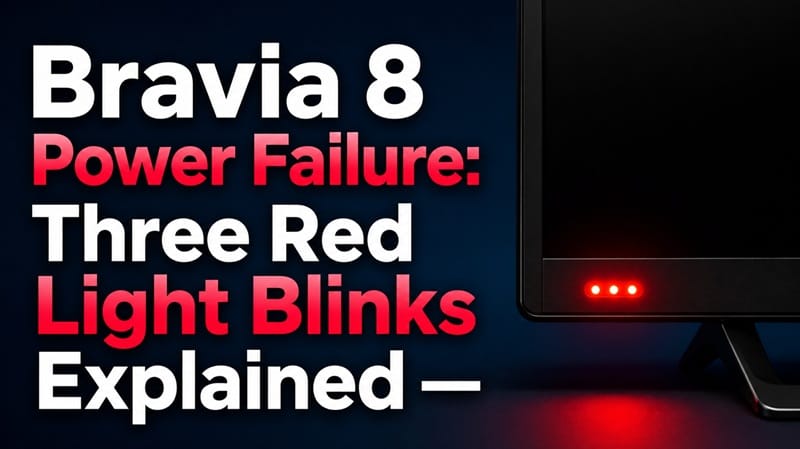
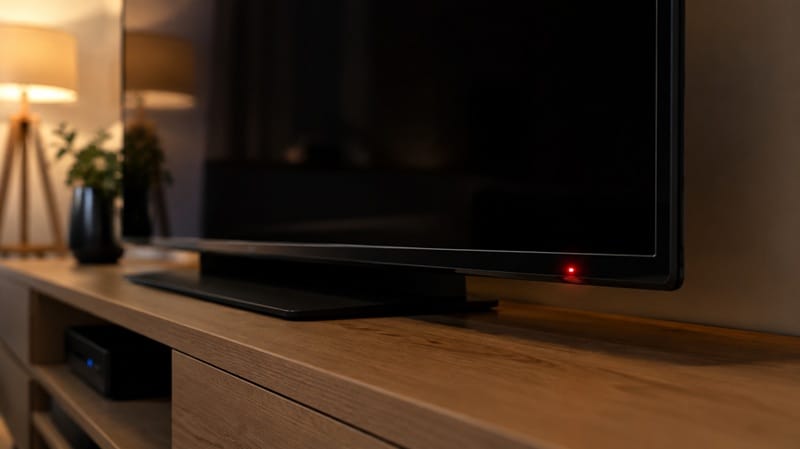
You press the power button, the screen stays black, and instead of the usual startup chime, the little light on the front of the set blinks red three times, pauses, and does it again. That repeating pattern isn’t random — it’s the Bravia 8 or Bravia 8 II trying to tell you something, and counting the blinks is the first real clue you have before calling anyone.
The instinct is to assume the worst — a dead panel, a fried board, a two-year-old TV that’s already finished. That assumption is often wrong.
A real Bravia 8 power failure diagnosis starts with the light itself: Sony built it to separate a genuine internal fault from something you can rule out yourself in a few minutes — a power strip not delivering clean power, a blocked vent, or a connected device confusing the startup sequence.
Below, the focus is deliberately narrow: what the blink pattern is built to signal, what to check before assuming a hardware fault, and where the decision point actually sits. If it turns out to be a board-level issue rather than something fixable at home, our Sony OLED power board failure after warranty guide covers what a repair like that typically involves once the free troubleshooting steps are exhausted.
Table of Contents
The Short Answer: What Three Red Blinks Means on a Bravia 8
Three red blinks on a Bravia 8 or Bravia 8 II means the TV’s internal diagnostic system has flagged a fault and is asking for service — but Sony’s current documentation for Google TV-era sets doesn’t publish a separate meaning for each individual blink count the way older analog TVs did. In practice, the count itself matters less than whether the pattern clears after the basic troubleshooting steps below.
Reading the Bravia 8 Power Failure Diagnosis Correctly
What the Blink Count Is Actually Telling You
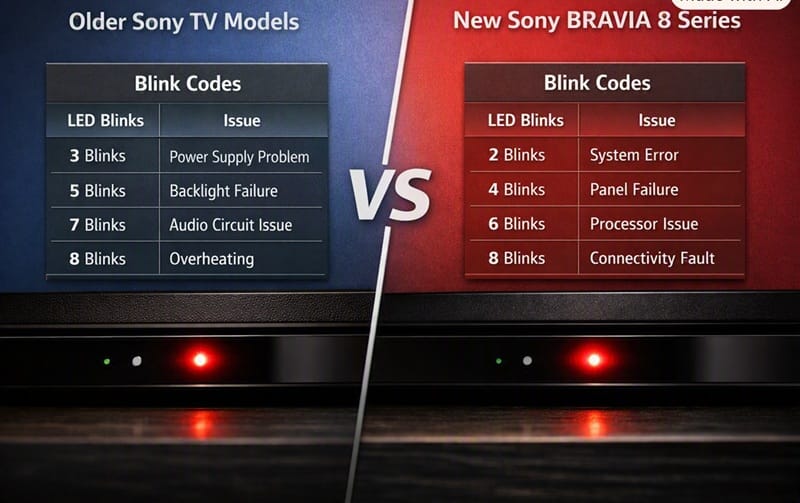
Based on Sony’s own support documentation on TV indicator lights, a red LED that blinks in a repeating pattern — pause — repeating pattern cycle, ranging anywhere from two to eight blinks depending on the model, indicates the TV has detected an issue and needs attention. That’s the confirmed, current guidance for modern BRAVIA sets running Google TV.
What Sony’s current documentation does not do is publish a public chart mapping each specific blink count (two blinks means X, three means Y, four means Z) to an exact internal component.
That kind of granular per-count breakdown circulates widely across old TV-repair forums, but it traces back to a much older generation of Sony sets — CRT and early flat-panel Trinitron and LCD models with entirely different internal architecture than the XR Processor and board layout inside a current Bravia 8 or Bravia 8 II.
Applying that old chart to a 2025-generation Google TV set is a guess, not a confirmed diagnosis, and this guide won’t pretend otherwise.
Why That Gap Actually Matters
That gap between the old chart and current hardware is exactly where most of the online confusion comes from. Search “three red blinks Sony TV” and you’ll find years of forum posts naming a specific board or component with total confidence — accurate for some of the models involved, but many describing hardware Sony hasn’t used in its current TVs for years. None of it maps reliably onto a current Bravia 8.
What the light can actually tell you is narrower: a fault exists and service is likely needed, and the exact component behind it isn’t something the blink count alone reveals.
What to Rule Out Before Assuming a Hardware Fault
The Checks That Take Five Minutes
Sony’s official troubleshooting steps for a blinking red light — regardless of the exact count — start with the same short list, and it’s worth working through all of it before assuming the worst:
- Plug the TV directly into a wall outlet, bypassing any power strip or surge protector, and see if the light behaves differently.
- Check that the vents on the back and sides of the TV aren’t blocked, since some sets flag a fault when internal temperature sensors trip.
- Unplug every connected device — soundbar, streaming box, game console — and see if the TV powers on with nothing else attached.
- If the TV has been sitting connected to the internet, a stalled software update can occasionally leave it in this state; a full unplug-and-wait power cycle sometimes clears it.
Symptom → Cause → Fix
| SYMPTOM | LIKELY CAUSE | FIX | DIFFICULTY |
|---|---|---|---|
| Bravia 8 II blinks red three times while plugged into a power strip or surge protector | Power strip isn’t delivering clean/sufficient power to the set | Plug the TV directly into the wall outlet and retest | Easy |
| Red blinking started right after connecting a new soundbar or console | A connected device is interfering with the startup handshake | Disconnect every HDMI/USB device, power cycle with nothing attached | Easy |
| Red blinking, vents feel warm to the touch, TV recessed into a tight cabinet | Internal temperature sensor has tripped a protective shutdown | Clear airflow around vents, let the set cool fully, then retest | Easy |
| Red blinking persists after direct-outlet, all-devices-unplugged, and a full power cycle | Internal fault the diagnostic light can’t self-clear — likely a service-level issue | Contact Sony support with the model number and exact blink count on hand | Needs Service |
If the issue persists after trying these steps, contact Sony support directly rather than guessing further at the cause.
A Repair Ticket Isn’t a Verdict on the Whole Lineup
One unit needing a power-board repair is a data point about that unit — not a documented pattern across every Bravia 8 or Bravia 8 II sold. It takes a real body of repeated cases to establish a trend, the same standard this guide already applied to the old blink-count chart above, and a single repair ticket doesn’t clear that bar on its own.
If reliability is part of what’s making you second-guess the model generally, our Sony OLED that keeps shutting down guide covers a related but distinct symptom worth knowing about — another data point, not proof of a wider pattern either.
Is This Covered Under Warranty?
Based on Sony’s published warranty terms, standard TV coverage in the US runs one year from the original purchase date, and a power-supply or main-board fault behind a persistent blink code typically falls under that coverage while the set is still inside that window — our Sony OLED warranty denied guide covers the exclusions in more detail.
Once the warranty has lapsed, the question becomes whether a paid repair is worth it — and that depends on the specific board, the set’s age, and what a comparable replacement actually costs right now.
If a repair quote ends up pushing you toward a replacement instead, our best OLED TVs in 2026 roundup breaks down this year’s picks by use case and budget.
What This Means for You in Practice
Who Should Pay Attention to This
Anyone with a Bravia 8 or Bravia 8 II that won’t power on and is showing any repeating red blink pattern — not just three — should work through the direct-outlet, disconnect-everything, and airflow checks above before assuming a board fault. This applies whether the set is a few months old or well past its warranty window; the diagnostic steps don’t change based on age. Anyone weighing whether to stick with a different Sony model instead can check our Sony OLED buying guide, which lays out how Bravia 8, Bravia 8 II, and XR8B actually differ.
Who Doesn’t Need to Worry
A brief green or white blink while the TV is starting up is routine, not a fault — it stops on its own once the set finishes booting. A software update in progress shows as a blinking orange/amber light, a different color entirely from the red fault pattern this guide covers, so the two aren’t easy to confuse once you know what to look for.
FAQs: Sony Bravia Red Light Codes and Power Failure
What does three red blinks mean on a Bravia 8 power failure diagnosis?
It confirms the TV’s diagnostic system has caught an internal fault worth investigating — but on current Google TV-era Sony sets, that specific count isn’t a lookup-table answer the way it was on older TVs. Treat it as a signal to work through the basic checks below before assuming it’s a board replacement, not as a code that names the failed part by itself.
Does unplugging the TV actually fix a blinking red light?
Sometimes, yes. Sony’s own TV restart instructions call for unplugging the set for a full minute before plugging it back in, since that clears certain stuck states that trigger the light without being a genuine hardware fault. If the pattern returns immediately after a clean power cycle, that’s a stronger sign it’s a real fault rather than a fluke.
Is a Bravia 8 power failure like this covered by warranty?
If the set is still within Sony’s one-year standard warranty window, a power-supply or board-level fault behind a persistent blink code is typically the kind of issue that coverage is meant for. Keep your purchase receipt and the exact blink count on hand when you contact support — and if a claim ends up getting rejected anyway, the exclusions Sony leans on and what recourse actually looks like are covered in the warranty section earlier in this guide.
Should I try to fix a Sony power board issue myself?
Not without electronics repair experience. Internal power boards carry stored voltage even after the TV is unplugged, and opening the case yourself can also void whatever warranty coverage remains. A paid service call is the safer route once the free troubleshooting steps above have been ruled out.
Does the Bravia 8 II have the same power failure risk as the original Bravia 8?
Both models share Sony’s current power-supply and startup architecture for this TV generation, so the same blink-pattern diagnostic and the same troubleshooting steps apply to either one. Nothing about the panel difference between the two — WOLED on the Bravia 8, QD-OLED on the Bravia 8 II — changes how the power and startup electronics behave.

iYaiii
Editor, GearPulse360
iYaiii is the editor and founder of GearPulse360, specializing in TV reviews and consumer electronics. He researches every recommendation before publishing.
✅ Based on spec analysis and Sony’s official data — last verified August 2026