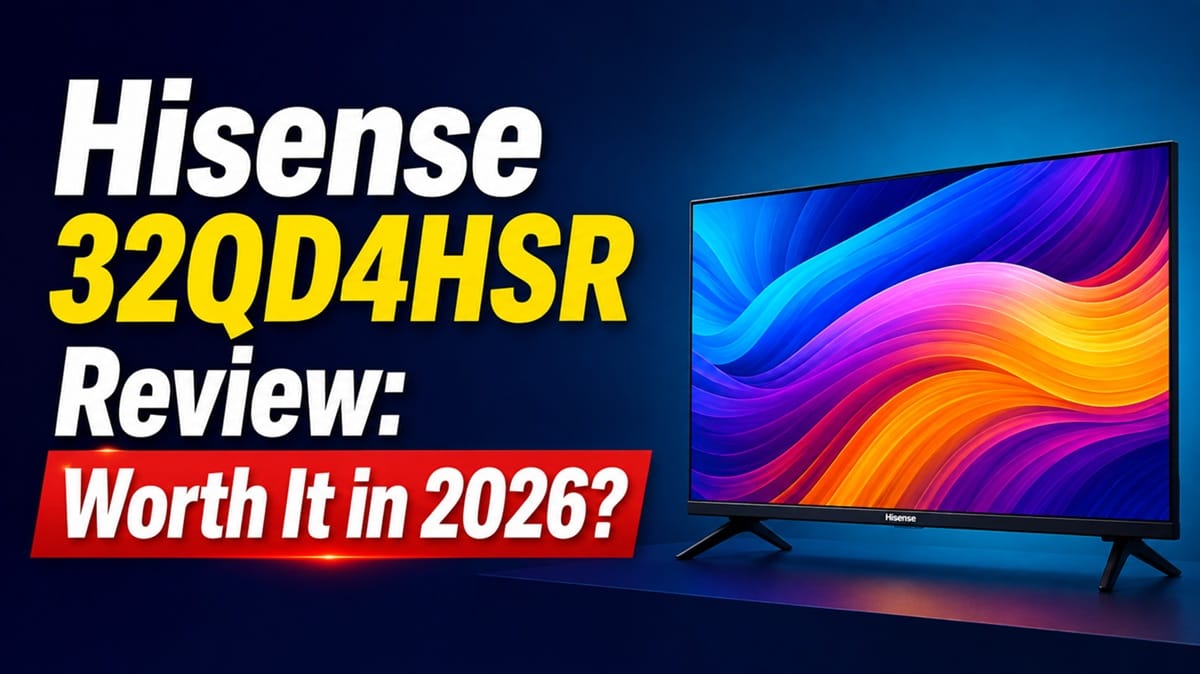
Hisense 32QD4HSR Review: Is the Hi-QLED Upgrade Worth It on a Budget Roku TV?
Last updated: August 2026
🕒 9 min read
Disclosure: As an Amazon Associate I earn from qualifying purchases. This article contains affiliate links — we may earn a small commission if you buy through them, at no extra cost to you.
A bedroom TV rarely gets picked for its resolution. It gets picked because a plain LED panel already looks flat next to a phone screen, and nobody wants that same disappointment on a bigger display. This Hisense 32QD4HSR review looks at whether adding Hi-QLED color to a compact, budget Roku set actually changes the picture day to day, or whether it’s mostly a label on the box.
If you’re weighing this against Hisense’s plainer 32A4NV, the difference comes down to whether that extra color layer is worth paying a little more for on a set this size — we’ll get into that comparison below. For now, know that the 32QD4HSR keeps things simple: a 32-inch Hi-QLED panel, the Roku TV platform, and a price built for a secondary room, not a primary living room display.
If you’re shopping across sizes and budgets instead of just this one, our best 4K TVs of 2026 picks span every price point, for when a 32-inch panel isn’t quite what your main room needs.
There’s a mismatch worth clearing up before anything else. Hisense’s own Canadian product page titles this exact TV a “Full HD-Smart Roku TV,” while the specifications table on that same page lists a 1366×768 resolution — HD, not Full HD. We built this review around that spec table, cross-checked against the exact ASIN listed on Amazon, since a budget 32-inch set like this one doesn’t get an independent lab test the way flagship models do.
Table of Contents
Quick Verdict
At a Glance
★★★☆★ 6.4 / 10
At a Glance
Picture Quality
Gaming
Audio
Value
👍 Best For: A compact secondary TV — bedroom, dorm, or kitchen — where noticeably better color than a plain LED set matters more than resolution or gaming features.
👎 Skip If: You want 1080p or 4K resolution, HDMI 2.1 gaming features, or a display meant to anchor your main living room.
One-Line Verdict: The 32QD4HSR delivers a real color step up over a basic LED panel, but its 1366×768 resolution keeps it firmly in secondary-TV territory.
🛒 Check Availability on AmazonProduct Specs at a Glance
Product Specs
Hisense 32QD4HSR (QD4SR Series)
Hi-QLED · HD 1366×768 · Roku TV
| 📺 Screen Size | 32″ |
| 🎨 Panel Type | Hi-QLED (Quantum Dot LED) |
| 🖥️ Resolution | HD (1366×768) |
| 📡 Smart Platform | Roku TV |
| 🎮 Game Mode | ~16ms input lag |
| 🔌 HDMI Ports | 2× HDMI 1.4 (1 eARC) |
| 🔊 Audio | Dolby Audio, 2×6W |
| ⚖️ Weight (with stand) | 7.7 lbs |
Design & Build Quality
Materials & Finish
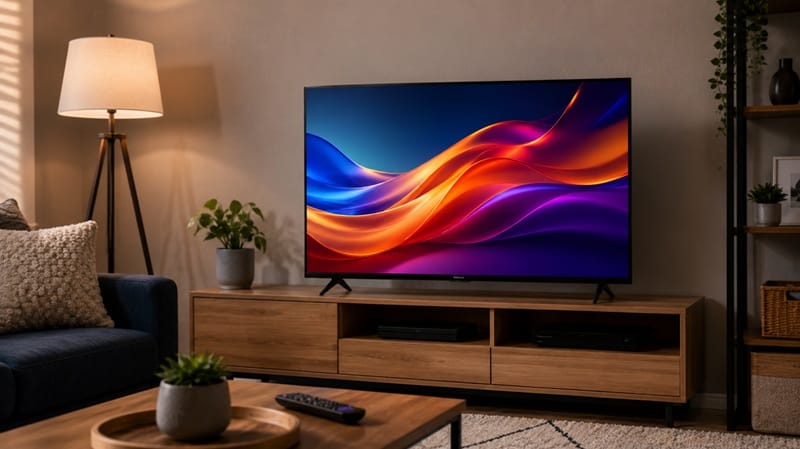
The 32QD4HSR sticks to the same slim-bezel, lightweight build that most budget 32-inch sets share. Hisense’s own official spec sheet for the QD4HSR series lists it at just 7.7 lbs with the stand attached, light enough to reposition without help. The stand itself has a tilt function — Hisense calls it “Tilt to Monitor” — that lets you angle the panel forward for standard TV viewing or back slightly for a desk-style setup, which is a useful touch on a TV this size.
Based on the manufacturer’s listed dimensions, the panel measures roughly 28.4 × 16.8 inches without the stand, keeping the overall footprint small enough for a dresser, a small desk, or a wall mount using the standard 100×100mm VESA pattern.
Ports & Connectivity
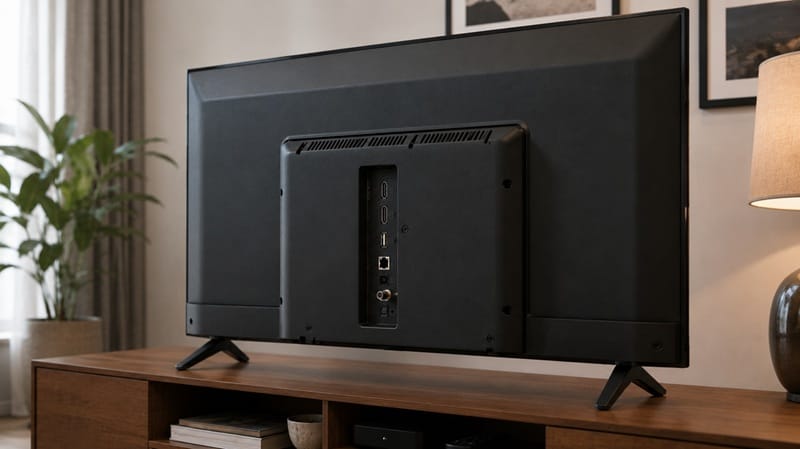
Connectivity is where the budget positioning shows. You get two HDMI ports, both HDMI 1.4 rather than the newer 2.1 standard, with one supporting eARC for a soundbar or receiver. There’s a single USB 2.0 port, an optical digital audio output, and a composite video input for older hardware. Built-in Wi-Fi handles the streaming connection; based on Hisense’s own support documentation for this model, it does not include a wired Ethernet port, so a stable connection depends on your Wi-Fi signal reaching the room.
Performance & Real-World Use
How the Hisense 32QD4HSR Handles Everyday Streaming
Adding a quantum dot color layer over a standard LED backlight is how Hisense gets more color range out of a budget panel without the cost of a 4K display — that’s the trade Hi-QLED is built around, based on Hisense’s own product materials. In practice, that means streaming apps, news, and casual viewing should look more colorful than they would on a plain LED set at this price, even though the image itself isn’t any sharper.
Resolution Reality Check
The resolution is the honest limitation here. At 1366×768, the Hisense 32QD4HSR sits below Full HD, let alone 4K — which is notable because Hisense’s own Canadian product page titles this exact TV a “Full HD-Smart Roku TV,” while the specifications table two scrolls down on that same page lists 1366×768. Text and fine detail in streaming menus will look softer than on a 1080p set the same size, though at typical bedroom viewing distances on a 32-inch screen, that gap is far less noticeable than it would be on a larger panel.
Sports & Casual Viewing
The 32QD4HSR also includes Hisense’s AI Sports Mode, which the company says smooths fast motion during games and boosts crowd noise and commentary audio. That runs through Dolby Audio processing on the built-in 2×6W speakers — modest hardware that’s fine for a bedroom or kitchen TV, but not a replacement for a soundbar if sound quality actually matters to you.
Key Features Breakdown
Roku TV Platform
The Roku TV operating system is arguably the strongest reason to choose this set over a similarly priced non-Roku alternative. It’s a fast, familiar interface with broad streaming app support, universal search across services, and control through either the included remote or the free Roku mobile app — useful if you tend to misplace remotes in a smaller room. If you’d rather stay in the same QD4 lineup at a larger size, our Hisense 40QD4SR review covers the 40-inch version of this same Hi-QLED family.
Game Mode
Hisense lists Game Mode input lag at around 16ms on this model, which is a solid number for a budget TV. That said, it’s paired with only HDMI 1.4 ports and a 60Hz native refresh rate, so this isn’t a set built for competitive or 4K console gaming — more for casual play where responsiveness matters more than resolution or frame rate.
The Good, the Bad, and the Ugly
Pros
- ✅ Genuine color improvement — Hi-QLED noticeably widens the color range compared to a plain LED panel at this price.
- ✅ Roku TV platform — fast, familiar, and well-supported across streaming apps.
- ✅ Low input lag in Game Mode — around 16ms per Hisense’s own listing, solid for casual gaming.
Cons
- ❌ HD resolution only — 1366×768 falls short of Full HD, despite some listings implying otherwise.
- ❌ Dated HDMI standard — HDMI 1.4 ports mean no VRR, no 4K/120Hz, and limited future-proofing.
The Ugly
The gap between Hisense’s own marketing title for this TV and its own spec table is the thing to watch for here — see the resolution note above. It’s not something you’d catch without scrolling past the product title to the numbers, and for a shopper who specifically wants a sharp 1080p picture in a small room, that gap could be a real deal-breaker rather than a footnote.
Who Should Buy This — and Who Shouldn’t
Buy This If
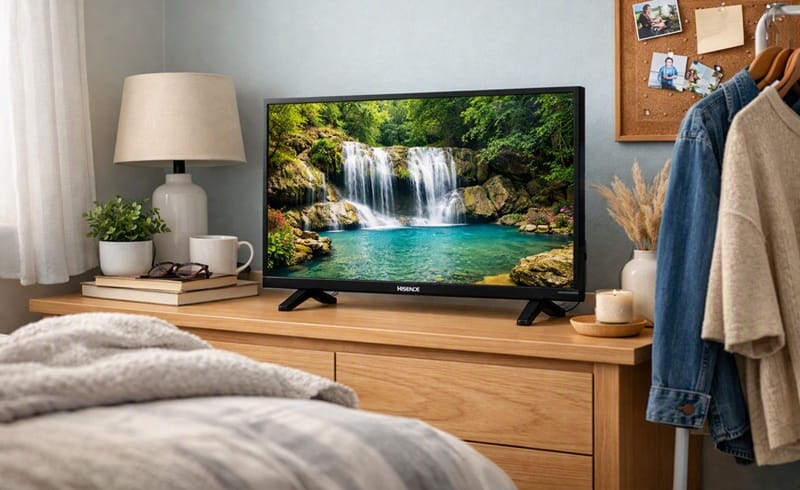
The Hisense 32QD4HSR makes sense if you’re setting up a secondary TV — a bedroom, guest room, dorm, or kitchen — and you’ve noticed how flat a basic LED panel looks compared to your phone or laptop screen. Switching to Hi-QLED here is a bit like swapping a plain fluorescent kitchen bulb for a warmer LED one: same room, same fixture, but everything in it reads a little truer.
It’s also a reasonable pick if the Roku platform specifically matters to you — maybe you already own a Roku streaming stick or another Roku TV and want the same interface everywhere in the house. If you’re curious how QLED color technology stacks up against OLED more broadly, our full OLED vs QLED comparison breaks that down beyond just this one budget model.
If small-room setups are the priority more broadly rather than this specific model, our roundup of the best OLED TVs for small spaces covers picks across a wider range of sizes and budgets for that exact use case.
Skip This If
Skip the 32QD4HSR if resolution is non-negotiable. A 1366×768 panel won’t deliver the sharpness a 1080p or 4K set can, even at 32 inches.
If color quality isn’t your main concern and you just want the lowest possible price for a basic secondary TV, our Hisense 32A4NV review covers Hisense’s plainer, cheaper 32-inch alternative — it drops the QLED color layer but costs less, which may be the better trade if budget is the deciding factor.
Final Verdict
Is the Hisense 32QD4HSR Worth Buying?
This Hisense 32QD4HSR review comes down to a simple trade: real, visible color improvement over a plain LED panel, in exchange for an HD panel that never actually reaches Full HD, whatever the product page’s own title says. For a secondary room where the TV mostly handles streaming and casual viewing, that trade makes sense.
Compared to the step-down 32A4NV, the extra color depth here is worth the modest price difference if you’ll actually notice it — and compared to switching to an OLED or LED panel for a sharper picture, that’s a different conversation entirely — one OLED vs LED compared covers in more depth. 🛒 Check Availability on Amazon
Frequently Asked Questions
Is the Hisense 32QD4HSR 1080p or 4K?
Neither. Hisense’s own spec sheet for the 32QD4HSR lists a 1366×768 resolution — below Full HD — even though the product’s own title on Hisense’s Canadian site calls it a “Full HD-Smart Roku TV.” If sharpness is a priority, that’s worth catching before you buy, not after.
Is the Hisense 32QD4HSR Good for Gaming?
It’s fine for casual gaming — Hisense lists Game Mode input lag around 16ms, which is responsive. But with only HDMI 1.4 ports, a 60Hz native refresh rate, and no VRR, it’s not built for competitive play or current-gen console gaming at higher frame rates. For platform-level context, RTINGS’ roundup of Roku TV platform performers covers what to expect from Roku TV’s interface and app support more broadly, even though it doesn’t test this specific Hisense model.
Can I Use the 32QD4HSR as a Computer Monitor?
You can, and the tilt stand’s monitor mode makes it more comfortable for desk use than a typical TV stand. Just factor in the HD resolution — text will look noticeably softer than on a dedicated 1080p monitor at the same size.
Who Should Avoid the Hisense 32QD4HSR?
Anyone prioritizing sharp text and detail, competitive gaming, or a display meant to anchor a main living room should look elsewhere. The resolution and HDMI 1.4 ports are the trade-off this Hisense 32QD4HSR review keeps coming back to — fine for a secondary TV, not built to be a primary one.
Does the Hisense 32QD4HSR Have a Wired Internet Option?
No — based on Hisense’s own support documentation for this model, it relies on built-in Wi-Fi with no wired Ethernet port. If your bedroom or dorm has a weak Wi-Fi signal, that’s worth testing before you commit to this set over a wired alternative.

iYaiii
Editor, GearPulse360
iYaiii is the editor and founder of GearPulse360, specializing in TV reviews and consumer electronics. He researches every recommendation before publishing.
✅ Based on spec analysis and Hisense’s official data — last verified August 2026.