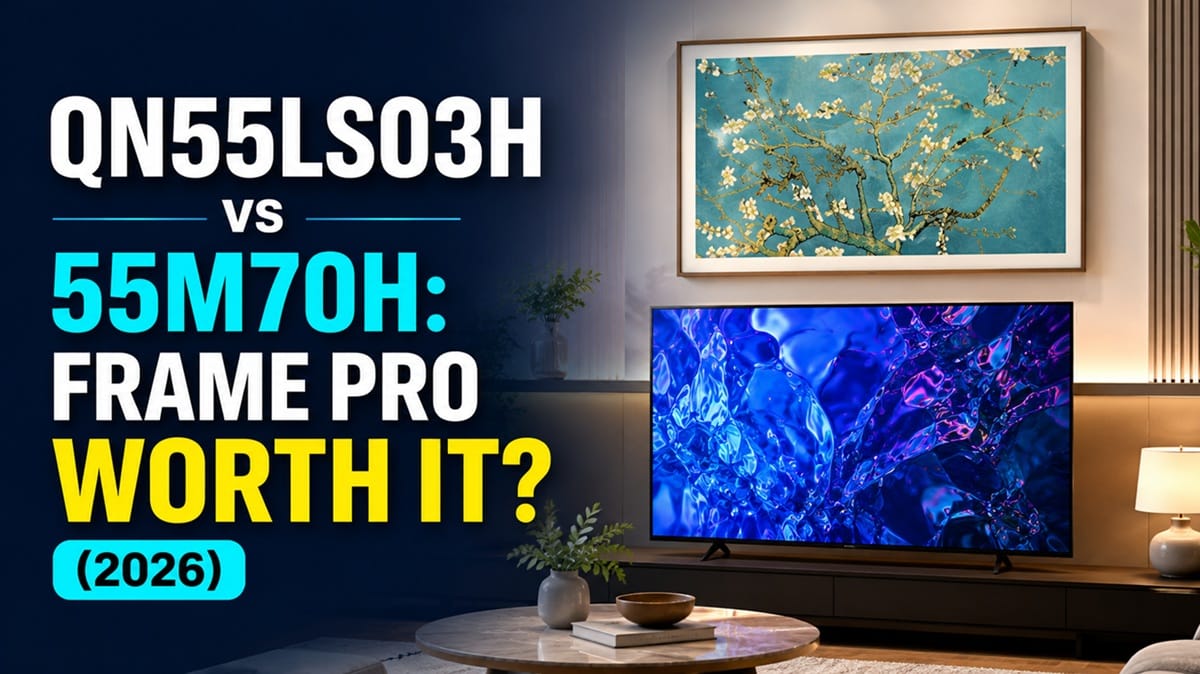
Samsung QN55LS03H vs Samsung 55M70H: Is the Frame Pro Worth the Full Premium?
Last updated: August 2026
🕒 11 min read
Disclosure: As an Amazon Associate I earn from qualifying purchases. This article contains affiliate links — we may earn a small commission if you buy through them, at no extra cost to you.
Type “55-inch Samsung TV” into a search bar or Amazon’s results page, and the Samsung QN55LS03H and Samsung 55M70H can land side by side — despite representing Samsung’s Flagship and Budget tiers, with nothing in between to soften the jump. Same brand, same year, same screen size, and almost nothing else in common, which is exactly why this particular pairing causes so much buyer confusion.
The QN55LS03H wins this matchup for anyone putting the TV somewhere it’ll be seen when it’s off. It’s the only one of the two with any local dimming, its matte coating handles daylight the 55M70H’s glossy screen can’t, and Art Mode gives it a job to do outside of viewing hours. The 55M70H stays relevant for one reason: a room where none of that matters and the price does.
If the full Pro premium feels steep, the non-Pro Frame narrows that gap without giving up the wall-art concept — see Samsung QN55LS03HE vs Samsung 55M70H compared for how that middle option stacks up against the same 55M70H.
Table of Contents
Want a third option outside this pairing? Our Samsung Crystal UHD buying guide covers Samsung’s standard 4K lineup separately from the Mini LED and Lifestyle tiers compared here.
How the Frame Pro and 55M70H Actually Differ
What Is the Samsung QN55LS03H?
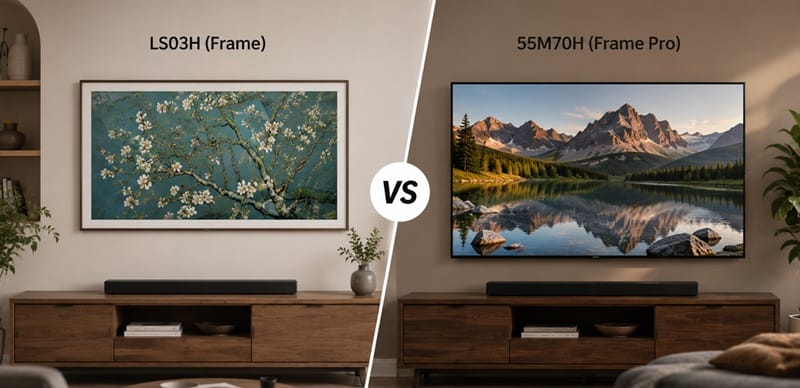
The QN55LS03H is the 2026 Frame Pro, Samsung’s flagship Lifestyle TV. It’s built around a matte, anti-reflective screen and Samsung’s Art Mode, which turns the display into rotating wall art when nothing is playing.
It ships with a Wireless One Connect box that houses most of the inputs off the TV itself, and it runs a native 144Hz panel with a basic edge-lit local dimming system layered under the Neo QLED processing. If you’re deciding between this and the non-Pro Frame, our Samsung QN55LS03HE vs Samsung QN55LS03H compared breaks down exactly what the Pro step-up buys you.
What Is the Samsung 55M70H?
The 55M70H sits at the bottom of Samsung’s 2026 TV lineup — a Smart Monitor TV marketed with Mini LED branding. According to RTINGS testing, that branding refers only to smaller LEDs in the backlight, not an actual local dimming system; the M70H has no local dimming zones at all. It’s a glossy-screen, 60Hz panel aimed at buyers who just want a basic 4K set. For the closest full review on file, see our Samsung 65M70H review.
The Key Structural Difference
Both TVs get called “Mini LED” in marketing copy, but only one of them has a local dimming system that actually does something. The Frame Pro’s edge-lit implementation is limited — RTINGS found it does very little to improve black levels — but it exists. The M70H’s doesn’t exist at all. That single fact drives most of the picture-quality gap between these two.
It’s not an isolated case, either. Our Samsung 55M80H vs Samsung 55QN70H compared found the same gap one tier up — the M80H carries Mini LED branding but ships with no dimming zones at all, right next to a Neo QLED model that actually has them.
Picture Quality: Does the Frame Pro’s Local Dimming Beat the M70H?
Local dimming is the feature most likely to confuse buyers here, since both TVs use “Mini LED” somewhere in their marketing. It matters because it’s what keeps bright highlights from washing out dark scenes on the same screen.
The Frame Pro wins this dimension. Its edge-lit local dimming is basic — RTINGS describes the zone precision as bad, with most zones staying lit for typical content — but it’s still doing more than nothing. The 55M70H has no local dimming feature at all, based on RTINGS testing data, so its native contrast is what you get, full time, with no ability to darken sections of the screen independently.
Color accuracy tells a similar story. The Frame Pro measured superb pre-calibration accuracy in SDR and excellent pre-calibration accuracy in HDR, per RTINGS. The 55M70H’s out-of-box accuracy was mediocre, with a noticeable magenta tint in midtones before any calibration — though it, too, cleans up well once calibrated.
Brightness & Glare: Samsung QN55LS03H vs Samsung 55M70H in Daylight
This is where the gap is largest, and it’s mostly about the screen coating rather than raw backlight power. If your living room has windows facing the TV, this dimension should carry the most weight in your decision.
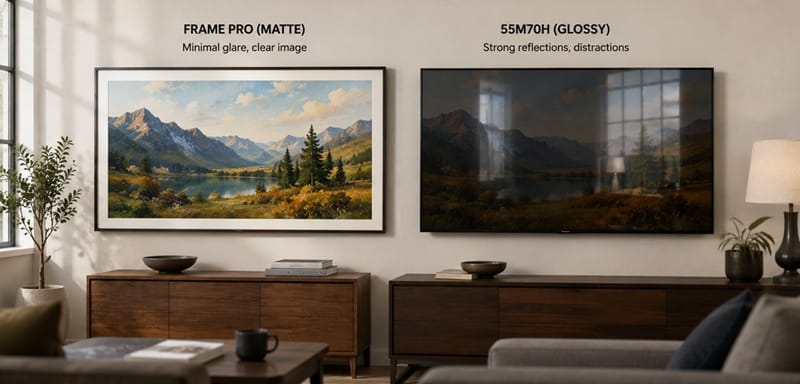
RTINGS rated the Frame Pro’s matte, anti-reflective finish as excellent at cutting down direct reflections, and it also posted great peak brightness in SDR — enough to push through daytime glare comfortably. In HDR, it measured a peak of roughly 769 cd/m² on a small highlight window, which is enough for a reasonably impactful HDR image in a lit room.
The 55M70H uses a standard glossy panel that, according to RTINGS’ testing of the 55M70H, can’t reduce the intensity of direct, mirror-like reflections at all. Its peak brightness in both SDR and HDR was rated poor to bad, so even with the glare problem set aside, bright highlights look flat rather than punchy.
Gaming Performance: Who Wins?
On paper, the Frame Pro looks like the clear gaming pick — it supports a native 144Hz refresh rate with FreeSync, HDMI Forum VRR, and G-SYNC Compatible support across its full range, including Low Framerate Compensation. The 55M70H tops out at 60Hz with a much narrower VRR window and no LFC support.
RTINGS’ input lag testing surfaces a catch, though: routing games through the Frame Pro’s Wireless One Connect box adds noticeable latency, even at high refresh rates. Samsung’s low-latency numbers only show up when you bypass the wireless box entirely and plug into the Micro-HDMI port on the back of the TV — RTINGS measured input lag as low as 5.9ms at 144Hz through that direct connection.
The 55M70H’s measured input lag is actually rated great by RTINGS, but that number is undercut by its 60Hz ceiling and blurry motion handling, so it’s fine for casual play and weak for anything competitive.
Design, Installation & Connections
The Frame Pro’s customizable bezel covers, textured back panel, and Wireless One Connect box are all built around a cleaner wall-mounted install — RTINGS rated its build quality excellent. The trade-off is a more involved setup: the wireless box has to be placed and paired separately, and most of the cable routing happens away from the TV rather than behind it.
The 55M70H keeps things simpler and cheaper, with a plain design and mediocre build quality per RTINGS’ assessment. Two of its rear inputs face straight out rather than downward, so a wall-mount install may need angled HDMI adapters — a small but real inconvenience the Frame Pro’s off-board connection box avoids entirely.
Price & Value: Which One Fits Your Budget?
The QN55LS03H sits in Samsung’s Flagship tier, and the 55M70H sits in Budget — this isn’t a small step up, it’s close to the largest gap Samsung offers within one screen size. That price difference has to buy something specific for it to make sense.
If the extra cost goes toward daylight performance, Art Mode, and a cleaner install, most buyers who’ve already decided this TV lives somewhere visible will find it justified. If the TV is going in a spare room or a kid’s space where none of that matters, the 55M70H’s price makes it the more sensible pick even with its weaker panel.
Best Use Case: Samsung QN55LS03H vs Samsung 55M70H

Which Should You Buy?
For most buyers, the Samsung QN55LS03H justifies its price. If this TV is going somewhere visible — a living room, a space with windows, a wall you actually want to look at when the TV’s off — the combination of basic local dimming, a matte anti-reflective screen, and 144Hz gaming headroom covers real, daily differences the M70H can’t match.
If your priority is stretching a budget across multiple rooms, the 55M70H remains a reasonable choice for a secondary set. It won’t compete on picture quality, but it covers basic 4K streaming and casual viewing at a fraction of the cost.
If your priority is getting the Frame look without paying for the Pro tier, the non-Pro Frame is worth a look too — see our full Samsung QN65LS03H review for how the Pro model performs on its own before comparing it against a budget alternative like the M70H.
📍 Not sure this pairing is the right one for your budget? See more Samsung Mini LED and Neo QLED options in our best 4K TVs of 2026 roundup.
Samsung QN55LS03H vs Samsung 55M70H: Common Questions
Is the Samsung QN55LS03H better than the 55M70H for daytime viewing?
Yes. The Frame Pro’s matte anti-reflective coating handles direct light far better than the 55M70H’s glossy screen, and its higher SDR brightness gives it more headroom to push through glare in a sunlit room.
Is the Frame Pro worth the price premium over the 55M70H?
For a primary living room set, yes — the combination of local dimming, glare handling, and Art Mode design covers value the 55M70H simply doesn’t offer. According to RTINGS’ testing of the Frame Pro, those advantages show up as measured gaps in brightness and color accuracy, not just a nicer design.
For a secondary or low-traffic room, that premium gets harder to justify, since none of those advantages matter as much when the TV isn’t the focal point of the space.
Does the Frame Pro have real local dimming, or is it just marketing like the 55M70H?
It’s real, but limited. RTINGS’ lab testing found its edge-lit local dimming system does very little to improve black levels on its own, though it’s still functional. The 55M70H, despite its Mini LED branding, has no local dimming feature at all.
Is the price gap between these two typical for Samsung’s 2026 lineup?
Yes — a Flagship-to-Budget jump this size shows up in other Samsung screen sizes too, not just at 55 inches. What sets this pairing apart is where the gap concentrates: almost the entire difference traces back to one feature, local dimming, rather than being spread evenly across brightness, color, and build quality the way most tier jumps are.
What’s the difference between the Frame Pro and the standard Frame?
The standard Frame skips the Wireless One Connect box and the Frame Pro’s local dimming and higher refresh rate, at a lower price. We cover that step-up in detail in the comparison linked earlier in this article.

iYaiii
Editor, GearPulse360
iYaiii is the editor and founder of GearPulse360, specializing in TV reviews and consumer electronics. He researches every recommendation before publishing, cross-checking Samsung’s official specifications against RTINGS testing data.
✅ Based on Samsung’s official specifications and RTINGS data — last verified August 2026