Hisense TV Picture Quality and Software Reliability: What the Trade-Off Actually Looks Like
Last updated: July 2026
🕒 8 min read
Disclosure: GearPulse360 participates in the Amazon Associates Program. This particular article contains no affiliate links; other content on our site may.
RTINGS tested the Hisense U7SG’s Google TV interface and reported no issues or bugs. A few months later, an owner posted in that same review’s comment section that their TV had quietly stopped upscaling incoming signals to 4K and wouldn’t fix itself no matter how many times they rebooted it. Both things are true. They’re just measuring the TV at two different points in its life.
That gap matters if you’re comparing Hisense against LG, Samsung, or Sony. RTINGS’ lab numbers for contrast, brightness, and HDR performance are fixed and repeatable — they don’t drift after the review goes live. What owners describe months or years in is a different kind of information: not measured on a bench, but consistent enough across reports that it’s worth tracking on its own terms, separate from the picture-quality score.
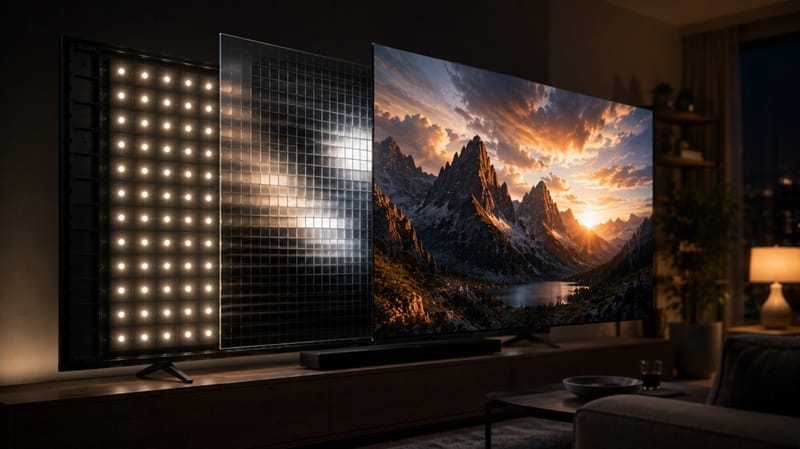
This piece keeps those two threads separate instead of averaging them into one verdict: first, what Hisense’s mini-LED picture quality actually measures well, and where it doesn’t, including issues like Hisense mini LED blooming on the picture side. Then, why software reliability runs on its own timeline, and how to weigh both before you buy.
Table of Contents
The Short Answer: Picture Quality and Software Reliability Aren’t the Same Trade-Off
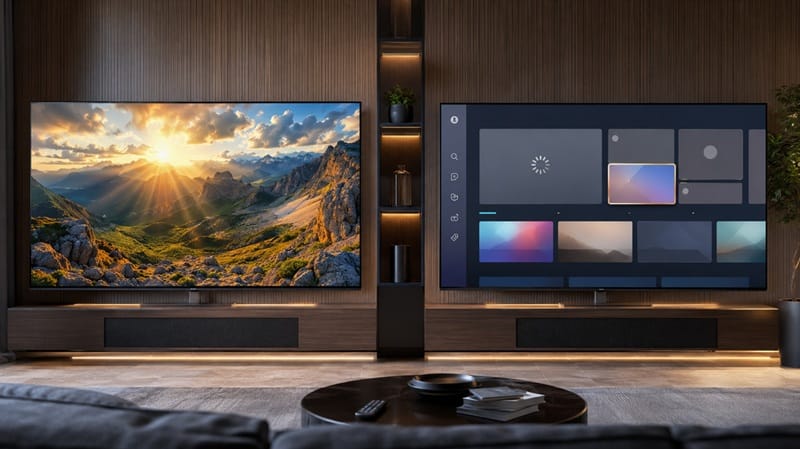
Hisense’s mini-LED picture quality is largely settled by the time you unbox the TV. Contrast, local dimming, and HDR brightness are hardware traits that don’t shift much afterward, and RTINGS’ testing backs that up. Software reliability runs on a different clock: it’s shaped by firmware updates and the Google TV platform over months and years, which a review published in the first week can only capture a slice of. A strong score on one doesn’t guarantee anything about the other.
How Hisense Earns Its Picture-Quality Reputation
What the Lab Data Actually Shows
According to RTINGS’ lab testing of the 65-inch U7SG, the local dimming feature does a fantastic job boosting contrast, and native contrast is high enough on its own to deliver deep blacks even in complicated scenes. Dimming-zone counts scale by screen size — 512 zones on the 55-inch model, 960 on the 65-inch, up through 2,304 on the 100-inch — which is part of why performance stays fairly consistent across the lineup.
Hisense’s own U7SG product listing confirms the Mini-LED backlight and Dolby Vision support as advertised specs; RTINGS’ lab results are what confirm those specs actually deliver in a darkened test room, not just on a spec sheet.
HDR brightness testing found a similar strength: very bright specular highlights, vibrant HDR color volume, and only the smallest highlights dimmed by the local-dimming algorithm. PQ EOTF tracking — how closely the TV follows the brightness curve a scene was mastered with — came back great, with just a sharp cutoff once content is mastered above the panel’s peak brightness. After a full calibration, RTINGS measured superb color accuracy with no noticeable issues.
Where the Picture Quality Falls Short
The U7SG isn’t flawless. RTINGS found a mediocre viewing angle, with colors fading rapidly as you move off-center, so it’s a poor fit for a wide seating arrangement. Gray uniformity is only okay, too — the sides of the screen run noticeably darker than the center, and a visible dirty screen effect shows up in flatter, mid-brightness content.
Motion is the other soft spot. Response time is decent but not fast, and RTINGS noted noticeable transition artifacts along with blur in fast scenes.
That soft-motion behavior connects to a more specific quirk worth knowing about if you game: a flicker effect when the frame rate shifts around 120fps and again near 60fps under VRR, which we’ve covered in detail in our piece on Hisense TV VRR flicker below 48fps. Whether that counts as a picture-quality issue or a software one is hard to sort cleanly: RTINGS ties it to how the backlight responds during refresh-rate transitions, which sits closer to hardware than firmware.
Why Software Reliability Is a Different Measurement Entirely
What RTINGS’ Testing Window Shows
RTINGS’ review notes that the U7SG ships with Google TV version 14, describing the interface as smooth and easy to use, and reports encountering no issues or bugs during testing. Under the hood, the set runs on a MediaTek Pentonic 800 chip with 4GB of RAM and 18GB of storage — modest but typical specs for a mid-range smart TV. The interface does carry ads, as most smart TV platforms do now, though you can opt out of personalization.
That’s a real result, not a hedge. But it’s also narrow: a testing window measured in days, on one review unit, right after a fresh setup. It shows the software worked under those specific conditions. It says little about how the same build behaves eight months and several firmware updates later, cycling through a different mix of streaming apps, game consoles, and cable boxes than a lab bench does.
What Real-World Reports Show Over Time
That gap shows up in RTINGS’ own comment section. One 55-inch U7SG owner described a new problem months into ownership: the TV had always upscaled incoming signals to 4K, but recently started defaulting some inputs to 720p or 1080p instead, and rebooting or checking for updates didn’t resolve it. That’s a single, unverified owner report rather than a lab finding, but it’s a useful illustration of the kind of software regression that a launch-window review simply isn’t positioned to catch.
This isn’t an isolated data point. We’ve documented a wider pattern of Hisense TVs that keep freezing and restarting in a separate piece, and reports like this one fit that same shape: problems that tend to show up only after a review unit has already been shipped back.
If you’re weighing a Hisense mini-LED set against other 2026 TVs on both criteria, our best 4K TVs of 2026 roundup ranks this year’s picks with picture performance and longer-term platform reliability factored in, not just a lab score taken in isolation.
Reading Both Trade-Offs Together
Think of the panel and backlight the way you’d think of a house’s foundation and framing: what you see on delivery day is essentially what you’ll have for the TV’s life, for better or worse. The software layer is closer to the neighborhood around that house — it can improve with a good firmware update, or get noisier with a bad one, and it keeps changing long after moving day.
Practically, that means a bad software experience three years into ownership doesn’t mean the original review was wrong. It’s a separate failure showing up on a separate clock. If you’re already factoring in warranty length or a brand’s update-support history alongside a RTINGS score, you’re accounting for the piece a lab test can’t cover on its own.
What This Means for You in Practice
Who Should Pay Attention to This
If you’re deciding between a mini-LED set like the U7SG and an OLED model, the trade-off looks different depending on which panel type you choose. Our OLED vs Mini LED compared guide breaks down how each technology handles this same quality-versus-reliability question from the panel side, which is worth reading alongside this piece if you’re still choosing between the two.
Anyone planning to keep a TV for five-plus years should also weigh this more heavily than a first-week buyer would. The picture quality you see on day one is close to the picture quality you’ll have on day one thousand. The software experience is not guaranteed to hold as steady.
Who Doesn’t Need to Worry
If you mainly stream a handful of major apps, don’t game competitively, and replace TVs every few years anyway, this trade-off matters less. RTINGS’ own testing found no software issues out of the box, and the picture-quality strengths — contrast, HDR brightness, color accuracy after calibration — are the parts of the experience you’ll notice every single day, regardless of what happens with firmware down the line.
FAQs: Hisense TV Picture Quality and Software Reliability
Is There Really a Hisense TV Picture Quality and Software Reliability Trade-Off?
Yes, in the sense that they’re measured differently rather than one guaranteeing the other. According to RTINGS’ U7SG review, the picture-quality fundamentals — contrast, local dimming, HDR brightness — test well and stay consistent, while the software experience is shaped by ongoing updates that a single lab review can’t fully predict.
Does a High RTINGS Score Mean Hisense’s Software Won’t Have Bugs Later?
Not necessarily. A high score reflects the software’s behavior during a short testing window on a fresh unit, not its behavior across months of updates and daily use. Software issues that show up later, like the resolution-downgrade report described above, wouldn’t necessarily appear in that initial testing period at all.
How Can I Check Whether My Hisense TV Is Running the Latest Software?
Menu wording shifts slightly between software versions, but on most U7SG units it’s Settings, then System, then About, where the current software version is listed. From that same menu you can usually trigger a manual check for updates instead of waiting for one to install overnight.
Does This Trade-Off Look the Same Across Every U7-Series Size?
Picture quality stays fairly consistent across sizes since the dimming-zone density scales with the panel, though our Hisense 75U7SG review digs into whether that mid-range mini-LED performance actually carries over once the same design stretches to a larger screen. Software behavior, on the other hand, isn’t tied to screen size at all — it comes from the same platform build regardless of which size you buy.
What Actually Determines Whether a Firmware Update Fixes an Issue Like This?
It depends on where the bug lives. A problem tied to a specific software build, like a signal-processing glitch introduced in one update, can get patched out in the next one. A problem tied to how the platform handles a certain input chain or app combination tends to resurface in different forms even after a fix ships, because the underlying interaction wasn’t fully addressed. That’s the distinction worth checking for in owner reports: whether people describe the same bug across multiple firmware versions, or a one-time issue that cleared up after an update.

iYaiii
Editor, GearPulse360
iYaiii is the editor and founder of GearPulse360, specializing in TV reviews and consumer electronics. He researches every recommendation before publishing.
✅ Based on Hisense’s official and RTINGS data — last verified July 2026