Hisense TV Keeps Freezing and Restarting: What’s Actually Causing It
Last updated: July 2026
🕒 8 min read
Disclosure: GearPulse360 participates in the Amazon Associates Program. This particular article contains no affiliate links; other content on our site may.
This is the third time this week your Hisense TV has done this: the picture stalls, the audio cuts a beat later, and by the time you look up the set is already partway through its own startup sequence again. There’s no pattern to when it hits — once mid-episode, once while you were just browsing the home screen. You didn’t touch the remote either time, and now you’re trying to work out whether this is something you can fix yourself or something you’re stuck living with.
Based on editorial research cross-referencing Hisense’s own troubleshooting documentation and RTINGS’ published review of the Hisense U7SG’s Google TV interface, a Hisense TV keeps freezing and restarting almost always because of a software problem, not a hardware one. The part most general troubleshooting guides skip: Hisense doesn’t run one smart TV platform, so which fix actually applies depends on which one your set uses.
A freeze that resolves into a restart doesn’t automatically mean your main board or panel is failing — that’s true across most TV brands. It matters more with Hisense specifically because, unlike Sony’s single Google TV platform, Hisense sells the same hardware tiers across VIDAA U, Google TV, Roku TV, and Fire TV depending on the model and region. We’ve covered the same freeze-then-restart symptom on Sony TVs, where app-memory leaks and botched firmware updates are usually behind it too — the difference with Hisense is that its platform split changes which reset menu you’re actually looking for.
Table of Contents
The Short Answer: Why a Hisense TV Keeps Freezing and Restarting
Most cases come down to a specific app running out of memory, a firmware update that didn’t finish installing cleanly, or, less often, a power supply that can no longer hold a steady voltage during startup. Software is the more common cause by a wide margin.
The fix starts with confirming which smart TV platform your Hisense is running — VIDAA U, Google TV, Roku TV, or Fire TV — since the reset menu and the likely culprit both depend on the answer.
What’s Actually Happening When a Hisense TV Freezes and Reboots
Software-Side Triggers
A commonly reported cause is a single app — often a heavy streaming app — leaking memory during a long viewing session until the system runs low on resources and force-restarts to recover.
A corrupted or interrupted firmware update is another frequent trigger: if the download or install gets cut off partway through, the TV can end up stuck trying to load an operating system that isn’t fully in place. That shows up as a freeze followed by a repeating reboot rather than a single restart.
Hisense’s own support documentation treats a full power cycle and a menu-level self-diagnosis reset as the first troubleshooting step for exactly this kind of behavior, and it’s worth trying before assuming anything more serious is wrong.
Hardware-Side Triggers
On the hardware side, a power supply board that can no longer maintain consistent voltage will sometimes present as a freeze-and-restart cycle rather than a TV that simply won’t turn on. Thermal shutdown is another possibility if the TV sits in an enclosed cabinet with poor airflow — the set overheats, shuts itself down to protect the components, cools slightly, then restarts. Main board failures happen less often, but they tend to show up alongside other symptoms, like a logo screen that repeats on every boot attempt or HDMI ports that stop being detected.
Why the Platform Your Hisense Runs Changes the Fix
VIDAA U vs. Google TV vs. Roku TV vs. Fire TV
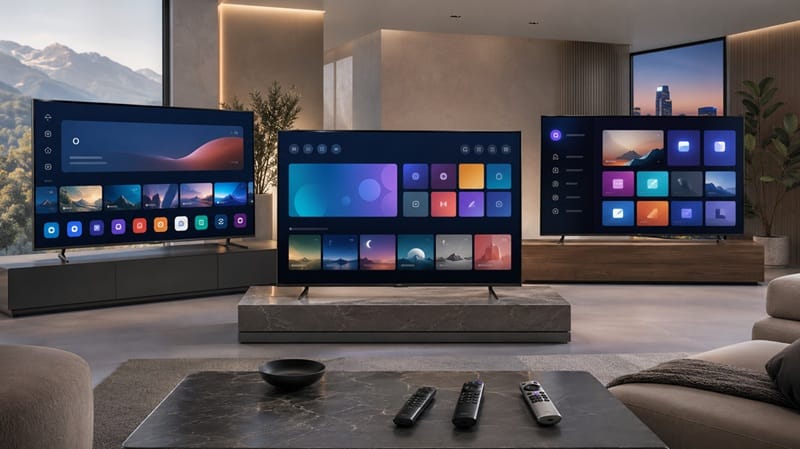
This is the part most general troubleshooting advice misses. Hisense doesn’t ship one smart TV platform across its lineup the way Sony (Google TV only) or LG (webOS only) does. Depending on the model, region, and retailer, a Hisense set might run Hisense’s own VIDAA U software, Google TV, Roku TV, or Amazon’s Fire TV — and each platform handles app memory, cache clearing, and system resets through a different menu. The reset step that clears up freezing on one platform isn’t necessarily labeled the same way, or available at all, on another.
How to Identify Which Platform Your Hisense Is Running
The home screen layout is the fastest way to tell: Google TV shows a row-based interface with a search button in the top corner and app recommendations mixed into rows, VIDAA U uses a simpler grid-style launcher, Roku TV keeps its familiar purple tile grid, and Fire TV opens to an Amazon-branded row layout with a search icon on the left. If you’re shopping for a replacement or comparing what a similar Hisense model actually runs, our Hisense 65U7SG review covers the platform and interface that model ships with in more detail.
Once you’ve narrowed down whether this is a software hiccup or a boot loop tied to a bad update, it’s also worth thinking about whether the TV itself is still the right fit for how you actually watch — if you’re already close to a buying decision, our best 4K TVs of 2026 roundup ranks current picks by use case and budget.
Ruling Out a Hardware Problem
A freeze that clears after a power cycle, and doesn’t return once you’ve confirmed the right platform-specific reset path and updated the firmware, is not a sign of hardware failure. A pattern that survives a full factory reset and a firmware update — especially alongside symptoms like a logo that repeats on every boot or ports that stop responding — is different, and that’s the point where documenting what’s happening and contacting Hisense support directly makes more sense than continuing to troubleshoot alone. If that documentation ends up leading to a rejected claim, our breakdown of what gets a Hisense TV warranty claim denied covers the exclusions Hisense typically cites and where a documented case still has room to push back.
A car that stalls once after sitting on a near-empty tank isn’t behaving like a car that stalls every time you start it, regardless of fuel level. The first is a condition you address. The second points at something mechanical underneath.
What This Means for You in Practice
Who Should Pay Attention to This
This matters most if your Hisense TV is still within its manufacturer warranty and the freeze-restart pattern showed up early — within the first few months of ownership, rather than developing gradually. Manufacturing-related defects generally surface early rather than building up over time, which is one reason the timing is worth noting when you contact support. It’s also worth factoring in if you’re comparing Hisense’s Mini-LED lineup against OLED alternatives before buying: panel technology and smart-TV platform are separate purchase decisions, and our OLED vs Mini LED comparison breaks down that tradeoff on its own terms.
Who Doesn’t Need to Worry
If the freezing happened once or twice, was tied to a single app, and hasn’t come back after a cache clear or power cycle, that’s an ordinary software hiccup — the kind that shows up occasionally across most smart TV platforms, not something specific to your set. It’s not a sign the TV is on its way out, and it doesn’t need a warranty claim or a service call.
And if what’s actually bothering you isn’t freezing at all but a picture that looks flatter or less vivid during Dolby Vision content, that’s a different, unrelated issue — our guide on why a Hisense TV looks washed out in Dolby Vision walks through the settings that usually fix it.
FAQs: Hisense TV Freezing and Restarting
My Hisense TV keeps freezing and restarting — why?
Most of the time it’s a single app leaking memory over a long session, or a firmware update that didn’t finish installing cleanly. RTINGS‘ review of the Hisense U7SG covers the same Google TV platform current U7-series models ship with, which is consistent with freeze-restart complaints usually tracing back to a specific app or a botched update rather than the platform itself being fundamentally unstable.
Does a Hisense TV that keeps restarting mean the panel is failing?
No, not on its own. A freeze-restart cycle is typically the TV’s operating system shutting down a hung app or process and rebooting to recover — that’s a software-level event. A failing panel shows up differently: stuck or dead pixels, banding, or a section of the screen that stops responding, not the whole TV restarting. If you’re only seeing the restart with no picture defects, the panel isn’t the likely cause.
Will a factory reset fix a Hisense TV that keeps freezing?
In most software-related cases, yes. A factory reset clears the corrupted cache, app data, or partially-installed update that’s usually behind the freezing, though you’ll need to re-download your apps and sign back into your accounts afterward.
Does occasional freezing mean I should return or exchange the TV?
Not right away. Start with the platform-specific reset — clear cache and confirm the firmware is fully updated — since that resolves most cases within a day. If the freeze-restart pattern keeps showing up after that, note the dates and what you were doing each time, then contact Hisense support directly rather than going straight to the retailer for a return. A documented recurring pattern gives support something concrete to act on, and it’s a stronger basis for a warranty claim than a single unclear incident if you’re still within the return window.
How do I know which smart TV platform my Hisense is running?
Check the home screen layout: a row-based interface with a search icon in the corner is Google TV, a simple grid launcher is VIDAA U, a purple tile grid is Roku TV, and an Amazon-branded row layout is Fire TV. The platform is also usually listed under Settings > About or Settings > System.

iYaiii
Editor, GearPulse360
iYaiii is the editor and founder of GearPulse360, specializing in TV reviews and consumer electronics. He researches every recommendation before publishing.
✅ Based on spec analysis and RTINGS data — last verified July 2026