Hisense Mini LED Blooming: When It’s Normal, and When It’s Not
Last updated: July 2026
🕒 8 min read
Disclosure: As an Amazon Associate I earn from qualifying purchases. This particular article contains no affiliate links; other content on our site may.
Two people can sit on the same couch and disagree about whether a Hisense mini LED TV is blooming at all. Dead center, a bright subtitle might show a faint gray fringe against a black scene.
Move a few feet to the side, and it can look different again. RTINGS’ own viewing-angle testing on the U7SG found that colors and contrast fall off quickly once you’re off-axis, so the same halo can appear worse, or get lost in general image softening, depending on where you’re sitting.
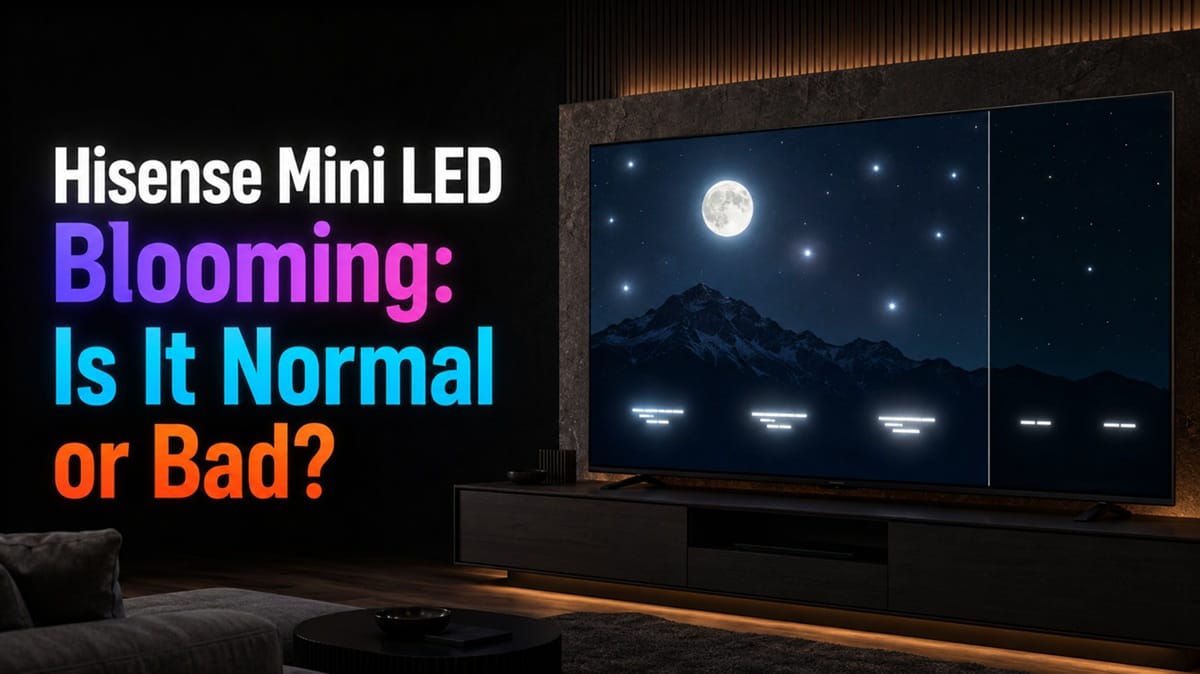
If you searched this because you spotted a soft glow around a bright object on a dark background, the short answer is that some Hisense mini LED blooming is just standard panel behavior — RTINGS measured a comparable effect directly on the Hisense U7SG. What actually matters is how much glow you’re seeing, and whether it shows up only around bright content or everywhere on the screen regardless of what’s playing.
Zone-based backlighting is the reason blooming happens at all, and RTINGS’ lab numbers on the U7SG show where normal glow ends and a real problem begins. If you’ve also noticed your Hisense TV’s Dolby Vision picture looking washed out, that’s a related but separate issue tied to tone mapping rather than local dimming.
Table of Contents
The Short Answer
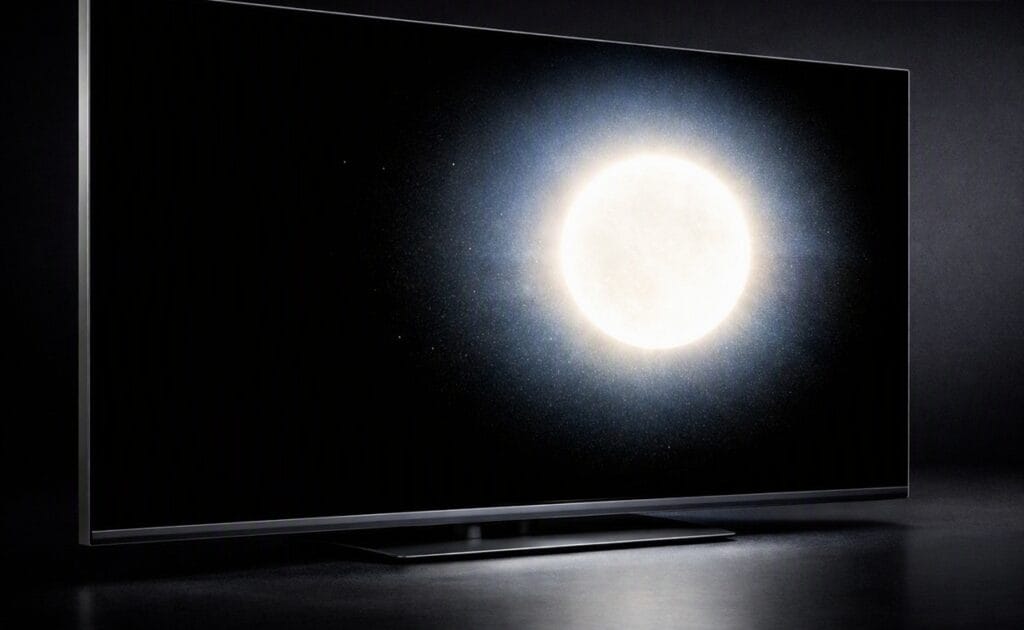
A small amount of blooming — a soft glow around bright objects like subtitles, credits, or a flashlight beam on a dark background — is normal and expected on any mini LED TV, including Hisense models. It’s worth investigating only when the glow is large, shows up in patches with no bright content nearby, or is clearly worse than what RTINGS measured in lab testing for your specific model.
What Causes Hisense Mini LED Blooming in the First Place
Zones, Not Pixels, Control the Light
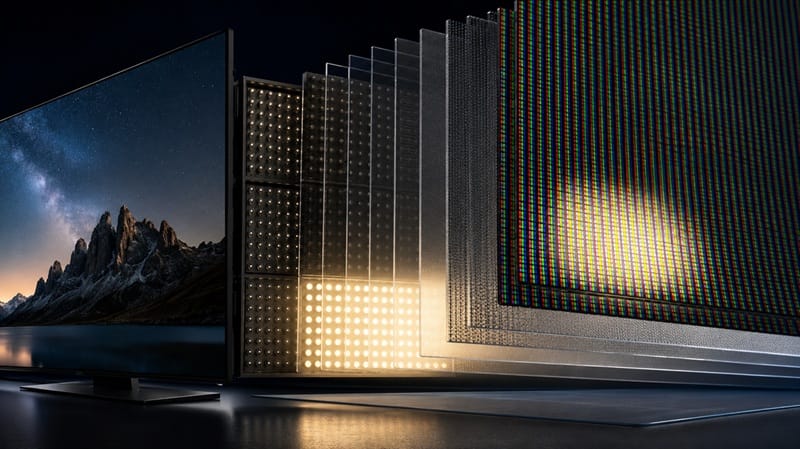
A mini LED TV doesn’t light each pixel individually the way an OLED panel does. Instead, a grid of LED zones sits behind the liquid crystal layer, and each zone brightens or dims a cluster of pixels together. According to Hisense’s own product page, the U7 series uses full-array local dimming with thousands of individually addressable mini LEDs feeding those zones.
Why the Math Still Leaves Room for Glow
RTINGS’ testing lists 960 local dimming zones on the 65-inch Hisense U7SG, covering a 4K panel with more than 8 million pixels. Each zone is still responsible for thousands of pixels at once. When a bright object sits on a black background, the zone lighting it up spills some brightness onto the darker pixels sharing that same zone — that spillover is blooming.
This is still a meaningful improvement over older edge-lit LED TVs, which dimmed entire rows or columns of the screen at once instead of small independent zones. A 960-zone backlight isolates a bright object far more tightly than that older approach could manage. What you’re seeing as blooming is simply the remaining gap between one zone controlling thousands of pixels and OLED controlling each pixel on its own.
What RTINGS’ Lab Testing Shows About Real-World Blooming
Bright Highlights Against Dark Backgrounds
RTINGS’ published testing on the Hisense U7SG describes its local dimming as controlling light around bright highlights well, with only a slight glow around subtitles or unusually shaped bright objects, and even that isn’t especially noticeable in most scenes. Our full Hisense 65U7SG review covers how that testing plays out across the rest of the picture, not just this one measurement.
Fast Motion Changes the Picture
RTINGS also found that when a bright object moves quickly across the screen, the zones keep up reasonably well and leave minimal glow trailing behind it, though some flicker can appear as the highlight crosses from one zone into the next. It’s the same zone-size limitation, just showing up during motion instead of on a static frame.
That zone-versus-pixel tradeoff is exactly what shoppers are weighing when they compare mini LED against OLED. If you’re still deciding which technology fits your room, our best 4K TVs of 2026 roundup ranks top picks from both camps by use case and budget.
Is Your Hisense Mini LED Blooming Normal, or a Sign Something’s Wrong
A halo confined to bright objects, appearing only in the darkest scenes, matches what RTINGS measured on its own U7SG review unit — expected panel behavior, not a manufacturing flaw. It’s also a hardware trait, not a software one, so it’s fixed the day you unbox the TV and won’t shift with a firmware update the way some other Hisense quirks do — a distinction we get into more in our look at Hisense TV picture quality and software reliability trade-offs.
What’s worth flagging instead is discoloration that shows up in mid-gray scenes, like a stadium broadcast or a bright indoor shot, with no single bright object nearby to explain it. RTINGS logs that separately as a “dirty screen effect” — a uniformity problem rather than a local dimming one, and one distracting enough that RTINGS lists it among the U7SG’s main drawbacks.
A quick way to tell the two apart: put on a scene with one bright object against a black background, like a movie’s end credits. If the glow tracks that object and disappears once the scene changes, that’s ordinary blooming. Patchy discoloration that stays in the same spot across different scenes, especially in flat mid-tones, points to a uniformity issue worth raising with Hisense support instead.
What This Means for You in Practice
Buy This If…
You mostly watch during the day, play games, or watch a mix of sports and shows where full-black scenes with small bright highlights are the exception rather than the rule. Mini LED’s brightness and price advantage over OLED will matter more to you than the occasional halo. Shoppers comparing panel types side by side may also want our OLED vs Mini LED compared breakdown before deciding.
Skip This If…
You watch a lot of dark, cinematic content — space scenes, night driving footage, credits scrolling over black — from a dedicated home theater seat where a halo is easy to spot. In that specific viewing pattern, even well-controlled mini LED blooming will bother you more than it would a casual viewer, and OLED’s per-pixel dimming sidesteps the issue completely.
FAQs: Hisense Mini LED Blooming
Is Hisense mini LED blooming a defect I should return the TV for?
Not on its own. A slight glow around bright objects on a dark background is expected mini LED behavior, and RTINGS’ own lab testing describes similar mild haloing on the Hisense U7SG. Consider a return only if the glow is large, shows up without any nearby bright content, or looks asymmetric and oddly shaped rather than a clean halo centered on the object itself.
Does turning off local dimming get rid of blooming?
Turning local dimming off removes the halo, but it also removes the deep blacks and contrast that local dimming exists to produce, leaving a flatter, grayer picture overall. Lowering the local dimming intensity from High to Medium is usually a better middle ground if the halo bothers you more than the extra contrast helps.
Does screen size change how noticeable blooming is?
Yes, and the difference is measurable. RTINGS’ own size comparison for the U7SG lineup lists 512 zones on the 55-inch model climbing to 3,168 zones on the 116-inch, with area-per-zone staying fairly consistent across most sizes in between. The 55-inch model uses noticeably larger zones than the rest of the lineup, so it’s the one size RTINGS flags as likely to bloom a bit more.
Does blooming look worse in HDR than in SDR?
Often, yes. RTINGS measured the U7SG’s HDR highlights running into the thousands of nits, far past typical SDR peak brightness, and that gap between a bright HDR highlight and a black background asks more of the local dimming system than SDR content usually does. A blooming test on a dark HDR scene isn’t a fair stand-in for how the TV handles everyday SDR viewing.
What if I’m also noticing other picture problems on my Hisense TV?
Treat them separately. Blooming comes from backlight zones and local dimming, which is a different mechanism from HDR tone-mapping issues like the highlight blowout some owners report on the Hisense U8QG’s Dolby Vision picture problems. Fixing one doesn’t automatically fix the other, so it’s worth diagnosing each on its own.
Is blooming related to VRR flicker during gaming?
No — they’re separate mechanisms. Blooming comes from local dimming zones spilling light onto neighboring pixels around bright content, while VRR flicker comes from Low Framerate Compensation changing the refresh rate mid-game. If you’re chasing a gaming-specific brightness issue rather than the halo covered here, our Hisense TV VRR flicker breakdown covers that one, including which settings help.

iYaiii
Editor, GearPulse360
iYaiii is the editor and founder of GearPulse360, specializing in TV reviews and consumer electronics. He researches every recommendation before publishing.
✅ Based on RTINGS’ Hisense U7SG lab data and Hisense’s official product specifications — last verified July 2026