Samsung OLED Dead Pixels: What Determines a Replacement vs. Living With It
Last updated: July 2026
🕒 7 min read
Disclosure: GearPulse360 participates in the Amazon Associates Program. This particular article contains no affiliate links; other content on our site may.
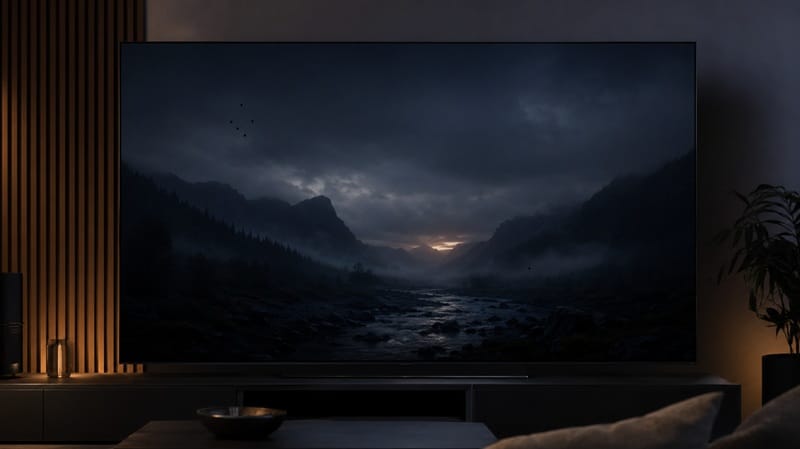
One dot on the screen doesn’t move. Not when the scene cuts, not when the Netflix logo fades in, not during the letterbox bars on a movie — it just sits there, same spot, every time. Once you’ve clocked it, your eyes go straight to it every time you turn the TV on.
Search “Samsung OLED dead pixels” and you’ll find plenty of forum threads from frustrated owners describing very different outcomes for what looks like the same problem. Whether yours gets fixed comes down to Samsung’s own inspection and support process at the time you file a claim — not something we can predict for you in advance.
A common misconception is that any visible dot automatically qualifies for a free panel swap. It doesn’t. Below, we cover what actually counts as a dead pixel on a Samsung QD-OLED panel, how to confirm it’s a real panel defect rather than a signal issue, and — as covered in our Samsung S90D banding guide — how a defect like this fits into the broader picture of Samsung panel-uniformity complaints.
Table of Contents
The Short Answer
A Samsung OLED dead pixel is a sub-pixel that’s stopped emitting light entirely, or is stuck showing a single color regardless of what’s on screen. Whether a reported dead pixel qualifies for a repair or replacement depends on Samsung’s current inspection and support process at the time you file a claim.
What Counts as a Samsung OLED Dead Pixel
Dead pixels vs. stuck and hot pixels on a Samsung OLED
A true dead pixel is a sub-pixel that’s lost power entirely and shows as a small black dot against any background. A stuck pixel is different — it’s still receiving power but is locked on one color (usually red, green, or blue) instead of changing with the image. A “hot” pixel behaves like a stuck pixel but appears white or unusually bright. All three show up as a fixed point that doesn’t move or change, which is the main thing that separates them from dust, a scratch, or a temporary software glitch.
Why it’s easier to notice on a QD-OLED panel
Samsung’s OLED TVs use a QD-OLED panel, where each sub-pixel emits its own light rather than being lit by a backlight behind an LCD layer. That self-emissive structure is part of why OLED panels produce such deep black levels, and it also means a non-functioning sub-pixel shows up directly rather than through a layer of backlighting.
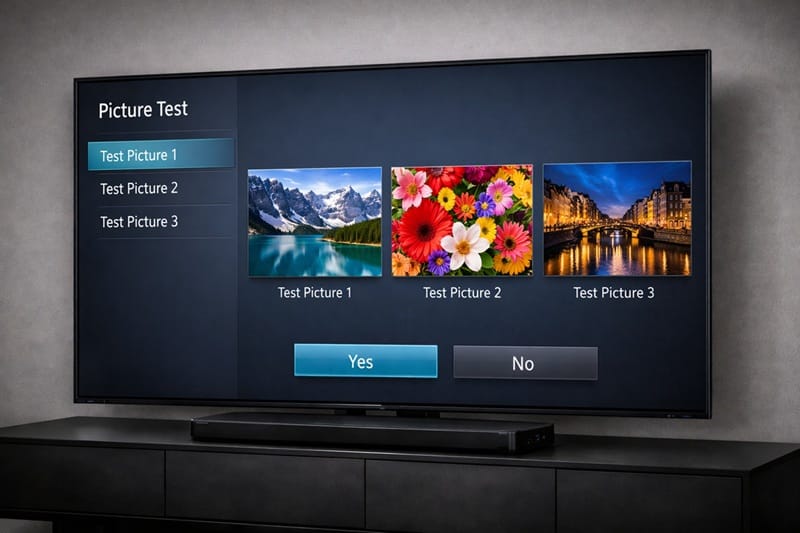
Before assuming it’s a true panel defect, it’s worth ruling out signal or software causes first. Samsung’s own support documentation walks through running a Self Diagnosis picture test from the TV’s Support menu, which displays a series of solid test screens — if the dot only appears with certain content or sources but disappears during the test pattern, the issue is more likely external than a panel fault.
What Determines Whether Samsung Replaces the Panel
What we can and can’t confirm
Warranty eligibility for a reported dead pixel depends on Samsung’s current inspection and support process at the time you file a claim. We don’t have an approved source (Samsung or RTINGS) specifying the exact criteria that process uses, so rather than speculate on what factors are weighed, we’re stating plainly that this is a question for Samsung support directly on a case you’re dealing with.
Where this fits into the bigger reliability picture
A single dead pixel is a panel-manufacturing defect, not a sign that a Samsung OLED is inherently unreliable — it’s a quality-control outcome that can happen with any self-emissive display technology, from any manufacturer. If you’re weighing whether the risk of a defect like this should factor into a purchase decision at all, our breakdown of whether Samsung OLED TVs are worth it in 2026 puts this kind of quality-control risk in context against the picture quality and feature set you’re actually paying for. It’s also a useful example of the wider unit-to-unit variance we cover in Samsung OLED picture quality consistency — a dead pixel just sits at the more visible end of that same manufacturing-variance spectrum.
A single reported defect isn’t reason enough to write off an entire display category — panel-level pixel failures show up occasionally across every brand that makes OLED TVs, Samsung included. If a dead-pixel worry is one of several things you’re weighing before buying at all, our best OLED TVs in 2026 guide lines up this year’s models side by side so quality-control risk is just one factor in the decision, not the only one.
What to Check Before You Call It a Dead Pixel
Run the picture test before you contact support
Before assuming the worst, confirm the dot survives Samsung’s Self Diagnosis picture test described above. If it disappears during the solid-color test screens, the cause is more likely an HDMI handshake issue, a compressed streaming source, or a connected device — not the panel itself.
Common false alarms
A few things regularly get mistaken for dead pixels: dust or a fingerprint smudge sitting on the glass (try a gentle microfiber wipe first), a compression artifact from heavily compressed streaming content that only shows up in specific scenes, and — less commonly — a temporary rendering glitch tied to a specific app rather than the TV’s own hardware. If the mark moves when you clean the screen, or only shows up in one app, it isn’t a dead pixel.
What This Means for You in Practice
Buy This If…
You’re comfortable accepting that panel-level defects, while uncommon, are a real possibility with any OLED purchase, and you’re prepared to document the issue clearly and act within your return window if one shows up.
Skip This If…
You’d rather have more certainty going in than rely on Samsung’s inspection and support process to sort things out after the fact. In that case, the retailer’s return window during the first few weeks is the more predictable safety net — if that window is short or the retailer doesn’t offer one, that’s the bigger risk to weigh, not the odds of a defect itself.
If a confirmed defect has you leaning toward comparing your options across the current Samsung lineup instead of pursuing a single repair, our Samsung OLED roundup ranks this year’s models by picture quality, gaming performance, and overall value.

FAQs: Samsung OLED Dead Pixels
How many Samsung OLED dead pixels does it take to get a replacement?
There’s no published number we could verify against an approved source. Replacement or repair eligibility depends on Samsung’s current inspection and support process at the time you file a claim. RTINGS’ review of the Samsung S90D is a useful reference point for how one specific unit performed in testing, though it isn’t a source for defect-rate or replacement-threshold data across the wider Samsung OLED lineup.
Does a dead pixel mean my whole TV is defective?
No. A dead or stuck pixel is a localized sub-pixel failure — it doesn’t indicate anything wrong with the rest of the panel or the TV’s other components, and the rest of the display typically continues to perform normally.
Can a dead pixel fix itself over time?
Occasionally a stuck pixel resolves on its own or responds to pixel-cycling software, but a true dead pixel — one that’s lost power entirely — generally does not self-correct. If the dot hasn’t changed after a few days of normal use, treat it as a hardware issue rather than something to wait out.
Should I return the TV or file a warranty claim?
If you’re still within a retailer’s return window, that route is usually faster and more predictable than a manufacturer warranty claim, since retailers often apply their own return policies. Once the return window has closed, a Samsung warranty claim becomes the remaining option, with eligibility determined by Samsung’s own inspection and support process.
Will next-generation Samsung OLED panels have fewer dead-pixel issues?
There’s no public yield or defect-rate data from Samsung to confirm this one way or the other. Panel manufacturing tends to improve with process maturity across the display industry generally, but without Samsung publishing actual numbers by generation, treating a newer model as automatically safer would be a guess rather than something backed by evidence.

iYaiii
Editor, GearPulse360
iYaiii is the editor and founder of GearPulse360, specializing in TV reviews and consumer electronics. He researches every recommendation before publishing.
✅ Based on spec analysis and Samsung’s official and RTINGS data — last verified July 2026