Do I Need a Streaming Device for LG OLED, or Does webOS Cover It?
Last updated: July 2026
🕒 7 min read
Disclosure: As an Amazon Associate I earn from qualifying purchases. This particular article contains no affiliate links; other content on our site may.
You’ve just gotten your LG OLED set up, and there’s an old Roku stick or Apple TV box sitting in a drawer from your last TV. Before you plug it back in, it’s worth asking the obvious question: do I need a streaming device for LG OLED, or is the TV’s own smart platform good enough on its own?
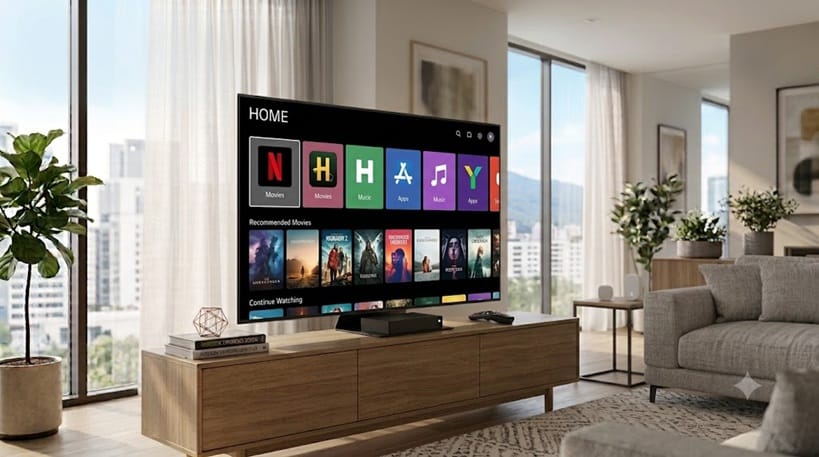
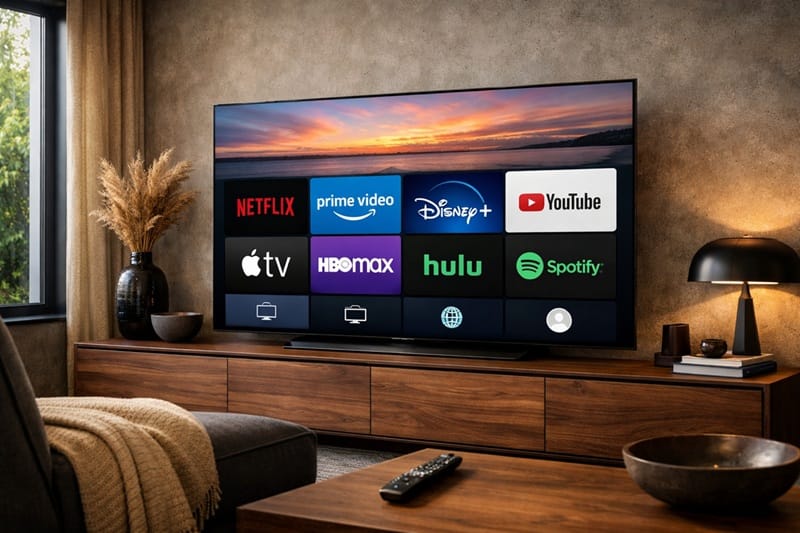
Most people ask this the moment they turn the TV on and see how packed the home screen already is — Netflix, Disney+, Prime Video, and hundreds of free channels are sitting there before you’ve signed into anything. The apps aren’t really in question — nearly everything you’d want is already installed. What actually decides the answer is how that same home screen holds up a year and several firmware updates from now.
Below, we separate what’s already covered by webOS’s built-in apps from the narrower situations where a dedicated device still earns its keep — including the kind of platform slowdown detailed in our breakdown of LG webOS problems 2026.
Table of Contents
The Short Answer
For most people, no — a current LG OLED’s built-in webOS platform already includes every major streaming app, so you don’t need a separate streaming device just to watch Netflix, Disney+, Prime Video, or YouTube. The cases where a separate device still helps are narrower: specific apps that haven’t launched on webOS yet, casting habits built around a particular ecosystem, or an older TV running a webOS version that’s fallen behind on performance.
What’s Actually Built Into webOS
The App Library Itself
According to LG’s own webOS platform pages, current LG Smart TVs ship with more than 4,000 apps and 400+ free live channels available out of the box, with no separate hardware or account required to start streaming. That includes every major service most households actually use day to day.
The app store itself works the same way it would on a Roku or Apple TV: you search, install, sign in, and the app lives permanently on the home screen. There’s no meaningful gap in catalog size between webOS and a typical standalone streaming device for the big-name platforms.
Audio and Picture Passthrough
Where a modern LG OLED has a real edge over an external box is Dolby Vision — the TV decodes it natively inside its own streaming apps, so there’s no separate device in the signal chain that could strip the format out. Dolby Atmos audio can also play through the TV’s own speakers without a soundbar, though getting the full multichannel spatial effect out of Atmos content still benefits from a dedicated soundbar or receiver either way.
Why This Matters More in 2026
The bigger variable isn’t app availability — it’s platform age. A TV bought new in 2026 is running a current webOS build, but the same set three or four firmware updates from now may behave differently, especially on entry-tier hardware with less memory behind the interface.
What Actually Causes the Slowdown
Slower app launches, a home screen that lags after scrolling, or an app that suddenly refuses to open are the symptoms that drive most of this search in the first place — and they’re usually software issues, not proof the built-in platform can’t do the job. Our separate guide on lg tv apps won’t open breaks down the specific fixes before you assume the TV itself is the problem.
Background indexing, cached thumbnails, and account-sync processes all run quietly behind the home screen, and on lower-memory tiers those processes compete with whatever app you’re trying to launch. That’s a software resourcing issue, not a sign the platform was never capable of running your apps smoothly in the first place.
It’s Not Unique to LG
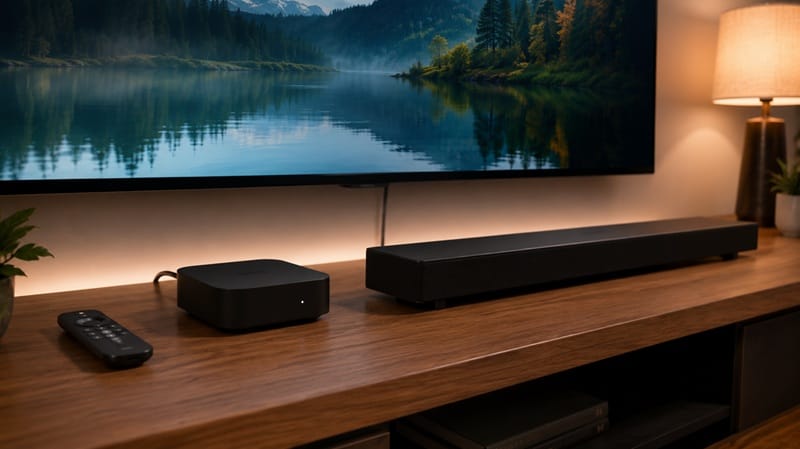
None of that is unique to LG. Every smart TV platform slows down as it ages and takes on more background processes — it’s just more noticeable on a TV than a phone because you don’t restart it nearly as often. A streaming device connected over HDMI runs on its own separate hardware, so it can sidestep a specific TV’s slowdown, but it’s also a second piece of hardware that will eventually show its own age.
Not every LG OLED handles firmware updates and app performance the same way at every price tier — if platform longevity is part of what you’re weighing before buying, we’ve mapped out how the 2026 lineup compares in our best OLED TVs of 2026 guide.
Where a Separate Streaming Device Still Makes Sense
There are a handful of real reasons to keep a streaming device plugged in even on a brand-new LG OLED. The most common is a specific app or regional service that hasn’t launched on webOS yet, which happens more often with smaller or country-specific streaming platforms than with the major names.
Regional Apps and Cross-Device Consistency
Another is simple consistency — if your household is deep into one ecosystem’s remote, voice assistant, and shared watchlists across a phone, tablet, and TV, keeping that same device plugged into every screen can matter more than raw app count. Switching between two different remotes and two different home screens for the TV versus every other device in the house is a real friction cost, even when both platforms technically carry the same apps.
Cloud Gaming Is the Other Exception
Cloud gaming is the other common gap. LG’s 2026 OLED lineup added native 4K120 game streaming through NVIDIA GeForce NOW, but not every cloud gaming service has a dedicated webOS app yet, so it’s worth confirming your specific provider is supported before ruling out a separate box for gaming. If you’re also comparing how individual 2026 LG OLED models hold up over several years of updates, our LG OLED roundup breaks that down model by model.
What This Means for You in Practice
Who Should Pay Attention to This
If you rely on a niche or region-specific streaming app, game-stream heavily through a service webOS doesn’t support natively, or you’re buying a budget-tier LG OLED where long-term app performance is more of an open question, it’s worth checking our best OLED TVs for streaming picks before you decide the built-in platform alone is enough.
Who Doesn’t Need to Worry
If you’re watching the usual mix of Netflix, Disney+, Prime Video, YouTube, and live channels, a current LG OLED’s built-in apps cover that without any extra hardware. There’s no meaningful picture or sound quality advantage to routing those apps through an external box instead of the TV’s own platform.
A related question tends to come up around the same time: whether you can save what’s playing without adding yet another box. That’s a separate setup from streaming apps, and we’ve covered the options in our guide on how to record TV shows, including which methods skip extra hardware entirely.
FAQs: Do I Need a Streaming Device for LG OLED?
Do I need a streaming device for LG OLED if I already have Netflix and Disney+?
No — both apps come preinstalled on current LG OLED TVs through webOS, and according to RTINGS’ explainer on webOS, the platform’s app catalog covers the major streaming services most households use without any additional hardware.
Does using a streaming device instead of webOS give better picture quality?
Generally no. The picture processing for HDR and color still happens on the TV itself either way, so routing Netflix or Prime Video through an external box instead of the built-in app doesn’t change picture quality on a modern LG OLED.
Will a streaming device fix a slow LG OLED home screen?
It can work around the symptom without fixing the cause. If the home screen itself is lagging, that’s usually a webOS performance issue rather than something an external streaming box resolves — a factory reset or update often helps more than adding hardware.
Should I buy a streaming device before my LG OLED arrives?
Not by default. Set up the TV first and see whether every app you actually use is already installed and working the way you expect — most people find they don’t need to add anything.
Is it worth keeping an old streaming device as a backup?
For most households, no — but if you already own one from a previous TV, there’s little downside to keeping it plugged into a spare HDMI port as a fallback for the one app that hasn’t launched on webOS yet, rather than relying on it as your default input.

iYaiii
Editor, GearPulse360
iYaiii is the editor and founder of GearPulse360, specializing in TV reviews and consumer electronics. He researches every recommendation before publishing.
✅ Based on spec analysis and LG’s official and RTINGS data — last verified July 2026