LG Filmmaker Mode Too Dark? The Real Reason It’s Calibrated That Way
Last updated: July 2026
🕒 8 min read
Disclosure: GearPulse360 participates in the Amazon Associates Program. This particular article contains no affiliate links; other content on our site may.
A pop-up on Prime Video asks if you want to switch to Filmmaker Mode, you tap yes, and the picture drops noticeably — enough that your first instinct is to check whether the backlight setting got bumped down by accident. It didn’t. This is one of the most common LG Filmmaker Mode too dark complaints, and the cause almost never traces back to a hardware fault or a setting that reset itself on its own.
Based on LG’s own documentation of the mode and independent brightness measurements from RTINGS on current-generation LG OLED models, Filmmaker Mode is deliberately calibrated to a reference brightness level rather than tuned to look punchy on a showroom floor. That’s the key misconception worth correcting up front: dimmer doesn’t mean broken. It means the TV is targeting the same brightness standard used when the film was color-graded in a studio.
Here’s exactly what gets switched off to hit that target, and — just as important — how to tell a correctly calibrated picture apart from one that’s actually worth adjusting. One distinction matters before you go further: if your TV looks dim in Standard mode too, or across every preset, Filmmaker Mode isn’t the cause — our guide on why your OLED looks too dark covers that broader set of causes instead.
Brightness isn’t the only picture-quality question LG OLED owners search for, either. If what you’re actually noticing is faint vertical banding in dark scenes rather than an overall dim image, that’s a separate, well-documented quirk — our guide on LG OLED HDR banding covers what causes it and when it’s worth a closer look.
Table of Contents
The Short Answer: Why LG Filmmaker Mode Looks Too Dark
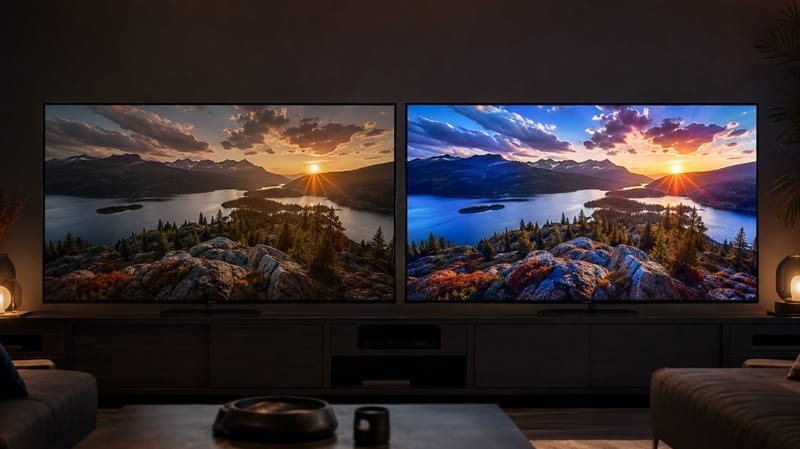
LG Filmmaker Mode looks darker than other picture presets because it disables the brightness-boosting processing those modes apply by default, and instead targets the same reference brightness used in professional film mastering — roughly 100 nits for SDR content viewed in a darkened room. That’s the UHD Alliance’s standardized target for the mode, not a symptom of anything wrong with your panel.
What Filmmaker Mode Actually Turns Off
The processing your TV normally adds
Most LG picture modes — Standard, Vivid, and even Cinema Home — apply some combination of motion smoothing, extra sharpening, noise reduction, and dynamic contrast boosting. According to LG’s own explanation of the feature, these are designed to make general content like sports and live TV look punchier and smoother, but they can distort how a film was actually shot and graded, adding an artificial, over-processed look.
Why turning it off makes the picture look dimmer, not just different
Filmmaker Mode switches all of that off at once. Motion smoothing (LG calls it TruMotion) disappears, sharpening resets to a neutral level, and — critically for brightness — the dynamic contrast and backlight-boosting algorithms that other modes use to make daytime scenes look brighter and more vivid get turned off too. Without that boost, the image reverts to a flatter, lower-brightness baseline. That baseline is intentional, not accidental.
Why LG Filmmaker Mode Targets a Specific Brightness Level, Not Maximum Brightness
The studio reference standard behind the mode
Feature films intended for SDR delivery are typically color-graded in a darkened studio room at a reference level around 100 nits. That’s dramatically lower than the peak brightness a modern OLED can produce — LG’s current-generation OLED lineup is capable of well over 1,000 nits in HDR. Filmmaker Mode isn’t limited by the panel’s hardware; it’s deliberately holding the picture near that studio reference point for SDR content, because that’s the brightness level the filmmaker and colorist were actually looking at when they finished the movie.
Why this differs from generic OLED dimming
It’s worth separating this from a related but different phenomenon: automatic brightness limiting, which is a hardware-level behavior that temporarily reduces brightness on very bright, high-contrast scenes to manage panel power and heat. Our guide on why OLED TVs dim automatically (ABL) breaks that down separately — Filmmaker Mode’s lower baseline brightness is a deliberate calibration choice, not the same mechanism.
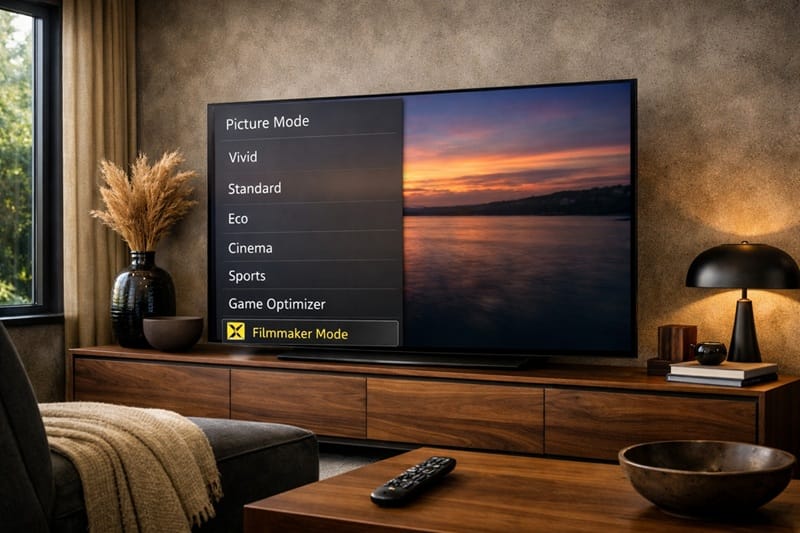
The OLED Light and Peak Brightness sliders inside Filmmaker Mode are still yours to adjust — raising them doesn’t undo the color accuracy, it just moves the baseline up. If you want the fuller breakdown of where else to make changes without wrecking the calibration, our best OLED settings for movies guide covers brightness, color, and motion settings together.
Is LG Filmmaker Mode Too Dark a Problem, or Working as Intended?
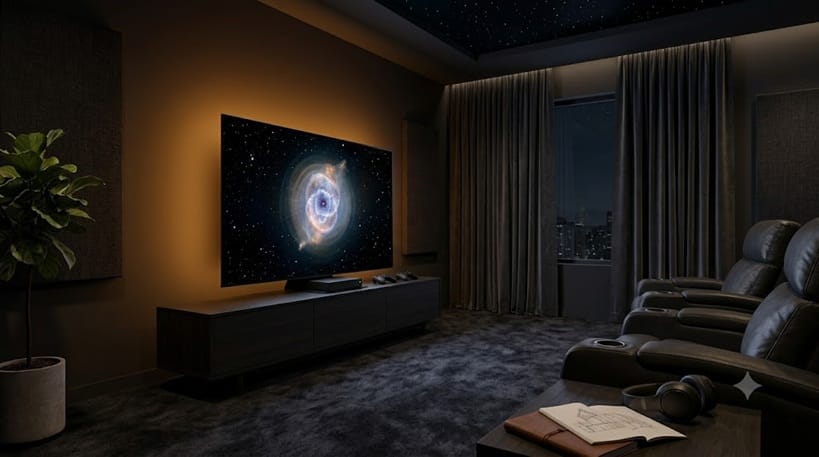
The honest answer depends entirely on your room, because Filmmaker Mode has no way to sense how much light is in it. A fully dark home theater and a living room with a window behind the couch will read the exact same calibrated image completely differently — one looks cinematic, the other looks like the TV needs adjusting. Ambient light from windows or lamps washes out the shadow detail Filmmaker Mode is built to preserve, and that’s when the complaint stops being a misunderstanding and starts being a legitimate mismatch between the mode and the room.
The table below separates the most common versions of this complaint so you can tell which one applies to you.
Symptom → Cause → Fix
| SYMPTOM | LIKELY CAUSE | FIX | DIFFICULTY |
|---|---|---|---|
| Filmmaker Mode looks noticeably dimmer than Standard or Vivid | Working as designed — targets ~100-nit SDR reference brightness instead of showroom brightness | Raise the OLED Light / Peak Brightness slider within Filmmaker Mode rather than switching modes entirely | Easy |
| The TV switches to Filmmaker Mode on its own mid-movie and looks dark | Prime Video (and select other apps) send metadata that auto-triggers Filmmaker Mode on supported LG models | Decline the auto-switch pop-up, or turn off auto-switching in the Picture Mode settings menu | Easy |
| HDR content in Filmmaker Mode looks dim even on a bright OLED | Usually the OLED Light or Peak Brightness slider was turned down manually, rather than a brightness cap built into the mode itself — based on manufacturer specifications, current LG OLEDs don’t categorically limit HDR brightness in Filmmaker Mode the way they do for SDR | Check the OLED Light and Peak Brightness settings within Filmmaker Mode before assuming the mode is the limitation | Medium |
If none of these match what you’re seeing, it may not be Filmmaker Mode–related at all — see the general troubleshooting guide linked above.
Out-of-the-box picture accuracy is only one factor in a TV purchase, though, and it’s worth weighing against panel brightness, gaming features, and price if you’re still shopping — our best OLED TVs of 2026 roundup lines up how each option handles those tradeoffs.
What This Means for You in Practice
Buy Into Filmmaker Mode If…
You mostly watch movies and scripted shows in a dim or dark room, and you care more about accurate colors and motion than maximum brightness. This is the scenario Filmmaker Mode was built for, and the lower brightness will read as cinematic rather than dim once your eyes adjust.
Skip Filmmaker Mode If…
You watch mostly during the day with natural light in the room, or you’re using the TV for sports and live broadcasts where motion smoothing and higher brightness make a real difference for visibility. In that case, Standard or Cinema Home mode will likely feel more usable day to day, and our LG OLED roundup can help you see how brightness performance differs across LG’s current lineup if that’s a bigger priority for your room.
FAQs: LG Filmmaker Mode Too Dark
Is LG Filmmaker Mode too dark supposed to look this way?
Yes, for SDR content — the reduced brightness there is intentional, not a defect. According to RTINGS’ calibration measurements on current LG OLED models, Filmmaker Mode’s SDR brightness sits well below Standard mode, consistent with its design goal of matching studio reference levels rather than maximizing brightness. HDR is a different story: HDR mastering isn’t tied to that same fixed reference, so Filmmaker Mode’s HDR brightness on recent LG OLEDs is much closer to — and on some models slightly above — what Standard mode measures.
What’s the difference between Filmmaker Mode and Cinema Mode on LG TVs?
Cinema Home mode aims for a similarly accurate, film-friendly look but allows more brightness and a bit more processing than Filmmaker Mode’s strict, standardized reference targets. If Filmmaker Mode feels too dim for your room but you still want reasonably accurate colors, Cinema Home is usually the closer middle ground.
How do I turn off Filmmaker Mode on my LG TV if I don’t like it?
Open the Quick Settings menu, select Picture Mode, and choose a different preset like Standard or Cinema Home. If the TV keeps auto-switching back into Filmmaker Mode on certain apps, look for an auto-switching toggle in the same Picture Mode menu and turn it off.
Does motion smoothing being disabled in Filmmaker Mode also affect brightness?
Not directly — motion smoothing and brightness are handled by separate processing chains. But since Filmmaker Mode disables both at once, it’s easy to notice the dimmer image and assume it’s related to the smoother, more filmic motion. For more on how LG’s motion processing works separately from brightness, see our explainer on OLED motion and response time.
Should I avoid buying an LG OLED because Filmmaker Mode looks dim?
No — the dimness is specific to one picture preset, not a reflection of the TV’s overall brightness capability. Every current LG OLED can get significantly brighter in Standard or HDR-optimized modes; Filmmaker Mode is simply choosing not to, on purpose, for accuracy.
Is a brighter LG OLED going to fix the dimness on its own?
No — the SDR brightness target is set by the UHD Alliance’s cross-brand standard, not by how much light any individual panel can produce, so a more powerful backlight next year won’t move that baseline. The part that’s actually changing is room-adaptive tech: features like Ambient Light Compensation read the room and adjust picture gamma for brighter conditions, without touching the underlying color and brightness accuracy Filmmaker Mode is built around.

iYaiii
Editor, GearPulse360
iYaiii is the editor and founder of GearPulse360, specializing in TV reviews and consumer electronics. He researches every recommendation before publishing.
✅ Based on spec analysis and LG’s official and RTINGS data — last verified July 2026