Why Your Samsung OLED Keeps Having Problems After a Firmware Update
Last updated: July 2026
🕒 9 min read
GearPulse360 participates in the Amazon Associates Program. This particular article contains no affiliate links; other content on our site may.
A software update on a Samsung OLED rarely comes with a real changelog — just a progress bar, a reboot, and whatever changed along the way, for better or worse. That silence is a big part of why Samsung OLED firmware update problems trend so heavily on owner forums: nobody outside Samsung really knows what shifted until people start comparing notes after the fact.
Based on Samsung Community owner reports and Samsung’s own published update policy, the frustration usually comes from one of two directions: an update that introduces a new bug that wasn’t there before, or an update that’s late, stuck, or never arrives at all. Neither of those is really a “your TV is broken” situation, but both feel that way when you’re in the middle of it.
Two different complaints get lumped together under this same search term, and they deserve separate treatment: bugs a firmware update introduces on its own, and delays in getting an update to reach your model at all. This guide covers both, along with why Samsung’s 2026 update pace has felt so uneven and what actually determines whether updating today is worth doing. Panel defects sit outside that scope — for jittery motion specifically, our Samsung OLED gaming judder guide picks up that thread instead.
Table of Contents
The Short Answer: Samsung OLED Firmware Update Problems, Explained
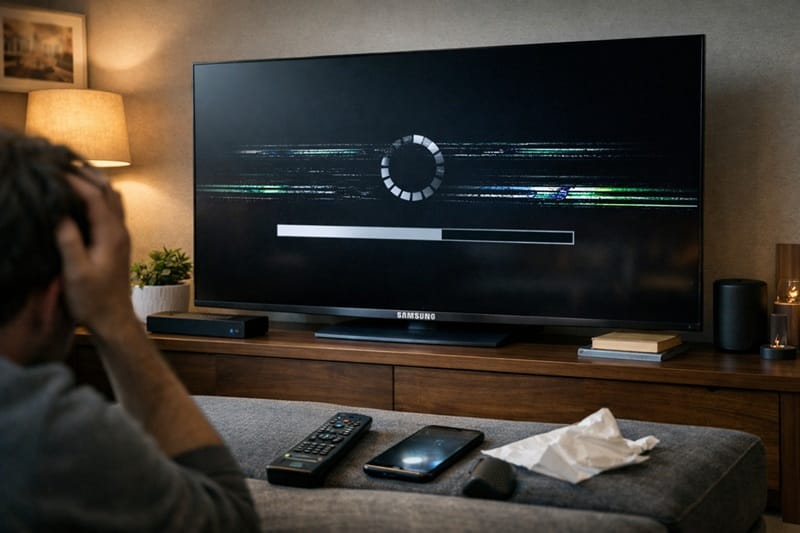
Most Samsung OLED firmware update problems fall into two buckets: new bugs that an update itself introduces (picture artifacts, connected-device issues, settings that reset without warning), and rollout problems where the update is delayed, stuck, or simply doesn’t reach a given model on the timeline Samsung’s own policy implies. Neither is unique to Samsung, but Samsung’s aggressive multi-year update promise means owners notice the gap more than they would with a shorter-support competitor.
What Actually Breaks After a Samsung OLED Firmware Update
Firmware updates are supposed to fix bugs and patch security holes, and most of the time on Samsung TVs, they do exactly that. The problem is that Samsung doesn’t publish detailed changelogs for most releases, so owners are often left guessing which behavior changed and why — and occasionally, a fix for one thing introduces a regression somewhere else.
New Bugs That Show Up Right After Updating
A handful of post-update symptoms come up often enough on Samsung’s own community forums to count as recognizable patterns rather than one-off complaints. The table below groups the most commonly reported ones with what’s typically behind them.
Symptom → Cause → Fix
| SYMPTOM | LIKELY CAUSE | FIX | DIFFICULTY |
|---|---|---|---|
| Faint static or grain appears in dark, pure-black scenes | Post-update picture-processing regression reported on some 2026 builds | Check for a follow-up patch on Samsung’s support site; Samsung has pushed smaller fix updates after flagged issues before, though there’s no guarantee on timing | Medium |
| TV turns itself back on shortly after being powered off | HDMI-CEC (Anynet+) command handling changed by the update | Check the Event Log under About TV for the power-on reason, then disable Anynet+ for the connected device triggering it | Easy |
| Smart Control remote or accessory pairing fails after the update | Bluetooth pairing behavior altered by the new firmware build | Re-pair the remote using Samsung’s reset steps; report it through the Community forum if it persists across attempts | Medium |
| A setting resets on its own (e.g., autorun for a bundled app) | The update reintroduces a default that overrides a prior manual change | Re-check Settings after any update instead of assuming your prior configuration held | Easy |
If the issue persists after trying these steps, contact Samsung support directly.
Updates That Get Stuck, Fail, or Never Arrive
The other half of the complaint pattern isn’t a new bug at all — it’s an update that’s greyed out, stuck mid-download, or simply hasn’t reached a model that owners expected to see it on. According to Samsung’s official software-update support page, updates can be installed over Wi-Fi, via USB, or automatically overnight, and a stuck or missing update is often a connectivity or regional-rollout issue rather than a hardware fault.
Why Samsung’s Firmware Rollout Feels So Inconsistent in 2026
Some of the frustration here isn’t really about bugs at all — it’s about timing, and it traces back to a promise Samsung made about how long its TVs would keep getting updated in the first place.
The Seven-Year Promise vs. the Real-World Rollout
Samsung has committed to up to seven years of software updates for TVs from 2022 onward, which is longer than most competitors publicly offer. In practice, that rollout hasn’t been perfectly even: Samsung’s newer Tizen 9 platform reached 2024 models first, while a number of 2023 premium OLED and Neo QLED owners were still waiting on their update well into 2026. That gap is a scheduling and prioritization issue on Samsung’s side, not a sign that a given TV has been abandoned.
It’s also worth separating a software problem from a hardware one before you go further, since a firmware issue doesn’t affect warranty coverage the way a panel or component defect does. If what you’re dealing with looks more like a hardware failure than something a software fix would touch, our samsung oled warranty denied guide covers what actually gets covered and what doesn’t.
Software support is easy to overlook when you’re comparing OLED spec sheets side by side, but it’s worth asking about before you buy, not after. Our best OLED TVs of 2026 guide weighs update longevity alongside the usual picture-quality and gaming comparisons, so it’s not the one factor that gets left out.
Should You Install a Samsung OLED Firmware Update Right Away?
This is the main question underneath most of the searches that land here, and the honest answer is: it depends on whether the update actually addresses something you’re experiencing, not on updating for its own sake.
[FUD-1] Firmware Update Decision Box
What This Means for You in Practice
Who Should Pay Attention to This
Owners of 2023 and 2024 Samsung OLED models are the most likely to run into the gap between Samsung’s update promise and the actual rollout schedule, simply because those are the generations currently mid-transition to newer Tizen versions. If you’re still deciding whether a Samsung OLED is the right long-term buy given all this, our are Samsung OLED TVs worth it breakdown weighs the software-support question against the rest of what Samsung’s lineup gets right.
Who Doesn’t Need to Worry
If your Samsung OLED is running fine and you haven’t noticed anything different, there’s no reason to go looking for a firmware problem that isn’t there. Security patches continue in the background regardless of whether a feature update has arrived yet, so skipping a single feature-update cycle isn’t a security risk.

FAQs: Samsung OLED Firmware Update Problems
Why does my Samsung OLED have problems after a firmware update?
Most Samsung OLED firmware update problems come from a regression the update itself introduces, since Samsung doesn’t publish full changelogs for most releases and testing can’t catch every device combination. RTINGS notes that the Samsung S95H ships with the 2026 version of Samsung’s One UI Tizen platform, and that Samsung’s own up-to-seven-year software-update commitment means that version is expected to keep changing well after purchase — for better, and occasionally for worse.
Does updating my Samsung TV’s firmware always fix problems?
No. Most updates do resolve bugs or add features without introducing new issues, but it’s not guaranteed — some releases have introduced new picture or connectivity quirks alongside whatever they were meant to fix. That’s why checking release notes and recent owner reports before updating is worth the extra few minutes.
How do I know if a firmware update caused my Samsung OLED’s problem?
Check the timing first: if the issue appeared immediately after an update completed and wasn’t there before, that’s a strong signal. Samsung TVs also keep an Event Log under Settings > Support > About TV that can show what triggered certain behavior, like an unexpected power-on, which helps rule out a coincidence versus an actual update-related change.
Does firmware support differ between Samsung’s OLED sizes and models?
Samsung’s software-update policy applies at the model-and-year level rather than by screen size, so a given generation typically receives the same updates across its available sizes. If you’re comparing a specific size before buying, our Samsung 83S90H review covers how that update policy plays out on one of the larger entries in Samsung’s current OLED lineup.
How can I check whether my specific Samsung OLED has received the Tizen 9 update yet?
Go to Settings > Support > About This TV and check the software version listed there against Samsung’s published rollout notes for your model and year — that’s a more reliable read than assuming based on what a 2024 or 2023 sibling model received, since Samsung has rolled Tizen 9 out generation by generation rather than all at once. The seven-year update commitment covers eligible 2022-and-newer TVs, but it guarantees security patches, not that every feature-level platform upgrade lands on every model in the same window.

iYaiii
Editor, GearPulse360
iYaiii is the editor and founder of GearPulse360, specializing in TV reviews and consumer electronics. He researches every recommendation before publishing.
✅ Based on spec analysis and Samsung’s official and RTINGS data — last verified July 2026