Sony OLED Keeps Shutting Down: Settings Fix vs. Hardware Fault
Last updated: July 2026
🕒 8 min read
Disclosure: GearPulse360 participates in the Amazon Associates Program. This particular article contains no affiliate links; other content on our site may.
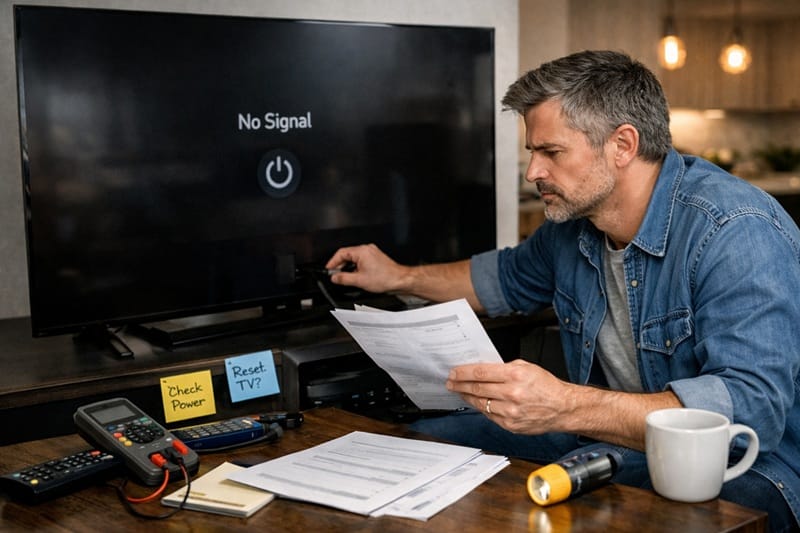
You’re mid-episode and the screen goes dark, then the Sony logo reappears a few seconds later. No remote press, no power outage, nothing you did differently than any other night. It happens again the next day, maybe at a different time, and now you’re wondering if you’ve bought a TV with a real problem.
Most of the time, a Sony OLED that keeps shutting down traces back to a setting the TV came with, not a failing component. Sony lists several power-management features in its own troubleshooting material — the kind that are easy to overlook and even easier to blame on the hardware. The rest of this guide sorts those from the smaller set of symptoms actually worth raising with Sony directly.
A related question already came up around why Sony sometimes denies OLED warranty claims — but random shutdowns and a denied claim are two separate problems. Treating a settings issue like a hardware failure usually means paying for a repair, or filing a claim, you never needed. This piece stays with the shutdown itself: what triggers it, which causes you can fix tonight, and which pattern of symptoms is worth documenting before you call Sony.
Table of Contents
The Short Answer: Why a Sony OLED Keeps Shutting Down
A Sony OLED shutting down on its own more often comes from a power-saving setting, a timer, or an HDMI-CEC command than from a defective panel. Sony’s support documentation names the usual suspects: Idle TV Standby, Auto Shut-off, Sleep Timer, and BRAVIA Sync auto power settings. A firmware bug after a recent update accounts for a smaller share of cases, and an actual power-board or panel issue accounts for fewer still.
What’s Actually Causing Sony OLED Shutdowns
Power-Saving and Timer Settings
Sony’s Google TV and Android TV models ship with several features designed to turn the screen off automatically. Idle TV Standby powers the set down after a stretch with no remote activity. Auto Shut-off does something similar when the TV loses its input signal. Both are convenient for saving power and easy to forget you ever set up, especially on a TV inherited from a previous owner or moved between rooms.
A Sleep Timer or leftover On Timer setting can also fire at a consistent time each day, which is a useful clue: shutdowns on a schedule are a strong signal of a timer, not a fault.
HDMI-CEC and BRAVIA Sync
If the shutdown lines up with turning off a soundbar, game console, or AV receiver, BRAVIA Sync — Sony’s version of HDMI-CEC — is likely passing a power command between devices. This is a feature working as designed, just not the way you expected it to.
According to Sony’s official troubleshooting guide for BRAVIA power issues, disabling the auto power settings inside BRAVIA Sync or HDMI CEC settings is the standard fix, and it’s worth trying before assuming anything is wrong with the TV itself.
Symptom, Cause, and Fix: A Quick Reference
The table below maps the shutdown patterns owners report most often to the setting most likely behind each one, cross-referenced against Sony’s own troubleshooting steps. Work through it roughly in order — the easy fixes rule out most cases quickly.
Symptom → Cause → Fix
| SYMPTOM | LIKELY CAUSE | FIX | DIFFICULTY |
|---|---|---|---|
| Turns off after 15–60 minutes of no remote use | Idle TV Standby or Auto Shut-off is enabled | Settings → System → Power & Energy → set Idle TV Standby and Auto Shut-off to Off | Easy |
| Shuts off at roughly the same time daily | Sleep Timer or On Timer left active from setup | Quick Settings → Sleep Timer and Timer → set both to Off | Easy |
| Turns off when a soundbar or console powers down | BRAVIA Sync (HDMI-CEC) is relaying a power command | Disable “TV auto power on” in BRAVIA Sync / HDMI CEC settings, or turn off CEC on the connected device | Easy |
| Picture goes black but sound keeps playing | Presence Sensor / Eco settings not detecting anyone nearby | Settings → Eco → turn off Presence Sensor or reduce its sensitivity | Easy |
| Random reboots with no pattern, started after an update | A firmware bug introduced by that software version | Check for a newer update; if none exists, note the firmware version and watch Sony’s release notes | Moderate |
| Shutdowns continue after every setting above is off | Possible power-board or internal hardware fault | Document frequency and any on-screen codes, then contact Sony support | Contact Support |
If you’ve owned Sony hardware long enough to run into more than one quirk, you’re not alone — the same “is this a setting or a fault” question comes up around Sony’s Bravia 7 glare issue in bright rooms, where the honest answer is also more nuanced than either extreme.
The clearest signal for telling the two apart is consistency: shutdowns on a fixed schedule, or tied to a specific device powering down, are settings behaving exactly as designed. A shutdown with no pattern at all — especially alongside a slow restart (a related but distinct symptom, covered separately in Sony TV random restart freeze) or a dimming picture right beforehand — is the kind worth documenting for Sony directly, the way the last row of the table above outlines. If it progresses to the point where the set won’t turn on at all, that’s a different failure mode worth checking against Sony OLED power board failure after warranty, especially if coverage has already lapsed.
None of this reflects on the panel itself — picture quality and power-management software are separate systems, and a misfiring timer says nothing about contrast or color accuracy. If you’re weighing a Sony OLED against LG or Samsung while you sort this out, our best OLED TVs of 2026 roundup ranks this year’s picks on picture quality and real-world reliability side by side.
What This Means for You in Practice
Buy This If…
You’re comfortable spending ten minutes in the settings menu before assuming the worst. Most Sony OLED shutdown reports resolve at the software level, and the underlying panel technology isn’t implicated by any of the causes above.
Skip This If…
You’ve already ruled out every setting on this page and the shutdowns keep happening with no pattern. At that point, the right move is contacting Sony support rather than continuing to troubleshoot on your own — and it’s worth knowing whether Sony’s OLED lineup is worth it in 2026 if you’re reconsidering the purchase altogether.
FAQs: Sony OLED Keeps Shutting Down
Why does my Sony OLED keep shutting down even after I’ve checked the obvious settings?
Start with BRAVIA Sync and any connected soundbar or console — CEC commands are one of the most commonly missed causes because the trigger is on the other device, not the TV. If every setting checks out and shutdowns continue with no pattern, that combination is less common and more likely to need Sony support directly. For general build quality and long-term performance context on this lineup — separate from power-management behavior, which isn’t something lab testing covers — see RTINGS’ independent testing of the Sony BRAVIA 8 OLED.
Does a Sony OLED shutting down mean the panel is failing?
Not usually. The shutdown features built into Sony’s software — Idle TV Standby, Sleep Timer, Auto Shut-off, and BRAVIA Sync — are unrelated to the OLED panel itself, which is a separate component from the power-management system. Panel wear in OLED TVs generally — across brands, not specific to Sony — tends to show up first as an image problem like dimming, discoloration, or banding, rather than the set losing power entirely.
Can a software update cause a Sony OLED to restart on its own?
It can. Sony’s own guidance around keeping software current points that direction — an outdated or buggy firmware version is a separate cause from the power-saving settings above, and one Sony addresses through updates rather than a settings toggle. Checking for a newer update, or noting your current firmware version if none is available yet, is the appropriate next step. A related but more common pattern is the TV just running slower for a day or two right after an update, without any restarting involved — that’s a different issue with its own explanation, covered in Sony Google TV lag after an update.
Is a history of shutdown issues a reason to avoid Sony OLED TVs entirely?
On its own, no — nearly every cause covered here is a software or configuration issue rather than something specific to Sony’s OLED panels. If you’re still comparing options across Sony’s current lineup, our Sony OLED roundup breaks down which models make sense for different budgets and use cases.
How do I stop my Sony TV from turning off when there’s no signal?
Check the Auto Shut-off setting under Power & Energy, since this feature is specifically designed to power the TV down after a period without an input signal. Setting it to Off, along with Idle TV Standby, addresses the majority of no-signal shutdown reports.

iYaiii
Editor, GearPulse360
iYaiii is the editor and founder of GearPulse360, specializing in TV reviews and consumer electronics. He researches every recommendation before publishing.
✅ Based on spec analysis and Sony’s official data plus RTINGS — last verified July 2026