Samsung QN65LS03H Review 2026: Is The Frame Pro Worth the Design Premium?
Last updated: July 2026
🕒 9 min read
Disclosure: As an Amazon Associate I earn from qualifying purchases. This article contains affiliate links — we may earn a small commission if you buy through them, at no extra cost to you.
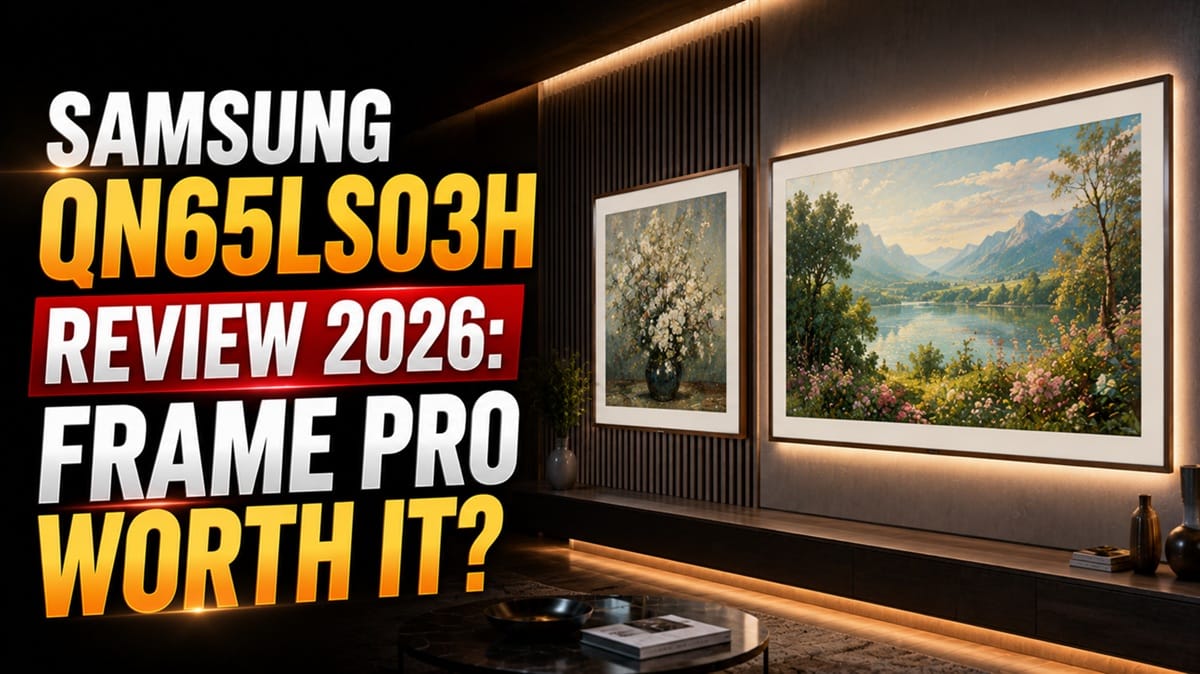
There’s a specific kind of TV shopper who cares just as much about what happens on the wall when the screen is off as what happens on it when it’s on. If that’s the search that brought you here, our Samsung QN65LS03H review is built around the actual question a spec sheet can’t answer: does the Frame Pro’s Art Mode trick come with real picture quality behind it, or are you mainly paying for the way it looks on the wall?
We pulled Samsung’s official specifications for the LS03HW series and cross-referenced them against RTINGS’ published lab results for the 65-inch model, since design-forward “lifestyle TVs” like this one are notorious for hiding weaker panels behind a nicer frame. LG has its own answer to this category with the Gallery-style 55LX7B, and we’ll bring that comparison in later. For now: if the Frame Pro’s specific mix of design and trade-offs isn’t the fit you’re after, our best 4K TVs of 2026 roundup steps back and weighs it against everything else on the market this year.
Table of Contents

Quick Verdict
At a Glance
★★★☆☆☆☆ 6.2 / 10
At a Glance
Picture Quality
Gaming
Audio
Value
👍 Best For: bright, design-conscious living rooms where Art Mode and glare-free daytime viewing matter more than dark-room contrast.
👎 Skip If: you watch mostly in a dark room, or you game competitively and need low input lag from every HDMI port, not just one.
One-Line Verdict: The Frame Pro nails the glare-free, gallery-wall part of its pitch, but its edge-lit local dimming and Wireless One Connect input lag mean it’s not the TV to buy for picture quality alone.
🛒 Check Availability on AmazonProduct Specs at a Glance
Product Specs
Samsung QN65LS03H — The Frame Pro (LS03HW Series)
Neo QLED (Mini LED, VA-type LCD) · Wireless One Connect · Tizen Smart TV
| 📺 Panel Type | Neo QLED (Mini LED, VA) |
| 🔆 HDR Peak Brightness | ~769 cd/m² (2% window) |
| 🎮 Native Refresh Rate | 144Hz (VRR, 4K via PC) |
| 🖼️ Screen Finish | Matte, glare-free |
| 🔌 Connections | Wireless One Connect, 4× HDMI 2.1 |
| 📡 Networking | Wi-Fi 6E, Bluetooth 5.2 |
| 🎨 HDR Formats | HDR10, HDR10+ (no Dolby Vision) |
Design & Build Quality
Materials & Finish
According to Samsung’s official product page, the QN65LS03H is built around customizable bezel covers designed to visually match your wall and decor, with a textured back panel that reads as intentional rather than utilitarian if anyone ever sees it.
RTINGS’ testing backs up the fit and finish claim: the review team rated the build quality as excellent, noting the TV is entirely made of plastic yet feels solid, with no quality control issues on the unit they tested. That matters more here than on a typical flat-panel TV, since the Frame Pro is explicitly designed to be looked at, not just looked through.
Ports & Connectivity
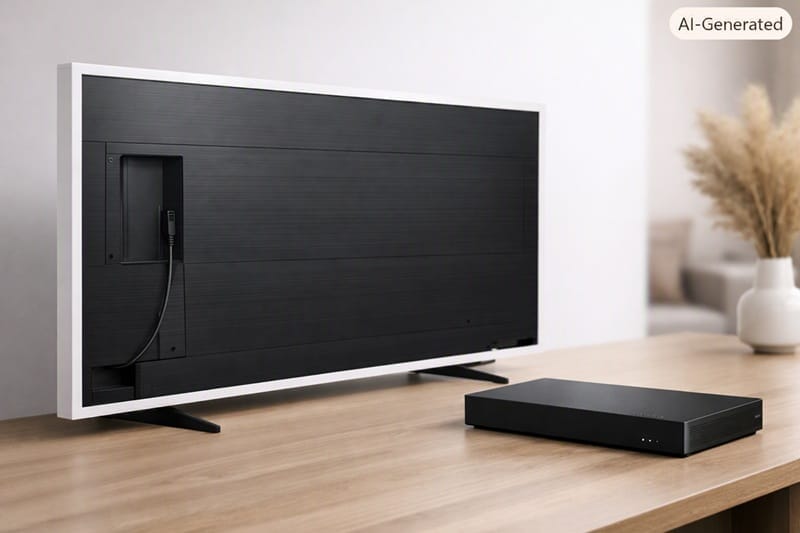
Most of the Frame Pro’s connections live on the external Wireless One Connect box rather than on the panel itself — four HDMI 2.1 ports rated for the full 48Gbps bandwidth, plus a wired Ethernet input. The TV itself only carries a Micro-HDMI port and a USB-C port on the back, both routed through two small cable channels for the power and data lines. It’s a genuinely tidy setup for mounting flush to a wall, but it does mean every console or streaming box needs to make the trip to wherever the One Connect box sits, wireless connection or not.
Performance & Real-World Use
Bright-Room and Daytime Viewing
This is the situation the Frame Pro is actually built to handle. RTINGS measured excellent direct-reflection rejection thanks to the matte anti-reflective coating — bright lights and open windows barely register, and ambient light only raises black levels slightly. Peak brightness in SDR was rated great, more than enough to punch through daytime glare. Samsung’s published specifications for the LS03HW series list the same Neo QLED backlight across all four sizes, and RTINGS notes its testing of the 65-inch unit holds for the 55-, 75-, and 85-inch versions as well.
Dark Room and Home Theater
The flip side shows up as soon as the lights go down. The edge-lit local dimming system can only brighten or dim entire columns of the screen at once, so bright highlights moving across a dark background create noticeable haloing that flickers on and off. Contrast came back sub-par in RTINGS’ testing, and because the dimming zones are so coarse, the panel leans on its native contrast far more often than a proper full-array Mini LED would — and that native contrast is low enough to make dark scenes look flat rather than deep.
Gaming Performance
On paper, the gaming feature set is strong: FreeSync, HDMI Forum VRR, and G-Sync Compatible are all supported, and the TV is fully compatible with both PS5 and Xbox Series X|S, including 4K at 120Hz, VRR, and Auto Low Latency Mode.
In practice, that promise runs into the Wireless One Connect box, which adds enough latency that RTINGS considered the main HDMI inputs unsuitable for fast-paced games. The one workaround is the Micro-HDMI port built directly into the TV, which measured a much lower 5.9ms at 144Hz — but that means giving up the very connection-box convenience the Pro upgrade is supposed to deliver. Motion handling doesn’t help the case either: response time was rated slow across every refresh rate tested, so fast pans and camera transitions come out blurry regardless of which port you use.
Key Features Breakdown
Art Mode and Art Store
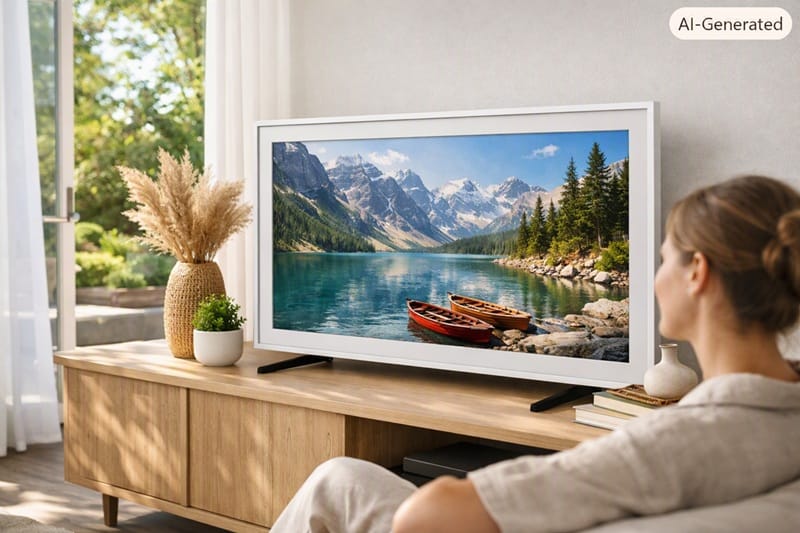
The feature the Frame Pro is actually built around works as advertised. A built-in motion sensor can trigger Art Mode automatically when it detects someone in the room, and a brightness sensor adjusts the displayed art’s tone to match the ambient lighting so it reads more like a printed piece than a glowing screen. Samsung includes 30 curated artworks that rotate monthly at no extra cost, with a paid Art Store subscription unlocking a much larger library, or you can skip both and upload your own photos over USB.
NQ4 AI Gen3 Processor
Where the processor genuinely helps is in cleaning up mediocre source material — RTINGS rated low-quality content smoothing and upscaling sharpness as good to great, with fine detail staying clear even from lower-resolution sources, and no visible banding in gradients.
Where it falls short of Samsung’s own step-up sets is responsiveness: the Tizen interface was noted as noticeably slower to start up and the remote felt laggier than on higher-end models like Samsung’s own QN80H, which uses a faster version of the same platform.
The Good, the Bad, and the Ugly
Pros
- ✅ Glare-free matte coating — direct reflections barely register, so it stays watchable in a sunlit living room where a glossy panel would wash out.
- ✅ Genuinely premium build — the customizable bezel system and textured back panel actually look designed, not bolted on.
- ✅ Full console compatibility — 4K/120Hz, VRR, and ALLM all work correctly with both PS5 and Xbox Series X|S.
Cons
- ❌ Patchy gray and black uniformity — noticeable bright patches across the screen that are distracting in sports and other high-motion content.
- ❌ No Dolby Vision or DTS — the format gaps carry over from every other 2026 Samsung TV, so a Dolby Vision-heavy library rules this one out same as any Samsung model.
The Ugly
Local dimming and the Wireless One Connect box are the two features that most directly justify the Pro’s price jump over the standard Frame — and both underdeliver where it counts. RTINGS found the local dimming does very little to actually improve black levels; it exists on the spec sheet more than it changes what’s on screen. The Wireless One Connect box, meanwhile, is the reason the main HDMI inputs carry too much input lag for serious gaming. Neither is a dealbreaker on its own, but buyers expecting the Pro name to mean a meaningfully better panel underneath the design should know that’s not really what they’re paying the premium for.
Who Should Buy This — and Who Shouldn’t
Buy This If
The Frame Pro makes the most sense for a bright, design-conscious living room where the TV needs to look intentional when it’s off as much as when it’s on. Buying one for picture quality alone is a bit like buying a mechanical watch for the time — the movement works fine, but you’re really paying for the case. If Art Mode and a glare-free daytime picture are the priority, this is a reasonable way to get there, and it’s worth weighing against LG’s take on the same idea in our LG 55LX7B review, which trades the Frame Pro’s Neo QLED backlight for an OLED panel at a smaller screen size.
If ambient light is the actual problem you’re solving for rather than the design itself, it’s worth widening the search beyond just this one model. Our best OLED TVs for bright rooms guide lines up the sets built specifically to handle glare and daylight, matte finish and all.
The Frame Pro tops out at 85 inches in Samsung’s own lineup, and going that big changes the math more than it changes the hardware — our Samsung QN85LS03H review covers what the largest size actually buys you over this 65-inch model, beyond just more wall space.
It’s also not the only brand chasing that big-screen gallery look. Hisense makes a similar play with its CanvasTV series, and our Hisense 85S7SG review breaks down how its panel trade-offs at 85 inches stack up against the Frame Pro’s own compromises.
Skip This If
If most of your viewing happens after dark, or you’re a competitive gamer who needs low input lag from every HDMI port rather than just the one built into the TV, look elsewhere. Samsung’s own standard Neo QLED lineup, like the step-up QN80H, gives up the design flourishes but doesn’t carry the same local dimming and Wireless One Connect trade-offs — a better fit if picture quality and gaming responsiveness matter more to you than how the TV looks powered off.
Final Verdict
Is the Samsung QN65LS03H Worth Buying?
Our Samsung QN65LS03H review comes down to a straightforward trade: you’re paying for design and daytime glare rejection, not for a step up in core picture quality. It does the Art Mode and bright-room job well, but the local dimming and Wireless One Connect latency mean it isn’t the panel to chase if performance is the main goal — LG’s Gallery-style competitor was still working through RTINGS’ review pipeline as of this writing, so a direct comparison isn’t possible yet. If Wireless One Connect pairing or setup problems are what’s actually holding you back, our guide to Samsung Frame Pro wireless One Connect problems covers the common failure points directly. 🛒 Check Availability on Amazon
Frequently Asked Questions
Is the Samsung QN65LS03H a good TV in 2026?
It’s a good fit for a specific use case rather than a good all-around TV. If your room is bright and you value the Art Mode design feature, the Samsung QN65LS03H handles glare and daytime viewing well. If you mostly watch in a dark room, its contrast and uniformity fall short of what a similarly priced non-lifestyle TV would offer.
Is the Frame Pro worth it over the standard Frame LS03HE?
According to RTINGS’ side-by-side testing, the Pro version is considerably brighter and adds a local dimming feature, plus the Wireless One Connect box for easier cable management. The catch is that the local dimming does very little to actually improve picture quality, so the real difference buyers are paying for is brightness and connection convenience rather than a fundamentally better panel — for a closer look at whether that premium is worth skipping, our Samsung QN75LS03HE review covers the standard Frame directly.
Is the Frame Pro good for gaming?
It supports the features console gamers want — 4K/120Hz, VRR, and ALLM work correctly with both PS5 and Xbox Series X|S. The catch is that the Wireless One Connect box adds enough input lag to make the main HDMI inputs a poor fit for fast-paced games. Connecting through the TV’s own Micro-HDMI port fixes the latency issue but gives up the wireless-box convenience.
Who should skip the Frame Pro?
Dark-room home theater viewers and competitive gamers are the two groups least served by this TV. Its patchy uniformity and coarse local dimming are most noticeable exactly when the lights are off, and its default connection method works against low-latency gaming rather than for it.
Does the Wireless One Connect box hurt picture quality?
No — the box affects gaming latency, not picture quality itself. Brightness, color, and contrast are unaffected by whether you connect wirelessly or through the TV’s own Micro-HDMI port; the trade-off only shows up in input lag for fast-paced games.

iYaiii
Editor, GearPulse360
iYaiii is the editor and founder of GearPulse360, specializing in TV reviews and consumer electronics. He researches every recommendation before publishing.
✅ Based on spec analysis and Samsung’s official and RTINGS data — last verified July 2026