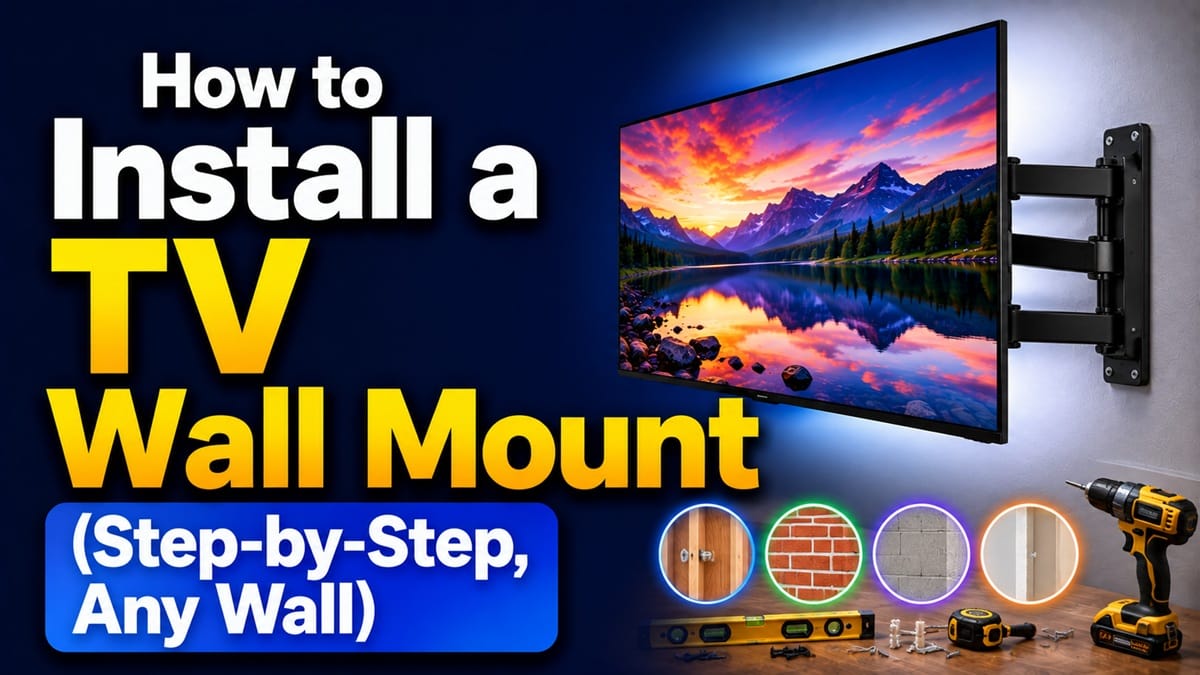
How to Install a TV Wall Mount: A Step-by-Step Guide for Every Wall Type
Last updated: August 2026
🕒 9 min read
Disclosure: GearPulse360 is a participant in the Amazon Associates Program. Some pages on this site contain affiliate links, and we may earn a commission from qualifying purchases at no extra cost to you.
The mount arrives with a manual that assumes one thing: drywall over evenly spaced wood studs. That assumption holds for a lot of homes — and falls apart completely the moment your wall turns out to be brick, poured concrete, plaster over lath, or steel studs spaced somewhere the bracket wasn’t designed for.
That mismatch is the real reason so many TV wall mount installs stall out, not a lack of tools or confidence. Finding a stud and drilling isn’t the whole process — what’s actually behind your drywall, or whether you have drywall at all, decides which anchors, drill bits, and hardware you need before you touch the wall.
If you haven’t done the general mounting steps yet, our guide on how to mount a TV on a wall covers the baseline VESA check, bracket attachment, and hanging process this walkthrough builds on. That’s the fork this guide sorts by wall type: the exact hardware and steps for how to install a TV wall mount on drywall, brick, concrete, and plaster, so you’re matching anchors to your specific wall before the first hole goes in. If you’re renting, it’s also worth checking whether you can mount a TV in an apartment before you start, since lease terms sometimes matter more than the wall material itself.
Table of Contents
Quick Answer
Confirm your TV’s VESA hole pattern matches the mount, locate wall studs (or the correct anchors for brick, concrete, or plaster), attach the bracket to the wall level and secure, then attach the mounting plate to the TV and hang it — with a second person helping for anything over about 40 inches.
- Best for: drywall with accessible studs, or anyone comfortable adapting the process for brick, concrete, or plaster
- Not ideal for: rented apartments with lease restrictions on wall alterations, or walls where stud or anchor placement can’t be safely confirmed
- Where installs go wrong: matching the wrong anchor hardware to the wall type before drilling
- Minimum tools: stud finder, drill, level, and a screwdriver — plus a masonry bit and anchors for brick or concrete
The Short Answer: How to Install a TV Wall Mount
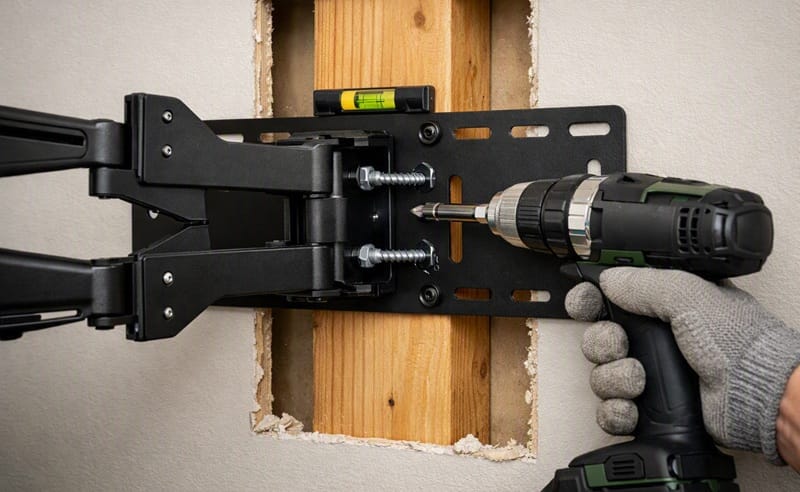
Confirm your TV’s VESA pattern matches the mount, then attach the bracket to the wall using hardware suited to your wall type — screws into wood studs, sleeve anchors for brick or concrete, or heavy-duty toggle bolts for plaster or hollow walls without a stud. Attach the mounting plate to the back of the TV, then lift the TV onto the wall bracket with a second person’s help. The wall-type decision is what actually changes the process; the VESA and bracket-attachment steps stay the same no matter what’s behind your wall.
How TV Wall Mount Installation Actually Works
VESA Compatibility and Mount Types
Nearly every modern TV has four threaded holes on the back arranged in a VESA pattern, measured in millimeters between the holes — common patterns run from 200×200 on smaller sets up to 600×400 on larger ones. The mount you buy needs to match that exact pattern, or fall within a range that includes it, otherwise the bolts simply won’t line up.
Beyond compatibility, mount type matters too. Fixed mounts sit flattest against the wall, tilting mounts angle the screen down from a higher position, and full-motion mounts let you swivel and extend the TV outward. OLED panels vary in how flush they actually sit once mounted — see our breakdown of why some OLED TVs sit so flush against the wall if you’re chasing that gallery-style look.
Tools You’ll Need
LG’s own wall-mounting documentation lists a stud finder, drill, level, and screwdriver as the baseline toolkit for a standard install, with masonry-specific hardware added only when the wall calls for it. See LG’s TV wall mounting guide for the full manufacturer walkthrough. A pencil, tape measure, and a second pair of hands round out what you’ll actually use on install day.
Why Wall Type Changes the Whole Job
Studs vs. No Studs
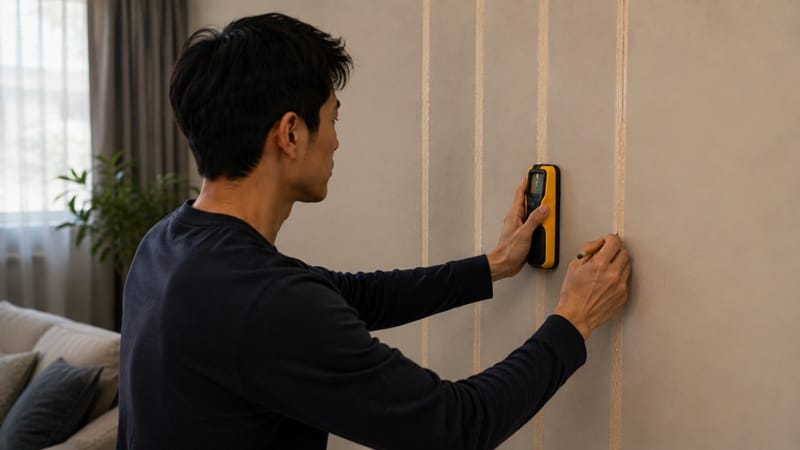
Wood studs are typically spaced 16 or 24 inches on center, and a stud finder confirms exact placement before you drill — tapping the wall for a solid sound is a rough guess at best. Screwing the bracket directly into at least two studs gives the strongest hold, which is why manufacturer guidance consistently recommends it over drywall anchors alone for anything beyond the smallest TVs.
Once the bracket is level and secured, the next decision is how high a TV should be mounted, which comes down to seated eye level rather than a fixed number of inches from the floor.
Larger panels need sturdier anchoring than a 42-inch model would, which is worth keeping in mind if you’re still narrowing down a TV size — our best OLED TVs of 2026 roundup is organized by screen size for exactly that reason.
Step-by-Step Installation by Wall Type
Drywall with Wood or Metal Studs
Locate your studs and mark the center of each one, then hold the bracket against the wall at the desired height and mark the screw holes so they land on stud centers. Pre-drill pilot holes, then screw the bracket directly into the studs rather than the drywall alone. For metal studs, self-tapping screws rated for metal framing are needed, and a toggle bolt can back up any hole that misses a stud.
Once the wall bracket is secure and level, attach the corresponding mounting plate to the back of the TV using the screws included with the mount, matched to your TV’s VESA pattern. With a second person supporting the TV, lift it onto the wall bracket and confirm it locks or latches into place before letting go.
Brick and Concrete
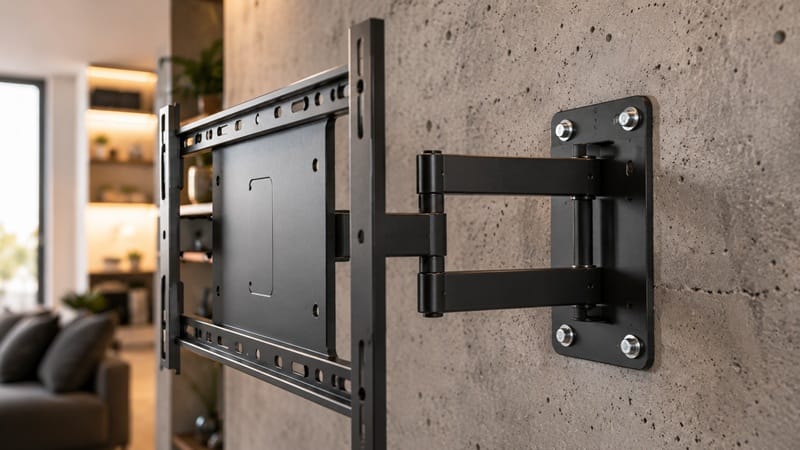
Brick and concrete don’t require finding a stud at all, since the solid wall itself bears the load. Mark your hole locations, then use a hammer drill with a masonry bit to drill into the brick or concrete rather than only the mortar joints, which are typically the weakest anchoring point. Insert sleeve anchors or concrete screws rated for the mount and TV’s combined weight, then attach the bracket the same way as a stud install. Expect this process to run slower and dustier than a standard drywall job.
Plaster, Sheetrock, and Stone or Fireplace Surfaces
Plaster over lath behaves differently from modern drywall — the lath strips underneath can crack if you rely on standard anchors alone, so locating the studs behind the plaster (or using anchors specifically rated for plaster) matters more here than on newer construction. Stone and fireplace surfaces are usually mounted like brick or concrete, with mortar joints again being the weak point to avoid.
Manufacturers generally caution against mounting directly above a working fireplace because of heat exposure, since most TVs have a maximum safe operating temperature well below what a fireplace can generate nearby. If you do mount above one, test the heat at TV height while a fire is burning before finalizing the install.
What This Means for You in Practice
Who Should Pay Attention to This
This matters most if you’re mounting a TV yourself for the first time, especially on a wall type other than standard stud-and-drywall construction. If you’re working with a smaller room or apartment where wall space is tight, our best OLED TVs for small spaces picks are worth a look before you commit to a bracket size.
Who Doesn’t Need to Worry
Renters facing lease restrictions on drilling, and anyone planning to keep the TV on a stand instead of the wall, can skip most of this entirely. If your TV arrived pre-mounted by a professional installer as part of the purchase, the hardware decisions covered here have already been made for you.
FAQs: How to Install a TV Wall Mount
Do I need a professional to install a TV wall mount, or can I DIY it?
Not necessarily — a TV wall mount is a reasonable DIY project on drywall with accessible studs, given basic tools and a second person to help lift. Samsung’s own installation guidance recommends at least two people for the lift regardless of wall type, and four or more people for TVs 82 inches and larger. Samsung’s mounting guidance is a useful reference before you start, especially for brick, concrete, or plaster walls where the hardware differs from a standard stud install.
Can I mount a TV without finding a stud?
Yes, but only with hardware rated for the load without stud support, such as heavy-duty toggle bolts rated for the combined weight of the TV and mount, not standard drywall anchors. For anything over roughly 50 inches, finding at least one stud is still the safer approach, and a stud-free install is best treated as a fallback rather than the default plan.
How is mounting on brick or concrete different from drywall?
Brick and concrete skip the stud-finding step entirely, since the wall itself is solid enough to bear the load, but the process needs a hammer drill, masonry bits, and sleeve anchors or concrete screws instead of the wood screws used on stud installs. It also runs slower and dustier, and mortar joints, rather than the brick or block itself, are usually the weakest point to anchor into.
Are TV wall mounts universal?
Not automatically — “universal” mounts are common, but actual compatibility depends on matching your TV’s VESA hole pattern and weight rating to the mount, not just the screen size. Most TVs list their VESA pattern, such as 400×400 or 600×400, in the spec sheet or manual, and the mount you buy needs to support that exact pattern.
What size screws do I need to mount a TV?
Screw size scales with your TV’s size class, though VESA itself governs hole spacing rather than screw sizing directly. As a reference point, Samsung’s own mounting guidance lists roughly M4 for TVs around 19 to 22 inches, M6 for 30 to 40 inches, and M8 for most 43 to 88 inch TVs. The exact length still depends on the mounting bracket’s thickness, so check the hardware included with your bracket or your TV’s manual rather than assuming one size fits every setup.
Can I mount a TV over a fireplace?
You can, but it’s not usually the ideal spot because of heat exposure — most TVs have a maximum safe operating temperature well below what a working fireplace generates nearby. If you do mount above a fireplace, test the heat at TV height with a fire burning before finalizing the installation, and plan to tilt the TV downward for a comfortable viewing angle from typical seating.

iYaiii
Editor, GearPulse360
iYaiii is the editor and founder of GearPulse360, specializing in TV reviews and consumer electronics. He researches every recommendation before publishing.
✅ Based on spec analysis and official manufacturer documentation — last verified August 2026