OLED Screen Retention vs Burn-In: What’s the Difference?
Last updated: June 2026 / 🕒 7 min read
Disclosure: As an Amazon Associate I earn from qualifying purchases. This article contains affiliate links — we may earn a small commission if you buy through them, at no extra cost to you.
You paused a game, switched to a streaming app, and there it is — a faint outline of a health bar or a network logo ghosting on a gray sky. Your first thought is probably “did I just ruin my TV.” Most of the time, the answer is no.
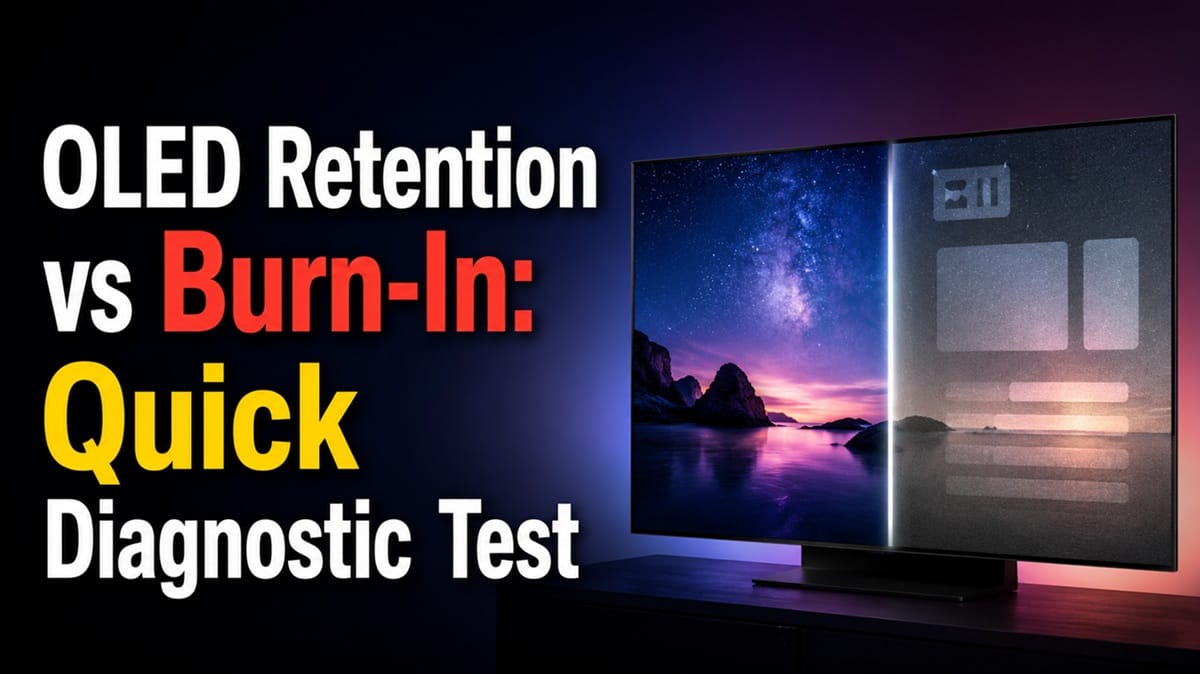
Image retention and burn-in get used interchangeably online, but they’re not the same thing, and mixing them up leads to two bad outcomes: panicking over something that clears on its own, or ignoring something that won’t. Based on editorial research into how OLED panels actually behave, this guide walks through the visual and practical test for OLED screen retention vs burn-in that tells you which one you’re looking at.
This article focuses specifically on telling the two apart in the moment you spot them. If you’re trying to decide whether burn-in is a real risk worth worrying about before buying an OLED, our piece on does OLED burn-in still matter in 2026 covers that question directly. And if what you’re looking at isn’t a ghosted shape at all but more of a hazy, cloudy patch that doesn’t shift with the content, that’s a different problem — see our guide on the LG OLED anti-glare filter problem for that scenario instead.
Table of Contents
The Short Answer: How to Tell Retention From Burn-In
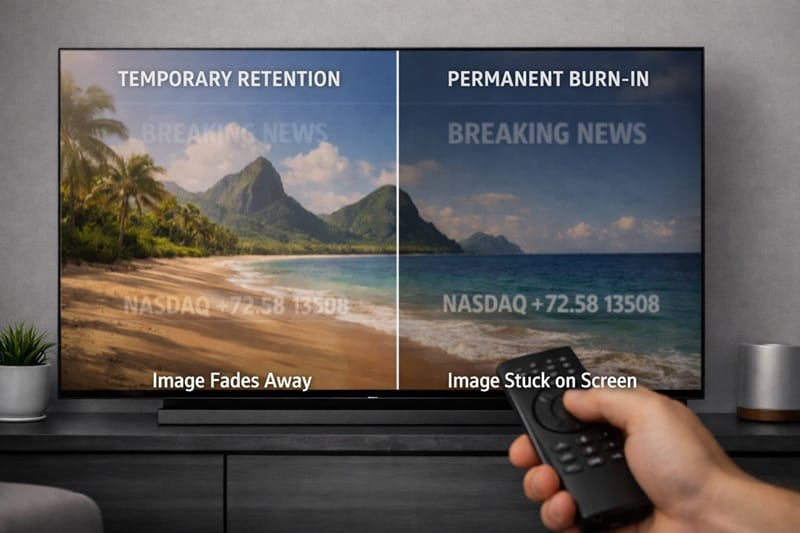
Image retention is temporary — it fades within minutes to a few hours once you change content, and it usually disappears completely after a pixel-cleaning cycle. Burn-in is permanent — it stays put no matter what you watch next, and a pixel-cleaning cycle won’t remove it, only soften it slightly. The fastest way to know which one you have is to switch to a different scene and wait fifteen to twenty minutes before judging anything.
What Is Image Retention?
Why It Happens
Every OLED pixel is its own tiny light source, and pixels that display the same bright element for a long stretch — a paused menu, a channel bug, a game HUD — can lag slightly behind the rest of the panel when the picture changes. That lag is what you’re seeing as a faint ghost, and based on independent long-term OLED testing, this kind of temporary effect is common and distinct from lasting damage to the panel.
What It Looks Like in Practice
Retention shows up as a soft, low-contrast outline that’s most visible against plain backgrounds like a gray loading screen or blue sky. It’s there one minute and gone the next time you check, especially after the TV has had a chance to run its own background maintenance.
What Is Burn-In, and Why It’s Different in 2026
The Mechanism
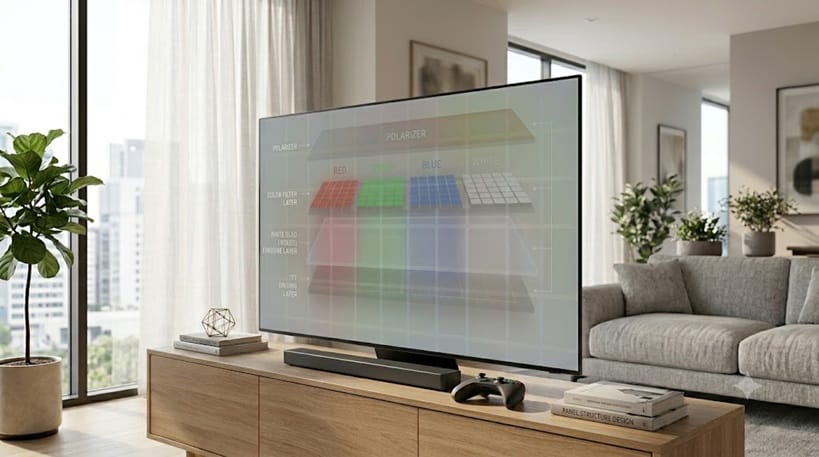
Burn-in is uneven aging of the organic emitters themselves. Pixels that have spent thousands of hours at high brightness displaying the same content age faster than their neighbors, and that difference in wear becomes a permanent, visible shadow. It doesn’t fade when you switch content because the pixels themselves have changed, not just their momentary behavior.
This applies to both WOLED and QD-OLED panels, since both rely on organic emitting layers that wear with use — the underlying mechanism is the same even though the color-filtering technology differs between them. Neither panel type is immune to burn-in, and neither is immune to ordinary, harmless retention either.
Sub-topic: Why Newer Panels Are More Forgiving
Panel-care software has improved a lot since the early OLED generations that gave burn-in its bad reputation. For a closer look at the proactive habits that keep panels healthy long-term, see our guide on how to prevent OLED burn-in, which covers screen savers, logo dimming, and content variety.
If you’re already close to a buying decision and want to see how today’s panels stack up overall, our best OLED TVs of 2026 roundup ranks the top picks by use case and budget.
The Switch-and-Wait Test: Diagnosing OLED Screen Retention vs Burn-In
You don’t need any tools for this — just a few minutes and a different piece of content.
Step 1: Change the Picture Completely
Switch to a different app, channel, or a full-motion scene with varied colors. Avoid anything with large static elements for the next twenty minutes.
Step 2: Wait and Recheck
Come back after fifteen to twenty minutes and look at a plain background again — a streaming app’s loading screen or a solid-color test pattern works well. If the shadow is gone or noticeably fainter, that’s retention.
Step 3: Run a Manual Pixel Cleaning Cycle
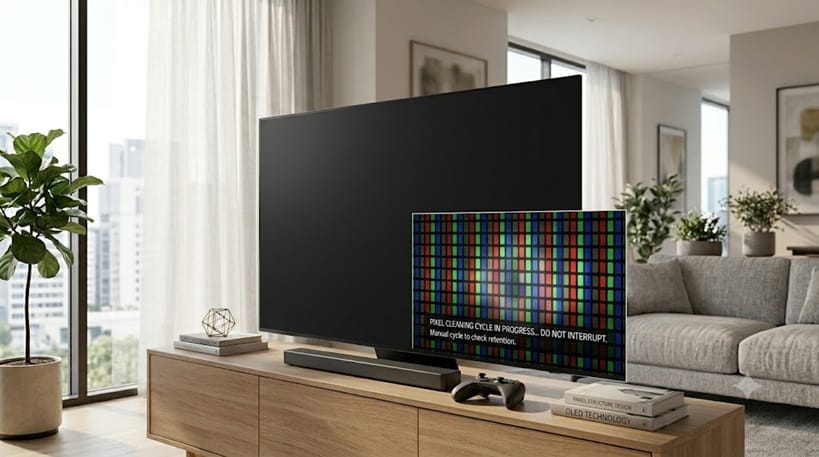
If the mark is still visible, run your TV’s built-in panel-care feature. On LG OLED TVs this is called Pixel Cleaning, and LG’s support documentation notes it’s specifically designed to address lingering image marks. The cycle runs automatically after the TV has been idle for a while, but most sets also let you trigger it manually from the settings menu. If the mark is meaningfully reduced afterward, you were looking at stubborn retention.
If it looks identical, you’re likely dealing with early burn-in. For a closer look at how this compensation cycle actually works across LG, Sony, and Samsung — and when it’s worth running outside of this specific test — see our OLED pixel refresh explained guide.
What This Means for You in Practice
Who Should Pay Attention to This
If you regularly leave a static HUD, scoreboard, or news ticker on screen for hours at a stretch, this distinction matters to you directly — retention is your early warning sign to vary your content before it has a chance to become permanent. Buyers comparing models with this risk in mind may also want our explainer on why OLED TVs dim automatically (ABL), since dimming and retention often get confused for the same problem.
Who Doesn’t Need to Worry
If most of your viewing is mixed content — movies, varied streaming, sports with moving cameras — you’re unlikely to ever see meaningful retention, let alone burn-in. Occasional faint ghosting after a long gaming session is normal panel behavior, not a defect, and it’s exactly the kind of thing the switch-and-wait test above is meant to confirm.
It’s also worth remembering that a single faint mark spotted once is a very different situation from a mark that reappears in the same spot week after week. One-off retention is background noise; a recurring shadow in the same location is the signal worth paying attention to.
FAQs: OLED Screen Retention vs Burn-In
What is the difference between OLED screen retention and burn-in?
Retention is temporary ghosting that fades after you change content or run a pixel-cleaning cycle, while burn-in is permanent unevenness in how the pixels themselves have aged. According to RTINGS, the two effects are easy to confuse visually but behave very differently once the picture changes.
Will my OLED TV’s pixel cleaning feature fix burn-in?
It depends on which one you have. Pixel cleaning can fully clear retention, but it only mildly improves true burn-in since it can’t undo permanent wear in the organic material — it can just rebalance the surrounding pixels to make the mark less obvious.
How long does image retention usually last?
Most retention clears within minutes to a few hours of switching to varied content. If a mark is still visible after a full day of normal mixed viewing and a manual cleaning cycle, it’s worth treating as possible early burn-in rather than retention.
Should I worry about burn-in before buying an OLED TV?
For typical mixed-content viewing, burn-in risk is low on modern panels. If you want the fuller picture on real-world risk and what’s changed in recent panel generations, our dedicated article on this exact question walks through it in detail.
Can I prevent retention from turning into permanent burn-in?
Yes — varying your content, enabling screen savers, and avoiding hours of static high-brightness elements all reduce the chance that temporary retention ever becomes permanent. We cover the specific settings worth enabling in a separate prevention-focused guide earlier in this cluster.

iYaiii
Editor, GearPulse360
iYaiii is the editor and founder of GearPulse360, specializing in TV reviews and consumer electronics. He researches every recommendation before publishing.
✅ Based on spec analysis and LG’s official and RTINGS data — last verified June 2026