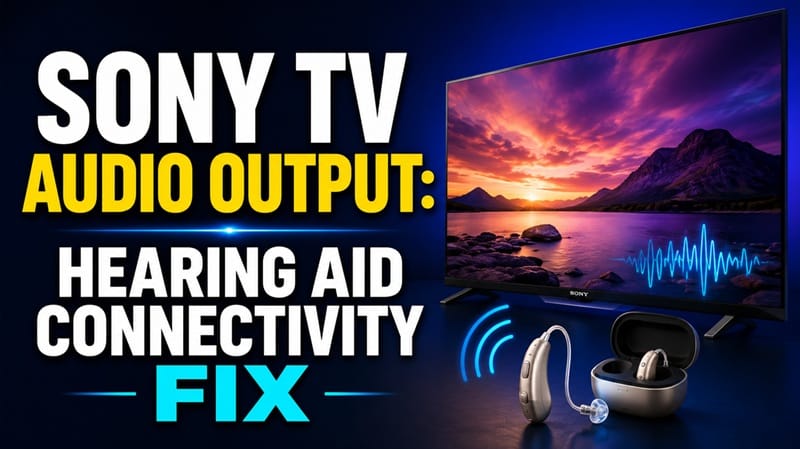
Sony TV Audio Output and Hearing Aid Connectivity Problems: What’s Actually Going Wrong
Last updated: July 2026
🕒 8 min read
Disclosure: GearPulse360 participates in the Amazon Associates Program. This particular article contains no affiliate links; other content on our site may.
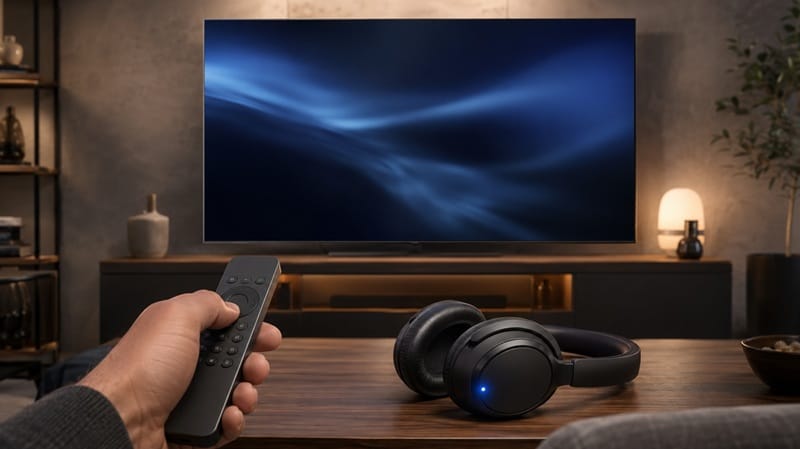
You dig through the TV’s Bluetooth menu, put your hearing aids into pairing mode exactly like the instructions say, and — nothing. Or worse: the pairing succeeds, and the TV’s own speakers immediately go silent, leaving whoever else is in the room without sound at all. It feels like the TV is broken. It almost never is.
Most people run into Sony TV audio output and hearing aid connectivity problems for one simple reason: they assume any Bluetooth accessory should pair with any Bluetooth TV. It doesn’t work that way. Sony TVs that support Bluetooth audio output rely on a specific Bluetooth profile, and most hearing aids on the market were never built to speak that profile in the first place.
Below, we break down what’s actually happening when this pairing fails, what changed with Sony’s audio handshake problems on the eARC and CEC side that sometimes get confused with this, and which fixes actually solve it instead of just retrying the same failed steps.
Table of Contents
The Short Answer: Why Hearing Aids Won’t Pair With a Sony TV
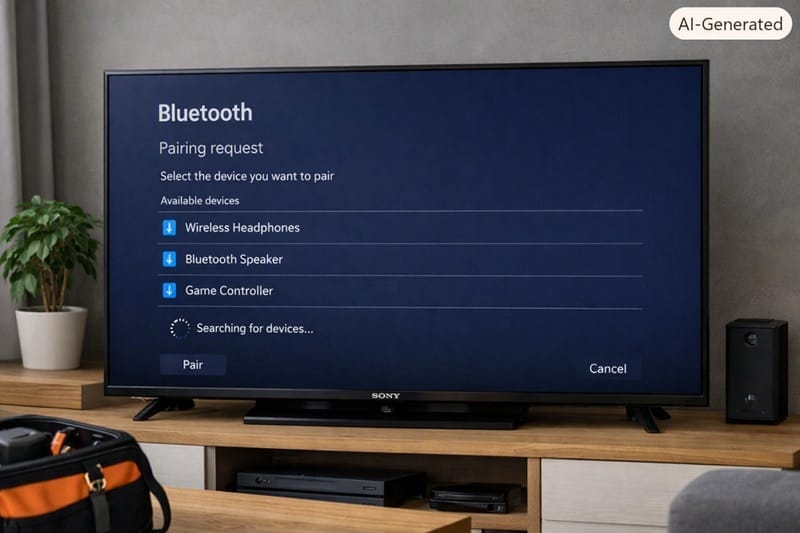
Sony TVs that output audio over Bluetooth do it through the A2DP (Advanced Audio Distribution Profile) standard, and based on Sony’s own support documentation, any Bluetooth device connecting for audio needs to support that same profile. Most hearing aids use a different, proprietary streaming protocol instead — which is why they often don’t even appear in the TV’s device list. On top of that, many Sony models can’t send sound to a Bluetooth device and the built-in TV speakers at the same time, so even a successful pairing can mean everyone else in the room suddenly hears nothing.
Why Sony TV Audio Output Doesn’t Reach Hearing Aids Directly
The Bluetooth Profile Mismatch
Here’s the part that trips most people up. A Bluetooth connection isn’t one universal thing — it’s a set of separate “profiles” for different jobs, and a device has to support the same profile as whatever it’s trying to talk to. Sony’s Bluetooth audio output problems and hearing aid connectivity issues mostly come down to this mismatch, not a faulty TV.
According to Sony’s official Bluetooth device help guide, A2DP-supported TV models list Bluetooth audio devices under Settings, and only devices built for that profile will show up reliably as an audio output option. Most consumer hearing aids, by contrast, are built around manufacturer-specific streaming (or newer standards like ASHA and Bluetooth LE Audio) designed for phone calls and phone-based streaming — not for pairing directly with a television’s audio output.
How to Check If Your Hearing Aids Even Support This
Before troubleshooting the TV at all, it’s worth confirming what your specific hearing aid model actually supports. If the hearing aid’s own spec sheet or manufacturer app doesn’t mention A2DP by name, direct TV pairing likely isn’t the intended path for that device — and no amount of TV settings tweaking will change that. This is the single most common false start in Sony TV audio output and hearing aid connectivity troubleshooting: people spend an hour in the TV’s menus solving a problem that lives entirely on the hearing aid side.
Worth separating out: this is a different Bluetooth handshake than the one your remote uses. If the remote itself is also acting up — not pairing, or dropping its connection — that’s a separate issue with its own causes, covered in our Sony TV remote control problems guide.
Sony’s Bluetooth Audio Behavior in 2026 Models
What’s Changed on Newer Sony Google TV Sets
This is one area where things have actually moved forward. Based on Sony’s current support documentation, select newer Sony BRAVIA models can output audio to the TV speakers and a Bluetooth device simultaneously — a capability that was effectively unavailable via Bluetooth on older Android TV and early Google TV models. This isn’t confirmed across the entire 2026 lineup, so it’s worth checking your specific model’s support page before assuming your TV can do it.
Where it is supported, though, it’s a real, verifiable difference rather than a marketing distinction. It’s part of the same broader reliability picture we cover in our breakdown of whether Sony’s OLED lineup is worth it in 2026, which weighs software and audio support alongside picture quality.
What Older Sony TVs Still Can’t Do
If you’re on an older Sony Android TV, the older behavior likely still applies: connecting a Bluetooth device, a headphone jack accessory, or an HDMI-linked audio system typically mutes the internal TV speakers entirely, with no simultaneous option available in settings. That’s a hardware/firmware limitation from that generation, not something a future software update is likely to unlock retroactively.
Still weighing a dedicated hearing aid streamer against simply upgrading to a newer TV generation? Our best OLED TVs in 2026 roundup flags which current models handle Bluetooth and accessibility settings this way, so it’s one less thing to check against the spec sheet yourself.
Getting Reliable TV Audio Into Hearing Aids: What Actually Works
Once you know whether your hearing aids support A2DP, the fix usually falls into one of a few buckets. The table below maps the most common symptoms to their real cause and the fix worth trying first, instead of guessing blindly through the TV’s settings menu.
Symptom → Cause → Fix
| SYMPTOM | LIKELY CAUSE | FIX | DIFFICULTY |
|---|---|---|---|
| Hearing aids never appear in the TV’s Bluetooth device list | Hearing aid doesn’t support the A2DP profile Sony TVs require for direct audio pairing | Confirm A2DP support with the hearing aid maker; if unsupported, use a dedicated TV-to-hearing-aid streamer instead | Medium |
| TV speakers go silent the moment a Bluetooth or headphone-jack device connects | Older Sony TV generations can’t output to Bluetooth/headphone jack and internal speakers at once | Route the hearing aid accessory through the Digital Audio Out (optical) port instead, or check if a 2026-model TV’s simultaneous-output setting applies | Medium |
| Hearing aids pair but disconnect or crackle intermittently | Bluetooth interference from other paired devices, distance, or outdated TV firmware | Update the TV’s software, unpair unused Bluetooth devices, and keep the hearing aids close to the TV rather than across the room | Easy |
If the issue persists after trying these steps, contact Sony’s support team or your hearing aid manufacturer directly.
What This Means for You in Practice
Who Should Pay Attention to This
If you or someone in your household relies on hearing aids and wants clearer TV audio without cranking the volume for everyone else, it’s worth checking your specific hearing aid model’s Bluetooth profile before assuming a TV-side fix will solve it. If you’re shopping for a new set with this in mind, our Sony OLED roundup notes which current models support simultaneous Bluetooth and TV-speaker output.
Who Doesn’t Need to Worry
If you already use a dedicated hearing aid TV streamer or neckloop accessory, or you’re pairing standard Bluetooth headphones rather than hearing aids, none of this A2DP compatibility gap applies to you — those accessories are built for exactly this use case from the start.
FAQs: Sony TV Audio Output and Hearing Aid Connectivity
Why do I have Sony TV audio output and hearing aid connectivity problems even with Bluetooth turned on?
Check whether your specific hearing aid model supports the A2DP Bluetooth profile before assuming the TV is at fault — that mismatch is the most common cause. The second most common cause is that most Sony models can’t output sound to a Bluetooth device and the built-in speakers at the same time; the official Sony support guide on simultaneous audio output confirms Bluetooth is typically excluded from dual playback. Select newer BRAVIA models are the exception — Sony’s support page for those specific models confirms simultaneous Bluetooth and TV-speaker output, so check your model directly rather than assuming.
Can any Bluetooth hearing aid pair directly with a Sony TV?
No. Only hearing aids that specifically support the A2DP Bluetooth profile will pair and stream audio directly. Many hearing aids use other Bluetooth streaming standards built for phone calls and companion apps, which aren’t compatible with a Sony TV’s Bluetooth audio output even though both devices technically “have Bluetooth.”
Do I need a special adapter to use hearing aids with a Sony TV?
If your hearing aids don’t support A2DP, yes — a dedicated TV streamer or neckloop accessory (connected via the TV’s Digital Audio Out or headphone jack) is the reliable path, since it’s built specifically to bridge that protocol gap rather than relying on direct Bluetooth pairing.
Does this affect Sony’s whole current TV lineup or just certain models?
It varies by specific model rather than by lineup or generation as a whole. Older Android TV and early Google TV Sony models are more likely to force a choice between Bluetooth output and TV speakers, while select newer BRAVIA models support running both at once — a detail worth checking against the specific model you own or are considering, including within our Sony OLED roundup, rather than assuming any 2026 Sony TV handles it the same way.
Should hearing aid compatibility factor into which Sony TV I buy?
Yes, if simultaneous Bluetooth and TV-speaker output matters to your household — it’s worth checking against the specific model rather than assuming any Bluetooth-equipped Sony TV handles it the same way. Select newer BRAVIA models are confirmed to support both at once; older Android TV and early Google TV models generally force a choice between the two, regardless of what the hearing aid itself supports.

iYaiii
Editor, GearPulse360
iYaiii is the editor and founder of GearPulse360, specializing in TV reviews and consumer electronics. He researches every recommendation before publishing.
✅ Based on Sony’s official support documentation — last verified July 2026