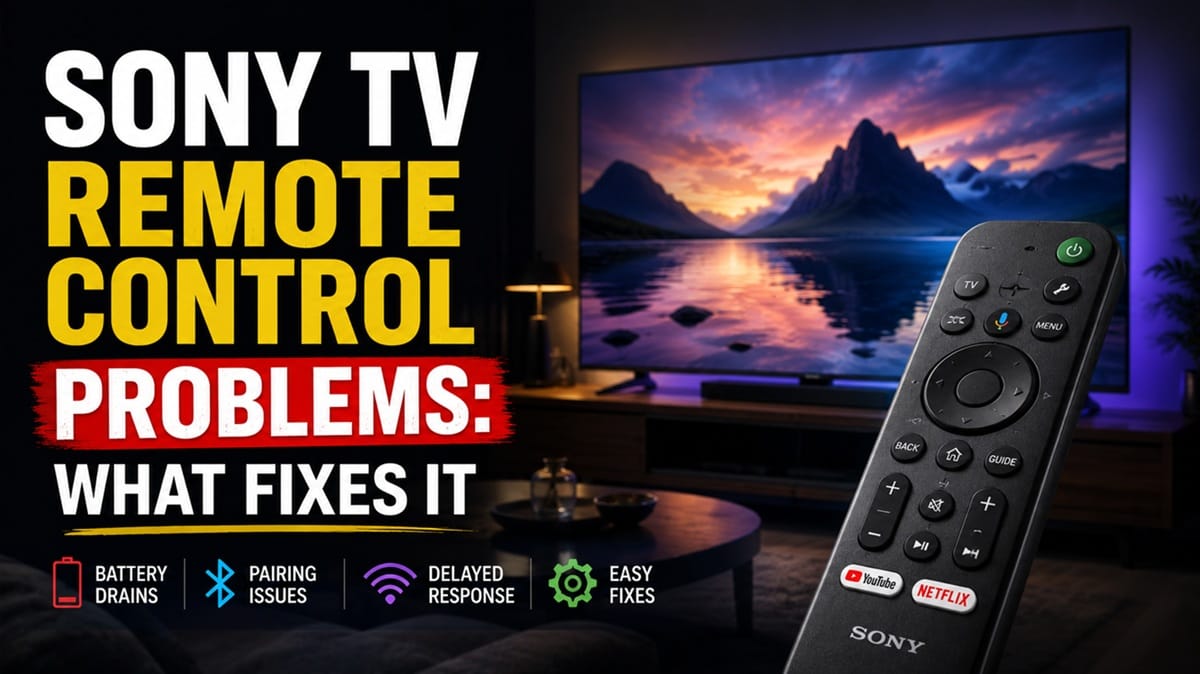
Sony TV Remote Control Problems: Why IR and Bluetooth Remotes Fail Differently
Last updated: July 2026
🕒 7 min read
Disclosure: GearPulse360 participates in the Amazon Associates Program. This particular article contains no affiliate links; other content on our site may.
Two people can type the exact same complaint into Google — “my Sony remote stopped working” — and be dealing with two completely unrelated problems. One owns a simple infrared clicker that just needs a clear line of sight to the TV. The other owns a Bluetooth voice remote that’s lost its digital handshake with the TV entirely.
Sony has shipped both remote technologies side by side for years, which is exactly why so much generic troubleshooting advice online falls flat — a tip built around one type does nothing for the other, and most articles never say which one they’re actually talking about. Knowing which remote is in your hand changes the entire troubleshooting path from there.
Below, we walk through how to tell which remote type you have, why each one breaks down, and what actually resolves it — separate from what’s covered in our guide to Sony OLED firmware update problems, since an update is one of the more common triggers for both remote types acting up at once.
Table of Contents
The Short Answer: What’s Really Behind Sony TV Remote Control Problems
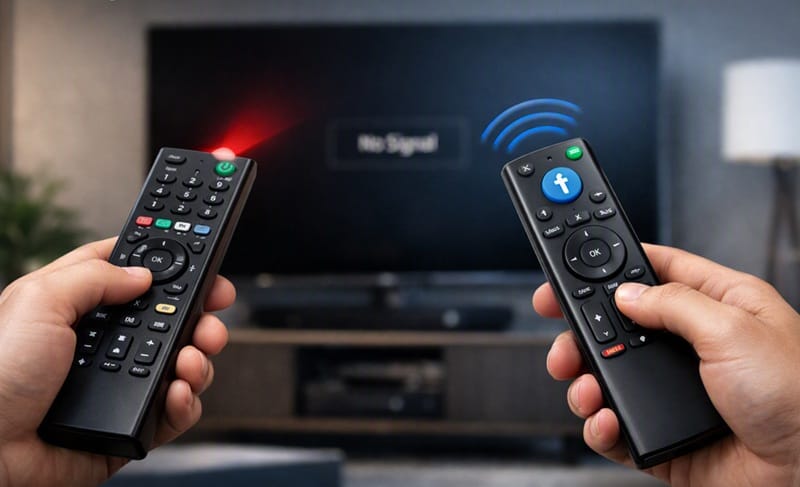
Most Sony TV remote control problems trace back to one of two unrelated causes. Older infrared (IR) remotes fail because of line-of-sight obstructions, weak batteries, or a dirty sensor window. Newer Bluetooth and voice remotes — standard on most Google TV and Android TV Sony models from 2021 onward — fail because the wireless pairing itself has broken, often after a firmware update. Knowing which type you have decides which fix path actually applies.
Is Your Sony Remote IR or Bluetooth? Why It Changes Everything
The 10-Second Camera Test
Point the remote at your phone’s front-facing camera and press any button while watching the screen. A flickering white or purple light means it’s sending an infrared signal — an IR remote, or an IR remote with limited Bluetooth features layered on top. No light at all usually means it’s a pure Bluetooth or voice remote, which won’t show up on camera because it isn’t using light to communicate.
Why This Distinction Matters for Troubleshooting
An IR remote is closer to a flashlight: it needs a clear, mostly straight path to a sensor window on the TV, and nothing more complicated than that. A Bluetooth remote is closer to a phone reconnecting to a paired Bluetooth speaker: it needs an established digital handshake with the TV, and that handshake is what tends to break. Fixing a line-of-sight problem the way you’d fix a broken pairing — or the reverse — wastes time without solving anything.
Why Older Sony IR Remotes Stop Responding
Sensor Line-of-Sight and Obstructions
The IR sensor window sits on the lower bezel of the TV, and anything between the remote and that window — a soundbar, a game console, even a stack of mail — can block or scatter the signal enough to cause missed or delayed inputs. Dust buildup over either the remote’s emitter or the TV’s sensor produces the same intermittent effect without fully blocking it.
Battery Contact and Static Buildup
Weak batteries are the obvious first check, but poor contact — corrosion on the terminals, batteries seated backward, or a buildup of static electricity in the remote’s circuitry — can cause the same delayed-response symptoms as low battery power. According to Sony’s official troubleshooting documentation, removing the batteries and holding the power button for a few seconds discharges that static buildup and often resolves intermittent IR issues on its own, before a battery swap is even needed.
If none of that clears it up and you’re also noticing the TV itself feels sluggish beyond just the remote, that’s worth ruling out separately — our Sony Google TV lag after update guide covers what causes that and how long it should reasonably take to settle.
Why Newer Sony Bluetooth and Voice Remotes Lose Connection
Pairing Data Corrupted by a Firmware Update
Bluetooth and voice remotes — the ones with a microphone button for Google Assistant — store a paired connection with the TV rather than relying on line-of-sight. A firmware update can quietly reset or corrupt that stored pairing without any error message, which is why a remote that worked fine the night before can go unresponsive right after an update finishes.
2.4GHz Interference From Other Devices
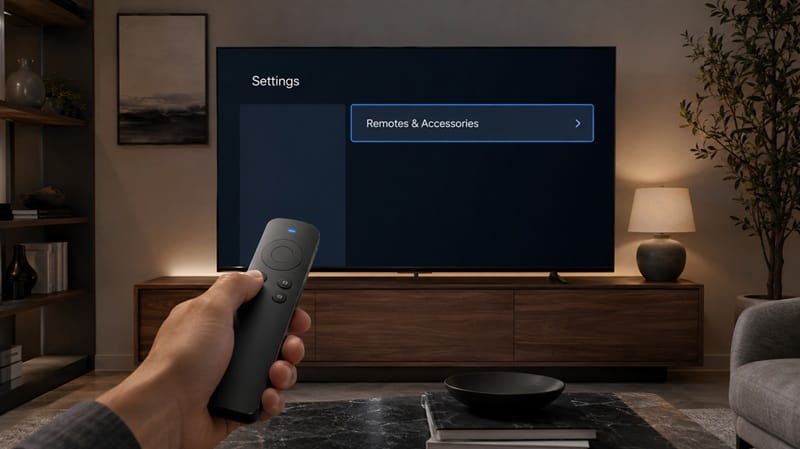
Bluetooth remotes share the same 2.4GHz frequency band as older Wi-Fi routers, baby monitors, and some wireless speakers. Sitting too close to one of those devices can cause the remote to drop its connection intermittently rather than fail outright, which makes the problem harder to diagnose than a clean pairing failure. Based on Sony’s official pairing instructions, re-pairing usually means going to Settings, then Remotes & Accessories, then Bluetooth Settings, and confirming the remote’s device name appears in that list before re-adding it.
Remote design isn’t why anyone buys a Sony TV in the first place, but it’s a fair thing to factor in if a flaky pairing experience has you comparing brands before your next purchase. Our best OLED TVs in 2026 roundup ranks this year’s Sony lineup against LG and Samsung on the things that actually separate them once you get past the box contents.
What Sony TV Remote Control Problems Mean for You in Practice
Who Should Pay Attention to This
If your Sony TV is a 2021 or newer Google TV or Android TV model with a microphone button on the remote, the Bluetooth pairing path above is where to start — especially if the issue appeared right after a software update. Anyone weighing whether Sony’s remote design is worth the learning curve compared to other brands can find that context in our Sony OLED buying guide.
Who Doesn’t Need to Worry
If your remote is a simple IR model with no microphone button and the issue only happens occasionally, it’s almost always a battery, obstruction, or static issue rather than anything wrong with the TV itself. A single missed button press now and then isn’t a sign of a deeper hardware fault.
FAQs: Sony TV Remote Control Problems
What causes Sony TV remote control problems?
Sony TV remote control problems come from two unrelated sources: infrared (IR) remotes failing due to line-of-sight obstructions or weak batteries, and Bluetooth or voice remotes losing their paired connection, often after a firmware update. According to Sony’s official troubleshooting guide, a static discharge reset often resolves IR issues that look like a dead remote but aren’t.
Does replacing the batteries fix every Sony remote issue?
No — it fixes IR remote issues caused by low power, but it does nothing for a Bluetooth remote that’s lost its paired connection to the TV. If a fresh set of batteries doesn’t change anything, the problem is more likely pairing-related than power-related.
How do I know if my Sony remote is IR or Bluetooth?
Point it at your phone’s front camera and press a button — a flickering light means IR, no light usually means Bluetooth. Remotes with a microphone button for voice search are Bluetooth remotes on nearly every current Sony Google TV model.
Why does my Sony remote also control my soundbar, and what if that stops working?
Sony remotes often extend volume control to a connected soundbar through HDMI-CEC, a separate handshake from the remote’s own pairing. If that specific function breaks while everything else on the remote still works, the cause usually sits on the audio-connection side rather than the remote itself — our Sony TV audio output and hearing aid connectivity problems guide covers that separately.
Is a Bluetooth voice remote more failure-prone than an older IR remote?
It’s a trade-off rather than a straightforward downgrade. An IR remote has fewer things that can go wrong, but it’s also limited to line-of-sight and basic button presses. A Bluetooth remote adds voice search, works from any angle in the room, and typically has more shortcut buttons — the cost is a pairing layer that can break in ways an IR remote’s simpler design never has to deal with. Neither type is objectively more reliable; they just fail differently, which is the whole reason the diagnostic split at the top of this article matters more than a battery swap.

iYaiii
Editor, GearPulse360
iYaiii is the editor and founder of GearPulse360, specializing in TV reviews and consumer electronics. He researches every recommendation before publishing.
✅ Based on spec analysis and Sony’s official data — last verified July 2026