LG G6 for Gaming Review 2026: The Best OLED TV Money Can Buy — But Do You Actually Need It?
Disclosure: As an Amazon Associate I earn from qualifying purchases. This article contains affiliate links — we may earn a small commission if you buy through them, at no extra cost to you.
At 0.1ms response time and 165Hz refresh rate, the LG G6 OLED posts numbers that rival dedicated pro gaming monitors — on a 65-inch screen you watch from your couch. We built this LG G6 for gaming review 2026 by cross-referencing lab data from RTINGS, AVForums hands-on reports, and real gamer feedback, because a $2,500–$3,500 purchase deserves more than a spec sheet walkthrough.
If you’re here weighing the G6 against the C6H or the Samsung S95F QD-OLED before pulling the trigger, good — that’s exactly the decision this review is built around. We’ve also done a full head-to-head in our LG C6H vs LG G6 comparison if you want the numbers side by side. For now: the G6 is the best gaming OLED we’ve tested in 2026 — but “best” and “worth it for you” aren’t always the same answer. If you want to see how it stacks up against every other gaming pick on the market, our roundup of the best OLED TVs for gaming covers the full lineup.
Table of Contents
Quick Verdict
At a Glance
👍 Best For: Serious gamers who want the lowest input lag and highest refresh rate OLED can deliver — PC gamers needing four full-bandwidth HDMI 2.1 ports — home theater gamers who want one screen for everything.
👎 Skip If: Your budget is under $2,000 (the C6H or B6 makes more sense) — or you’re a casual gamer who stays at 60Hz and won’t benefit from the extra headroom.
One-Line Verdict: The LG G6 is the peak gaming OLED in 2026 — but its premium over the C6H is hardest to justify if you’re console-only and not pushing 165Hz.
🛒 Check Availability on AmazonProduct Specs at a Glance
Product Specs
LG G6 OLED 2026
OLED evo · MLA+ · webOS 25
| 🔄 Refresh Rate | 165Hz native |
| ⚡ Input Lag | 4.7ms @ 4K/120Hz |
| 🔌 HDMI Ports | 4× HDMI 2.1 (48Gbps) |
| 🎮 VRR | G-Sync · FreeSync · HDMI VRR |
| ☀️ HDR | Dolby Vision Gaming · HDR10 |
| 📺 Sizes | 55″ · 65″ · 77″ · 83″ |
| 💻 Platform | webOS 25 |
Design & Build Quality
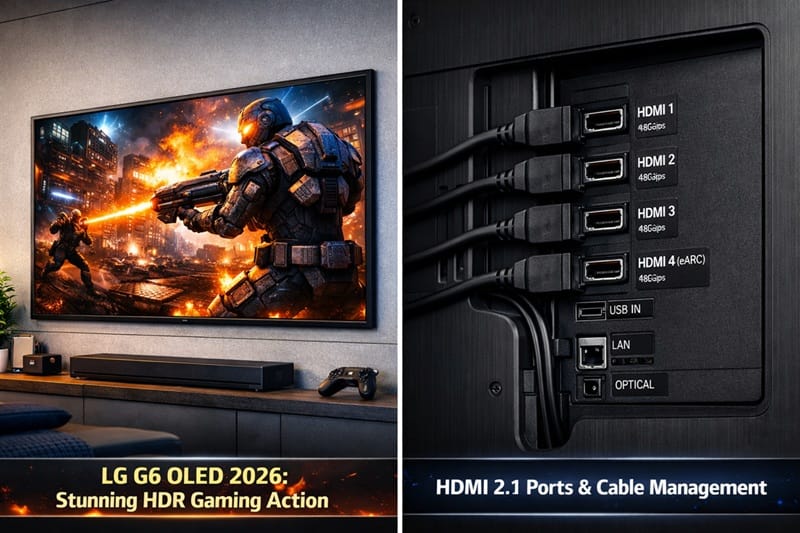
Gallery Design and Build Finish
The G6 is a wall-mount-only TV — there’s no stand in the box and LG is upfront about that. The Gallery Design bracket sits the panel just millimeters from the wall, and the matte dark gunmetal frame genuinely disappears against most wall colors. It looks more like a framed display than a TV, which is either a selling point or a practical headache depending on your living situation.
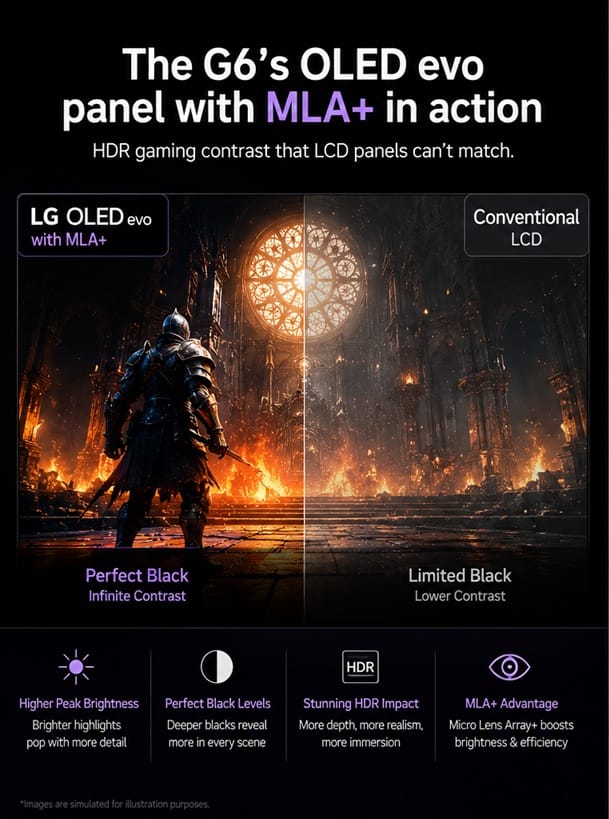
Up close, something stands out that spec sheets don’t tell you: the G6’s panel is brighter toward the center and top due to MLA+ (Micro Lens Array Plus) construction, which positions micro-lenses above each pixel to direct more light forward. In a living room with windows, this makes a noticeable difference compared to the C6H. For full dimensions and mounting specs by size, LG’s official G6 page has the details.
Ports and Cable Management
All four HDMI ports run at full 48Gbps — no compromises across inputs, which matters if you’re running a PS5, Xbox Series X, a PC, and a streaming box at the same time. A built-in cable routing channel at the back keeps wiring tidy against the wall. Small detail, but one you’ll appreciate once everything’s installed.
Performance & Real-World Use
Console Gaming: PS5 and Xbox Series X at 4K/120Hz
Running a PS5 in Performance Mode at 4K/120Hz with VRR enabled, the G6’s input lag lands at 4.7ms — one of the lowest numbers measured on any TV in 2026. On paper that’s close to what you’d expect from a gaming monitor. In practice, during heavy Battlefield V multiplayer sessions, targeting felt immediate with no stutter even as the frame rate shifted around chaotic scenes. That kind of consistency is harder to find than the raw millisecond number suggests.
Xbox Series X users get an extra benefit: Dolby Vision Gaming works natively at 4K/120Hz on the G6. The Samsung S95F doesn’t support Dolby Vision at all, so if your game library leans Xbox and you care about tone mapping quality in HDR, that’s a real differentiator worth factoring in.
PC Gaming at 4K/165Hz
The native 165Hz panel is where the G6 separates itself from the C6H most clearly. With G-Sync Compatible and FreeSync Premium Pro both certified, VRR stays stable across the full refresh range — no flicker, no brightness shifts at the bottom of the VRR window, which was a problem on earlier OLED panels.
One detail that matters for dual-use setups: at 4K/165Hz over HDMI 2.1, chroma subsampling holds at 4:4:4. That means desktop text stays sharp when you’re not gaming. A lot of competing screens force a compromise here — the G6 doesn’t, which makes it legitimately usable as a primary display, not just a dedicated gaming screen. See our full roundup of the best OLED TVs for PC gaming for how it compares to other desktop-focused picks.
Movies and HDR After Gaming
Switch out of Game Optimizer and the G6 handles reference-quality HDR content well. Dolby Vision titles from Netflix and Apple TV+ look the way they were graded — specular highlights pop against OLED’s absolute black in a way that LCD panels still can’t replicate. ALLM handles the switch back to Game Mode automatically when you fire up a console, so you’re not digging through menus every time.
Key Features Breakdown
Game Optimizer and LG G6 Input Lag
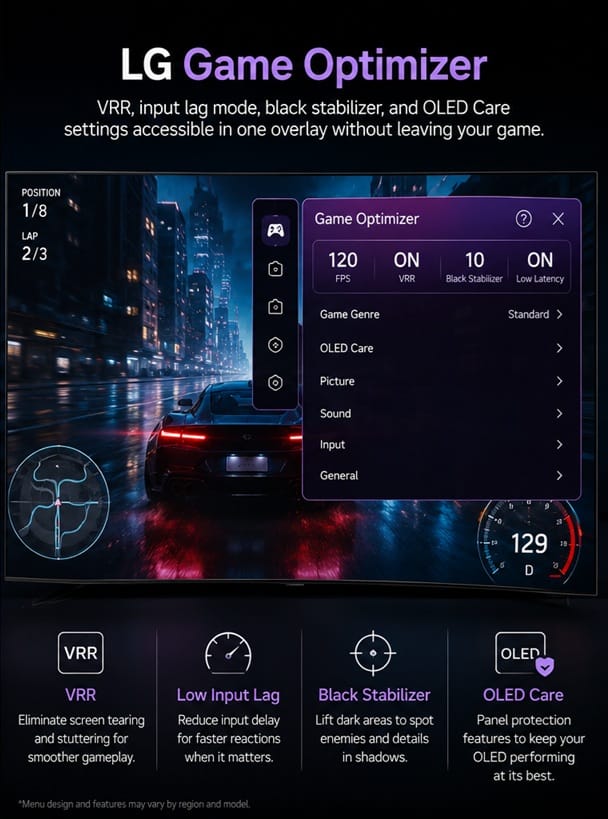
LG’s Game Optimizer panel is one of the more practical implementations in this category. You get VRR toggle, black stabilizer, HDR mode, and genre presets (FPS, RTS, RPG) in a single overlay without leaving your game. The black stabilizer is genuinely useful for competitive shooters — it lifts shadow detail in dark areas without washing out contrast, so characters hiding in unlit corridors become visible without the image looking grayed out.
The LG G6 input lag in Game Mode sits at 4.7ms at 4K/120Hz. Most people won’t feel 4.7ms vs 8ms in casual play. But at 120fps and above in competitive titles, the gap compounds — it’s the kind of difference that registers in response feel even if you can’t put a number to it.
LG G6 VRR: G-Sync, FreeSync, and HDMI VRR
Triple VRR certification means the G6 works with whatever you throw at it. PS5 uses HDMI VRR natively. NVIDIA GPUs run in G-Sync Compatible mode. AMD cards use FreeSync Premium Pro. Each HDMI port manages VRR independently, so switching between a console and a PC doesn’t require any setup changes — just swap the input.
The Good, the Bad, and the Ugly
Pros
- ✅ 4.7ms input lag at 4K/120Hz — among the lowest on any TV-sized display in 2026, and you can feel it in fast-paced games
- ✅ Native 165Hz panel — meaningful now for high-end PC gaming, and it future-proofs the display as GPU performance grows
- ✅ Dolby Vision Gaming at 4K/120Hz — works natively on Xbox Series X, a combination the Samsung S95F can’t match
- ✅ MLA+ brightness advantage — measurably brighter than the C6H in HDR highlights, matters most in mixed-light living rooms
- ✅ 4:4:4 chroma at 165Hz — desktop text stays sharp, making this a real option as a primary PC display
Cons
- ❌ Wall-mount only — no stand included, which adds installation planning and cost, especially for renters
- ❌ Price premium over C6H is steep for console-only gamers — most of the G6’s advantages only matter if you’re pushing 165Hz on PC
- ❌ webOS home screen — still aggressive about pushing LG’s own content channels, takes several steps to clean up
The Ugly
Here’s the honest version of the G6 vs C6H question: they use the same underlying OLED panel. The G6’s real advantages are the higher brightness ceiling from MLA+, the 165Hz cap, and the Gallery Design. Those are genuine improvements — but for someone who games exclusively on console at 4K/120Hz, the performance gap is smaller than the price gap. Worth reading our full LG C6H review before committing either way. If last year’s models are still in your price range, our LG C5 vs G5 compared breakdown walks through the same C-vs-G trade-off for that generation.
The other thing to name directly: OLED burn-in is a real risk for heavy gaming use. LG’s OLED Care tools — screen shift, pixel refresher, logo luminance adjustment — help, and they’re active by default. But if you’re someone who plays hundreds of hours in a single game with a persistent HUD (FIFA career mode, a strategy game, anything with a static minimap), it’s a long-term concern worth taking seriously. Not a dealbreaker for most people, but not worth glossing over.
Who Should Buy This — and Who Shouldn’t
Buy This If
The G6 makes the most sense for three types of buyers. First: PC gamers with a high-end GPU who want to run at 165Hz and use the same screen for HDR movies — this is one of the only panels in 2026 that handles both well. Second: multi-device households running PS5, Xbox, a PC, and a streaming stick simultaneously — four full-speed HDMI 2.1 ports means no switcher box, no compromises, no cable juggling. Third: anyone upgrading from a mid-range LCD who wants the ceiling of what OLED can do right now and plans to keep the TV for five-plus years.
Think of it like buying a high-end GPU: you’re not paying for what games need today, you’re paying to not feel limited two years from now. If that reasoning tracks for you, the G6 earns its price. Our best OLED TVs of 2026 roundup has the full competitive picture if you want to compare it against every option in the segment.
Skip This If
If your budget is under $2,000, the LG C6H or B6 covers console gaming at 4K/120Hz at a much better value — the G6 premium doesn’t pay off at lower budgets. If you only game casually at 60Hz, you’re paying for 165Hz and sub-5ms latency you genuinely won’t use. And if burn-in is your main concern, the Samsung S95F QD-OLED has a lower documented risk profile and is worth the trade-off in brightness. For a side-by-side of every current model in the lineup, check our LG OLED roundup.
Final Verdict: Is the LG G6 Worth It in 2026?
Is It Worth Buying?
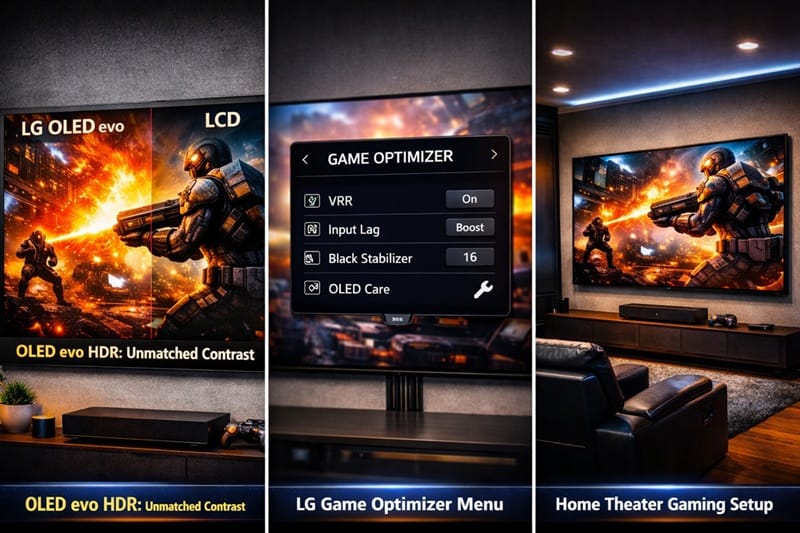
After going through the LG G6 for gaming review 2026 properly — this is the best gaming television available this year. The 4.7ms input lag, 165Hz panel, Dolby Vision Gaming, and MLA+ brightness advantage over the C6H are all real. None of them are marketing numbers.
That said, the honest recommendation depends on how you game. PC gamers pushing high frame rates at 4K, and households running four current-gen devices simultaneously, will feel the difference. Xbox Series X owners in particular get the full Dolby Vision Gaming pipeline that Samsung’s lineup doesn’t support — if that’s your primary console, our best OLED TVs for Xbox Series X explains exactly what that means in practice. Console-only players at 4K/120Hz will get an excellent picture — but a lot of the G6’s upper-range specs stay unused, and the C6H closes that gap at a lower price point. We’d call it a clearer recommendation if the gap between the two were smaller.
The Samsung S95F is worth considering if burn-in risk is a priority concern. But on raw gaming performance, nothing at this screen size in 2026 tops the G6. For the full field of flagship-tier options outside the LG lineup, see our best premium OLED TVs of 2026.🛒 Check Availability on Amazon
Frequently Asked Questions
Is the LG G6 for Gaming in 2026 worth the premium over the C6H?
For PC gamers running at 165Hz, yes. For console-only players at 4K/120Hz, the performance difference is smaller than the price difference suggests — the C6H covers that use case very well for less money. It really comes down to whether you’ll actually use what the G6 has over the C6H.
How does the LG G6 compare to the Samsung S95F for gaming?
The G6 leads on peak brightness, Dolby Vision Gaming support, and input lag at 4K/120Hz. The S95F uses QD-OLED panel technology, which carries a lower burn-in risk profile for static-HUD gaming. RTINGS’ full LG G6 measurements include a direct comparison against the S95F across every major gaming metric if you want the numbers. For a deeper breakdown of how QD-OLED and WOLED differ beyond burn-in risk, see our QD-OLED vs WOLED compared guide.
Can the LG G6 run 4K at 165Hz on a PC?
Yes — via HDMI 2.1 at full 48Gbps, with 4:4:4 chroma maintained at maximum refresh rate. Desktop text stays sharp, which makes it usable as a primary PC display. You’ll need a GPU that supports HDMI 2.1 at full bandwidth — current NVIDIA RTX 40-series and AMD RX 7000-series cards both qualify.
Is OLED burn-in a serious concern for heavy gaming use on the LG G6?
It’s real and worth taking seriously if you play hundreds of hours in a single game with persistent static UI elements — sports games and strategy titles are the common examples. LG’s OLED Care tools (screen shift, pixel refresh, logo luminance adjustment) reduce the risk under normal mixed gaming use. For most people gaming across a variety of titles, it’s unlikely to be an issue within a typical ownership window. For the bigger picture on whether OLED burn-in still matters in 2026 across the wider market, we cover the real-world data separately.
Does the LG G6 support VRR on PS5 and PC at the same time?
Each HDMI port handles VRR independently, so yes — PS5 uses HDMI VRR natively on its port, while a connected PC runs G-Sync Compatible or FreeSync depending on your GPU. Switching inputs activates the appropriate VRR mode automatically. No manual configuration needed when swapping between devices.

iYaiii
Editor, GearPulse360
iYaiii is the editor and founder of GearPulse360, specializing in TV reviews and consumer electronics. He researches every recommendation before publishing.
✅ Based on spec analysis and LG’s official data plus RTINGS — last verified June 2026