Samsung TV Screen Falling Off: Diagnosing Panel Separation vs a Wall Mount Failure
Last updated: July 2026
🕒 7 min read
Disclosure: GearPulse360 participates in the Amazon Associates Program. This particular article contains no affiliate links; other content on our site may.
You walk into the room and your Samsung TV’s screen isn’t where it’s supposed to be — either hanging off the wall mount at an angle, or the front panel itself has come loose from the frame. Both get typed into Google as some version of “Samsung TV screen falling off,” but they’re not the same failure, and they don’t share a fix.
That mix-up matters, because the advice for one can be useless — or risky — for the other. Tightening a wall-mount screw won’t help a panel that’s separating from its own housing, and remounting the TV won’t resolve a warranty claim over panel separation.
This guide walks through both failure paths: what’s actually behind each one, how to tell which you’re looking at, and what Samsung’s own installation guidance says about preventing the mounting version in the first place. It’s a similar diagnostic mindset to the one we used breaking down a Samsung S90D power board breaker trip — start with what actually changed, then work back to the mechanism instead of guessing. Based on editorial research into owner-reported patterns and Samsung’s official support documentation — not hands-on testing of a failed unit.
Here’s the short version, then the full breakdown.
Table of Contents
The Short Answer: Why a Samsung TV Screen Falls Off
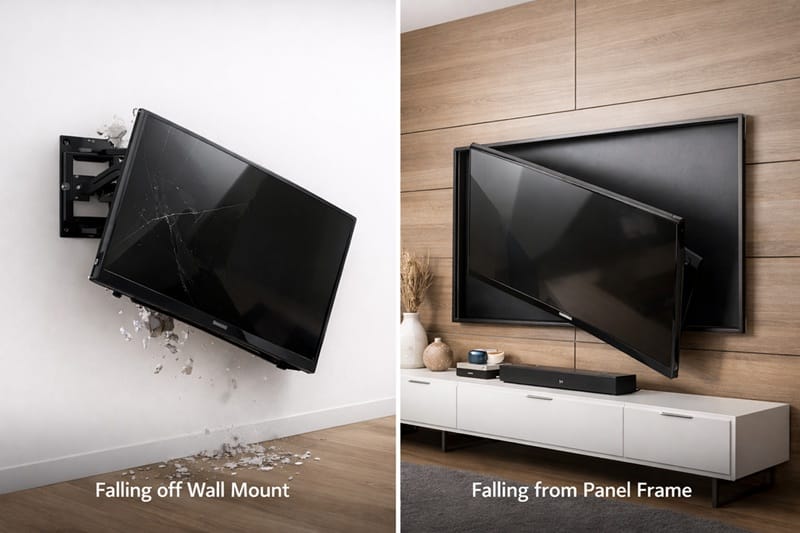
A Samsung TV’s screen can come loose two different ways. Either the wall-mount hardware fails and the whole TV — screen included — comes off the wall, or the front panel separates from the TV’s own frame while the mount and back housing stay exactly where they were.
The first is almost always an installation or hardware problem with the mount, not the television. The second is a failure pattern some Samsung owners have reported, generally tied to the front panel’s adhesive bond weakening over time — though Samsung hasn’t published data on how often this happens across its lineup, so treat it as a reported pattern rather than a confirmed manufacturing defect.
Two Ways a Samsung TV Screen Actually Comes Loose
When the Panel Separates From the Frame
In this version, the TV stays mounted or seated on its stand — nothing about the installation changes — but the front glass or plastic panel gradually pulls away from the frame underneath it, sometimes at one edge, sometimes across the whole face. Owners who’ve described this pattern generally point to the same underlying theory: the adhesive bonding the panel to the chassis weakens under sustained heat from the backlight or panel electronics.
That theory lines up with what RTINGS has documented in its own accelerated longevity testing, which has run 100 TVs since October 2022 to see how they hold up over thousands of hours of real-world-equivalent use. Edge-lit LCD sets — a backlight design Samsung uses across much of its QLED and Frame lineup — developed visible uniformity problems far more often than direct-lit or full-array models in that test, with some Samsung sets showing issues in as little as roughly a year of typical household use.
The mechanism RTINGS traced was heat, not adhesive failure specifically: sustained thermal stress warped internal reflector sheets and cracked the light guide plate that spreads backlight across the screen. That’s a different component than the front panel glass itself, so it doesn’t directly confirm panel-adhesive separation as its own tested failure mode — but it does establish that heat buildup inside a thin Samsung TV chassis is a documented, measurable cause of long-term hardware failure — the same basic mechanism owners point to when a panel comes loose from its frame.
Samsung, for its part, told RTINGS that its edge-lit designs have been reliably used for over 15 years and go through more than 20 long-term reliability tests, including high-temperature testing.
When It’s the Wall Mount, Not the TV
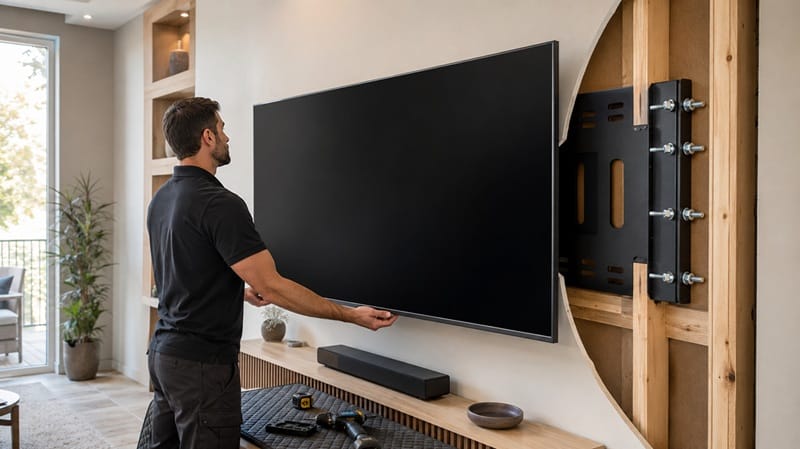
The far more common version has nothing to do with the panel at all. The mount’s hardware — a bracket, a cable, or the screws anchoring it to the wall — gives way, and the entire TV comes down as one piece. This is an installation and hardware-selection issue, not a defect in the television itself.
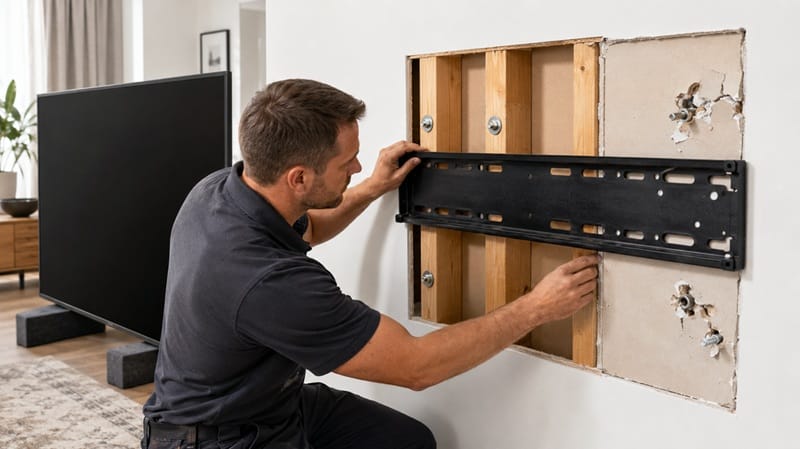
The usual culprits are mundane: a mount anchored into drywall instead of a stud, screws that are the wrong length for the wall type, or a mount rated for a lighter TV than the one it’s holding. None of that reflects on the TV’s own build quality.
Diagnosing Which One You’re Dealing With
Signs It’s a Mounting Problem
If the entire TV — frame, back panel, and screen together — has shifted, tilted, or come off the wall, that’s a mount issue. Check whether the bracket is still screwed to the wall at all, and if it is, whether the wall itself shows cracking or the screws have visibly pulled outward.
Signs It’s Panel Separation
If the TV is still firmly attached to its mount or sitting normally on its stand, but the front screen has visibly lifted, bulged, or come away from the frame at an edge, that points to panel separation instead. This can start small — a slight gap or a thin line of light bleeding through — before it worsens.
Either way, stop using the TV once you notice it, and don’t attempt to press the panel back into place yourself; that risks cracking a screen that’s already compromised.
If diagnosing either failure has you leaning toward a fresh start instead of a repair, our best OLED TVs of 2026 roundup lines up this year’s models by size, price tier, and what actually ships inside each panel generation.
What To Do If It’s Already Happened
For a mounting failure, the priority is safety first: unplug the TV, don’t attempt to re-hang it alone, and inspect the wall for damage before considering a repair. A qualified installer or Samsung’s own support line can confirm whether the mount, the wall, or both need attention before the TV goes back up.
For panel separation, contact Samsung support directly rather than a third-party repair shop first. Warranty coverage for this kind of failure depends heavily on the TV’s age and purchase date, and Samsung will need photos and a description of exactly how it happened to evaluate the claim.
Whether a repair is worth pursuing at all also depends on how you feel about Samsung’s OLED lineup as a whole — our breakdown of whether Samsung OLED TVs are worth it weighs that broader reliability picture against picture quality and price, which is useful context before deciding between a repair and a replacement.
What This Means for You in Practice
Who Should Pay Closer Attention
Owners of larger, heavier Samsung sets — especially anything wall-mounted above 65 inches — have the most to gain from double-checking their mount’s weight rating and stud placement now, before either failure path becomes a problem. If you’re shopping for a new set and reliability is a priority alongside picture quality, our Samsung OLED roundup weighs that alongside brightness and gaming features.
Who Doesn’t Need to Worry (Yet)
A Samsung TV mounted correctly on a stud-anchored bracket rated for its size and weight, with no gap, bulge, or light bleeding at the panel’s edges, isn’t showing signs of either failure path yet. Neither issue tends to appear without some visible warning first.
FAQs: Samsung TV Screen Falling Off
Why is my Samsung TV screen falling off?
It’s either a wall-mount hardware failure or the front panel separating from the frame, and the two have different causes. Samsung’s own wall-mounting support guide covers stud placement, VESA compatibility, and weight limits — the factors most responsible for the mounting version.
Is a Samsung TV screen coming loose covered under warranty?
It depends on the cause and the TV’s age. Wall-mount hardware failures are typically not covered, since the mount is a separate purchase from the TV. Samsung has no published policy guaranteeing coverage for panel separation either — it comes down to case-by-case review of the unit’s age, warranty status, and how the damage is documented in photos.
How do I tell if it’s the wall mount and not the TV itself?
Check whether the whole unit — frame, back panel, and screen together — has moved as one piece, which points to the mount, or whether only the front panel has shifted while the rest stays attached, which points to panel separation. The two look different once you know what to check.
What should I do if my TV’s screen has already come loose?
Treat it as a safety issue first, not a picture-quality one — a loose panel or an unstable mount can fail further without warning. Which specific steps apply depends on which of the two failures above you’re actually dealing with, so it’s worth confirming that before calling anyone in for a fix.
Will newer Samsung TVs have the same issue?
There’s no verified basis to say newer models are exempt, since Samsung hasn’t published failure-rate data broken down by generation. What’s changed is general awareness — checking mount ratings and watching for early panel-edge gaps is easier now than it was a few years ago, and it’s worth weighing reliability alongside picture quality at the research stage itself; our Samsung 48S90H review is one example of how we factor that in when a specific model is under consideration.

iYaiii
Editor, GearPulse360
iYaiii is the editor and founder of GearPulse360, specializing in TV reviews and consumer electronics. He researches every recommendation before publishing.
✅ Based on spec analysis and Samsung’s official and RTINGS data — last verified July 2026