Sony TV Channel Change Delay: Why Switching Channels Feels Slow (and What Actually Fixes It)
Last updated: July 2026
🕒 9 min read
Disclosure: GearPulse360 participates in the Amazon Associates Program. This particular article contains no affiliate links; other content on our site may.
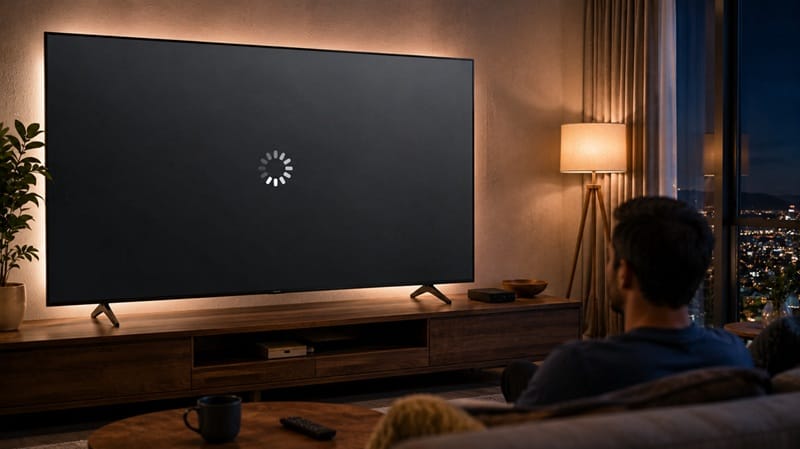
You press the channel button, and instead of the picture changing right away, a small spinning circle sits there for a beat before the new channel finally loads. Do it a few times in a row and it starts to feel less like a quirk and more like something’s wrong with the TV.
A Sony TV channel change delay is a common complaint among Sony smart TV owners, and based on Sony’s own support documentation, a short pause during channel switching is actually expected behavior on Android TV and Google TV models — not a defect. The confusion is understandable: nothing in the setup process tells you to expect it.
The short version: this pause is baked into how Android TV and Google TV load a channel, and it only becomes worth a second look past a certain point. From there, this piece separates a normal load time from a real software problem, and untangles it from the Sony Google TV lag after update pattern that sometimes gets confused with it — a slow-loading channel and a slow-loading TV overall aren’t the same complaint.
Table of Contents
The Short Answer: Is a Sony TV Channel Change Delay Normal?
Yes, in most cases. Sony’s own troubleshooting documentation confirms that a brief loading animation — usually one to a few seconds — is a normal part of switching channels on current Android TV and Google TV models. A delay only becomes worth investigating when it consistently runs much longer than that, started right after a specific update, or happens even when switching to channels you were already watching moments earlier.
What’s Actually Happening When Your Sony TV Takes a Beat to Change Channels
The Loading Circle Isn’t a Bug — It’s a Feature
According to Sony’s official troubleshooting guidance, a spinning circle animation was introduced on some Sony Android TVs specifically to visualize the channel-change process while it happens in the background. It’s a bit like the buffering icon on a streaming app: the presence of the icon isn’t the problem, it’s the TV telling you it’s working.
The animation itself isn’t supposed to take longer than a couple of seconds. If it consistently drags well past that, or the screen freezes on the animation entirely, that’s a different situation than the short, expected pause most owners run into.
Sony’s Control Menu troubleshooting guide also notes that entering a channel number and confirming with Enter can switch immediately — a quick thing to try if the on-screen guide navigation itself feels sluggish.
Live TV vs. Streaming Apps: Why the Delay Only Shows Up on One
If Netflix and YouTube both open quickly but live channels lag, that’s a useful clue on its own. Live channel switching pulls fresh program guide data and, in some setups, negotiates a new HDMI signal with an external tuner box — streaming apps skip both of those steps entirely, so the two experiences aren’t really built to feel the same.
Why the Sony TV Channel Change Delay Feels More Noticeable in 2026
More Live Channels Routed Through the Same Google TV Guide
Current Sony Google TV models fold live channels, free ad-supported channels, and streaming apps into one shared guide interface. That’s convenient for browsing, but it’s also a reasonable explanation for why the pause feels more noticeable than it did on older, simpler TVs: the guide has more sources to reconcile before it can display anything, even though Sony hasn’t published exact figures on how much that adds to the load time.
HDMI Signal Format and Cable/Satellite Box Handoffs
If you’re watching through a cable or satellite box connected over HDMI, Sony’s support documentation points to the HDMI Signal Format setting as a common source of extra delay. When that setting is left on Enhanced, the TV and the box perform a longer handshake on every channel change than they do on Standard — and most households never touch this setting after setup.
A delay that shows up specifically after installing a software update is a different pattern from either of the two above. Our Sony OLED firmware update problems guide covers what else tends to change after a Sony update lands, in case channel switching isn’t the only thing that feels different.
Switching speed and picture quality are decided by different parts of the TV. The delay itself — the loading animation, the HDMI handshake — is purely a software and signal-handling matter, and it doesn’t move the needle on contrast, color, or brightness once a channel actually loads.
If you’re comparing Sony’s current smart TV lineup against LG and Samsung, our best OLED TVs in 2026 roundup factors day-to-day software responsiveness into the picture, alongside the usual contrast and color comparisons.
When a Sony TV Channel Change Delay Isn’t Normal (Symptom → Cause → Fix)
The table below separates the channel-switching behaviors Sony documents as expected from the ones that actually call for troubleshooting. This is meant as a starting point, based on Sony’s published support articles and editorial research — not a guarantee that any single fix resolves every case.
Symptom → Cause → Fix
| SYMPTOM | LIKELY CAUSE | FIX | DIFFICULTY |
|---|---|---|---|
| Loading circle appears for 1–3 seconds on every channel change | Normal program-guide load behavior on Android TV / Google TV | No fix needed — this is expected; the animation should clear on its own | Easy |
| Delay only happens on channels tuned through a cable or satellite box | HDMI Signal Format set to Enhanced, adding extra handshake time | Settings > External Inputs > HDMI Signal Format — switch that input back to Standard | Easy |
| Delay started right after the latest software update and now runs 5+ seconds every time | Reported by some owners as a post-update regression, rather than expected load behavior | Fully restart the TV (not standby), then check Settings > System > Software update for a follow-up patch | Medium |
| Remote presses queue up and the TV skips past the channel you wanted | Weak remote batteries or Bluetooth pairing lag — not the channel-load process itself | Replace the batteries, or re-pair the remote from Settings > Remotes & Accessories | Easy |
If the delay persists after trying these steps, contact Sony support directly with your model number and software version on hand.
What This Means for You in Practice
Who Should Pay Attention to This
If you switch live channels often — background TV, sports, news — a couple of extra seconds per change adds up over a day, and the table above is a better starting point than assuming nothing can be done.
Check the table before deciding the TV itself is the problem, especially if you’re already eyeing a newer Sony model; our Sony K-75XR70M2 review covers how a current Google TV model handles day-to-day interface speed, not only its picture quality.
Anyone still deciding between Sony and another brand for their next TV can also work through our Sony OLED buying guide, which weighs software responsiveness alongside the usual picture-quality comparisons.
Who Doesn’t Need to Worry
If the delay is short, consistent, and shows up mainly on live channels rather than everywhere in the interface, that lines up with what Sony documents as normal behavior. Streaming-heavy households that rarely touch live channels are unlikely to notice this at all.
FAQs: Sony TV Channel Change Delay
Is a delay when changing channels on my Sony TV normal?
Yes, based on Sony’s own support documentation, a brief loading animation of a couple of seconds is expected on current Android TV and Google TV models. It only becomes a concern if it consistently runs much longer or the screen freezes on the animation entirely.
Why does my Sony TV take longer to change channels since a recent update?
Software updates occasionally change how quickly the program guide loads, and some owners report a temporary slowdown right after installing one. A full restart (not standby) resolves this in many cases; if it doesn’t, checking for a follow-up patch is the next step.
How do I make channel switching faster on my Sony TV?
Start with the HDMI Signal Format setting if you’re using a cable or satellite box — switching it from Enhanced to Standard removes an extra handshake step on every channel change. Fresh remote batteries and a clean re-pair can also rule out input lag that only looks like a channel-load delay.
Is a channel change delay a sign my Sony TV needs to be replaced?
No. A slow channel change is a software and signal-handling issue, not a sign of hardware failure, and it’s unrelated to problems like a Sony TV that won’t respond to its remote at all — that’s a separate issue covered in our Sony TV remote control problems guide if button response, rather than channel-load time, is what you’re actually running into.
Will Sony fix the channel change delay in a future software update?
Not entirely, and that’s by design — some of this delay is inherent to how live program data gets fetched, not a bug waiting on a patch. Sony has adjusted pieces of the process in past updates, including adding the loading animation itself to make the wait clearer to viewers, so incremental changes are possible, but there’s no announced timeline for removing the pause altogether.

iYaiii
Editor, GearPulse360
iYaiii is the editor and founder of GearPulse360, specializing in TV reviews and consumer electronics. He researches every recommendation before publishing.
✅ Based on Sony’s official support documentation — last verified July 2026