

How to Clean an OLED TV Screen Without Causing Damage
Last updated: July 2026 | 🕒 7 min read
Disclosure: As an Amazon Associate I earn from qualifying purchases. This article contains affiliate links — we may earn a small commission if you buy through them, at no extra cost to you.
You dim the lights for movie night, and there it is: a faint smudge sitting right in the middle of a dark scene, catching every bit of ambient light in the room. Your hand reaches for the nearest cloth before you’ve thought it through.
That instinct is exactly how OLED screens get damaged. Most people search for how to clean an OLED TV screen only after they’ve already reached for a glass cleaner, a paper towel, or a shirt sleeve — and OLED panels don’t forgive any of those the way an old LCD screen might have.
This guide covers the tools that are actually safe, the steps to follow in order, and the specific ingredients to keep away from your panel. If burn-in and image retention are what brought you here instead, our guide on how to prevent OLED burn-in covers that separate (and more talked-about) maintenance topic in depth.
Table of Contents
The Short Answer: How to Clean an OLED TV Screen Safely
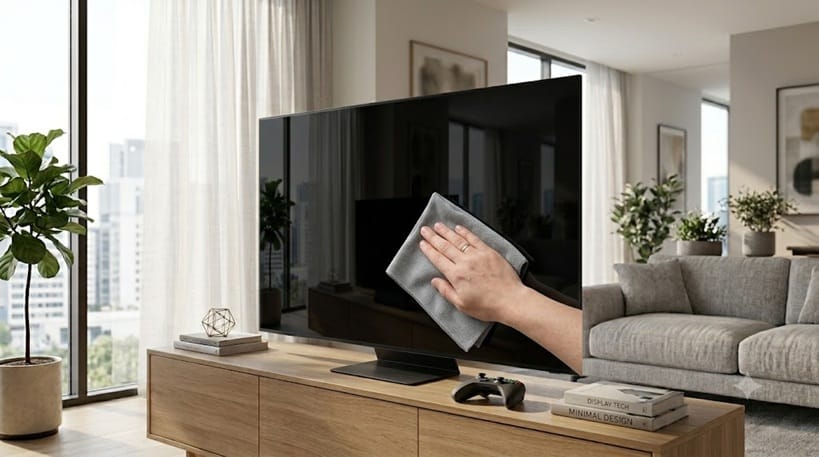
Power the TV off, wipe the screen with a dry microfiber cloth in gentle circular motions, and only add a small amount of distilled water on stubborn spots. Skip glass cleaner, alcohol, ammonia, and anything abrasive — those are the products most likely to strip the anti-glare coating that gives OLED panels their deep, glare-resistant black levels.
What You Need Before You Start
The Right Tools for an OLED Screen
A clean, dry microfiber cloth handles the vast majority of dust and fingerprints on its own. For anything the dry cloth doesn’t lift, distilled water is the only liquid worth adding — tap water carries minerals that can leave faint residue behind once it dries.
A second, separate microfiber cloth kept dry is worth having on hand for the final pass. Using the same cloth for both dampening and drying tends to redistribute streaks instead of removing them.
If you’re shopping for a cloth specifically, look for one sold as a lens or screen cloth rather than a general household microfiber towel. The weave is usually finer, and a fresh cloth is less likely to be carrying grit picked up from other cleaning jobs around the house.
What to Avoid Completely
Skip anything with alcohol, ammonia, or acetone, including standard household glass cleaner. According to LG’s official OLED screen-cleaning guidance, harsh chemicals can damage the panel, and the same caution applies to paper towels, rough sponges, or anything with an abrasive surface.
Spraying liquid directly onto the screen is another common mistake. Moisture that runs down into the bezel gap can reach internal components, so any dampness should go on the cloth first, never the panel itself.
Step-by-Step: Cleaning Your OLED Screen the Right Way
Follow These Steps in Order
Turn the TV off and, if possible, unplug it. A dark screen makes dust and smudges easier to see, and it removes any risk of shock while you’re working close to the panel.
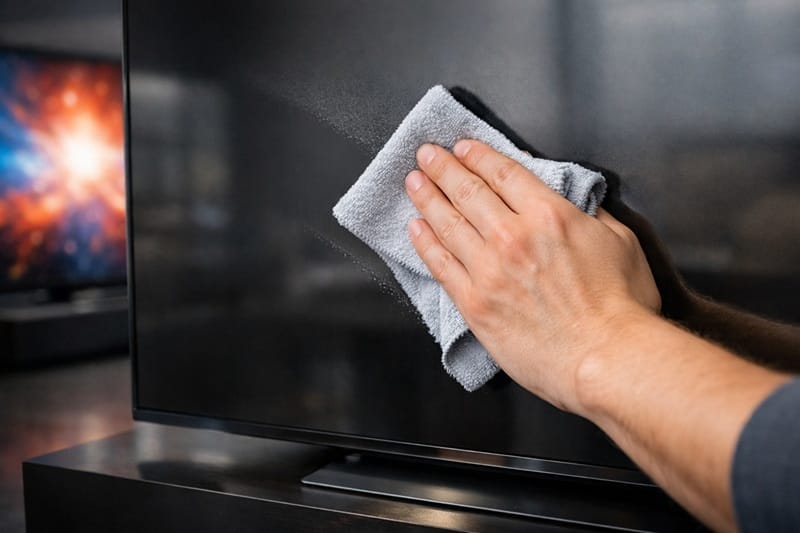
Wipe the entire screen with a dry microfiber cloth first, using light pressure and slow, circular motions. Most everyday dust lifts off at this stage without needing any moisture at all.
For fingerprints or spots that remain, lightly dampen a separate cloth with distilled water — damp, not wet — and go over the affected area again. Finish with the dry cloth to remove any leftover moisture before the TV goes back on.
Handling Stubborn Fingerprints and Stains
Kids’ handprints and cooking splatter near a kitchen or living-room TV usually need a second light pass rather than more pressure. Pressing harder on an OLED panel raises the risk of pressure marks, which is a different problem from the dust and grime you’re trying to remove.
If a spot survives two damp passes, resist the urge to reach for anything stronger. It’s better to leave a faint mark for a day and let it soften on its own than to introduce a chemical the panel wasn’t built to handle.
If you’ve calibrated your set recently, walking back through how to calibrate your OLED TV settings can also rule out a picture-mode issue that only looks like a smudge from across the room.
Once cleaning is off your to-do list, picture quality is usually the next thing owners want to fine-tune. If you’re already weighing which set to add to the living room, our best OLED TVs in 2026 roundup breaks down the top picks by budget and use case.
Why the Anti-Glare Coating Is So Easy to Damage
Why the Coating Is Fragile
Most current OLED TVs carry a thin anti-glare or anti-reflective layer bonded to the top of the panel. It’s what keeps a bright window or lamp from turning your screen into a mirror during the day, and it’s also the most fragile part of the whole assembly.
Ammonia-based cleaners react with that coating on a chemical level, and the result is a cloudy haze that doesn’t wipe away — it’s a permanent change to the surface, not a smudge. That’s also why the common assumption — that a TV screen can be cleaned the same way as a window — doesn’t hold up for OLED. Regular glass can shrug off ammonia. The coating sitting on top of an OLED panel can’t.
Why the Damage Can’t Be Undone
Once that coating is compromised, there’s no cleaning method that restores it. A hazy patch from a harsh cleaner is a cosmetic issue for the life of the TV, which is the main reason manufacturers are consistent about steering owners toward water and a soft cloth instead of anything stronger.
What This Means for You in Practice
Who Should Pay Attention to This
Anyone with kids, pets, or a TV mounted low enough for curious hands to reach will likely be cleaning more often than they’d like. The same light-touch, microfiber-only approach applies every time, no matter how frequent the cleaning gets.
If you’re also fine-tuning your setup for a specific room or use case, our best OLED settings for movies guide is a natural next stop once the screen itself is spotless.
Who Doesn’t Need to Worry
If your TV sits untouched in a low-traffic room, an occasional dry microfiber pass every few weeks is genuinely all it needs. There’s no reason to build a more involved cleaning routine than the screen actually requires.
FAQs: How to Clean an OLED TV Screen
What’s the safest way to clean an OLED TV screen?
Use a dry microfiber cloth first, then a lightly dampened one with distilled water for anything that remains. RTINGS’ cleaning guidance lines up with manufacturer instructions on this point: less product and less pressure is safer than reaching for a stronger cleaner.
Can I use a screen-cleaning spray on my OLED TV?
Only if it’s specifically labeled alcohol-free and ammonia-free. Most household glass and screen sprays contain one or both, which is the main misconception that leads to permanent coating damage on OLED panels.
Will cleaning my OLED screen void the warranty?
Normal cleaning with a soft cloth doesn’t affect coverage. Visible damage from an abrasive material or a harsh chemical can complicate a warranty claim, so it’s worth checking your manufacturer’s specific warranty terms if you’re ever unsure.
How often should I clean my OLED TV screen?
Most households only need a dry wipe every few weeks, and a damp cleaning far less often than that. Screens in kitchens, kids’ rooms, or high-traffic spaces will naturally need attention more frequently.
Is cleaning the screen the same as running pixel refresh or panel maintenance?
No — physically wiping the screen only affects the surface, while a pixel-refresh or panel-care cycle is a separate, TV-driven process. How long the OLED panel itself lasts under normal use is covered in our guide on how long OLED TVs last.

iYaiii
Editor, GearPulse360
iYaiii is the editor and founder of GearPulse360, specializing in TV reviews and consumer electronics. He researches every recommendation before publishing.
✅ Based on manufacturer support documentation and RTINGS data — last verified July 2026