Sony OLED Dark Scene Shadow Detail: Why Some Scenes Look Flatter in the Shadows Than Others
Last updated: July 2026
🕒 8 min read
GearPulse360 participates in the Amazon Associates Program. This particular article contains no affiliate links; other content on our site may.
A spaceship interior, a night drive, the last ten minutes of a horror movie — and on your Sony OLED, the shadows in that scene look muddier than they did in the trailer you watched a week earlier on the same TV. Nothing in the room changed. The picture settings are the same. It’s an easy moment to start wondering whether the panel itself is the problem.
Sony OLED dark scene shadow detail complaints usually get treated as one problem when they’re really three unrelated ones layered together. Based on editorial research into how OLED panels behave at the low end of the brightness range, and how Sony’s own processing handles that range differently from LG’s or Samsung’s: some of what you’re seeing is ordinary OLED near-black behavior, some of it is a deliberate choice Sony’s processor makes, and some of it has nothing to do with the TV at all.
Telling them apart matters because only one of them is worth a service call — the other two aren’t fixable by swapping the panel, and neither should be confused with the separate question of whether OLED burn-in still matters in 2026, which affects the same panels for entirely different reasons.
Table of Contents
The Short Answer
Sony OLED dark scene shadow detail loss usually comes from one of three sources: normal panel-to-panel uniformity variance that affects all OLED TVs to some degree, Sony’s own contrast processing choosing to compress shadow detail on purpose in certain modes, or the source content itself being poorly mastered or heavily compressed. Only the first one is something a replacement panel might fix.
What “Losing Shadow Detail” Actually Means on an OLED Panel
Near-Black Uniformity Is a Real, Measurable Thing
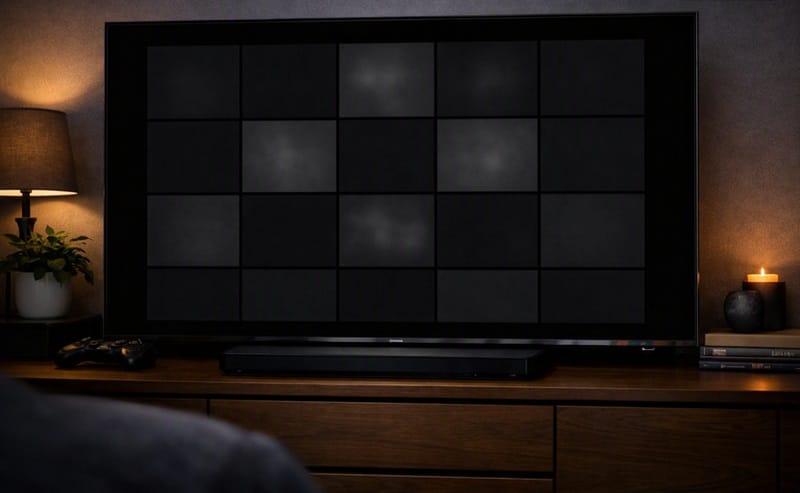
Every self-emissive OLED pixel lights itself independently, which is why OLED panels generally hold up better than backlit LED sets in dark scenes overall. But independence at the pixel level doesn’t guarantee that every pixel behaves identically at very low brightness. A near-black gray field — the kind used specifically to test dark-scene performance — can reveal soft blotches or faint banding that a mid-gray or full-white field never shows.
This Varies by Individual Unit, Not Just by Model
Two Sony OLEDs of the same model, size, and production run can show slightly different near-black behavior. This isn’t a Sony-specific flaw — it shows up across OLED brands — but it does mean one unit’s shadow performance isn’t a guarantee of what the next one off the line will do.
Sony’s own marketing around its Cognitive Processor XR and XR OLED Contrast Pro system describes the processor analyzing scenes to boost contrast and preserve shadow detail rather than leaving it untouched, which is the second cause worth separating out from panel variance.
How Reviewers Actually Test for This
A standard test method displays a solid near-black gray field — around 5% brightness, rather than mid-gray or full white — and photographs the panel under controlled conditions to measure how evenly that field renders. Published testing thresholds treat a standard deviation under roughly 0.5% and a Dirty Screen Effect score under roughly 0.1% at this 5% brightness level as good results; higher numbers correspond to visibly patchy or blotchy near-black areas.
This 5% test is measured separately from the more common 50% mid-gray test because the two don’t always track together. A panel with strong mid-gray uniformity can still show patchiness once the signal drops close to black, which is part of why “my shadows look off” doesn’t automatically point to a single cause.
Panel Variance vs. Sony’s Own Processing Choices in 2026
Two Different Things Get Blamed for the Same Symptom
A viewer who says “my shadows look crushed” could be describing either of two unrelated situations. One is the panel-level variance described above — a manufacturing question, not a settings question. The other is Sony’s contrast engine deliberately raising the black floor slightly, or holding certain shadow tones flatter, in modes like Standard or Vivid where punchier highlights are prioritized over shadow nuance.
This Isn’t the Same Issue Covered in Our Dead Pixel Guide
A single stuck or dead subpixel is a discrete panel defect with a clear fix path — replacement under warranty in most cases. Shadow detail softness is broader and subtler, and it’s rarely a sign of the same kind of hardware fault we cover in our Sony OLED dead pixels breakdown. Ruling out a discrete defect first is still worth doing before assuming the cause is processing or content.
None of this tells you whether Sony’s current OLED lineup handles dark, moody content better or worse than LG’s or Samsung’s — that’s a separate brand-to-brand question that panel variance and processing choices alone don’t answer. That comparison deserves its own space rather than getting folded into a shadow-detail complaint, which is exactly what our best OLED TVs in 2026 roundup is for, dark-scene performance included.
Settings and Source Content Also Change What You See
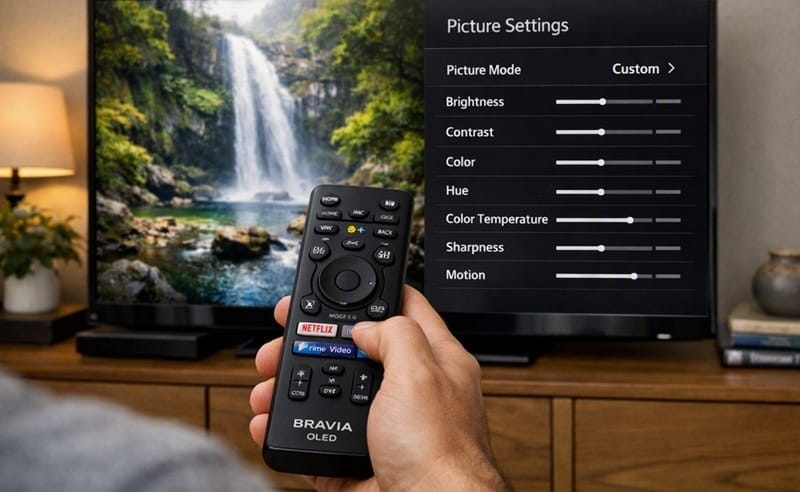
Picture mode matters more than most owners expect. Standard and Vivid modes are tuned to look bright and punchy on a showroom floor, which can mean shadow tones get compressed toward black rather than spread out. Cinema or Filmmaker-style modes are generally tuned closer to how the content was mastered, which tends to reveal more of the shadow detail that was actually recorded.
Source quality plays a role too. A heavily compressed streaming file loses fine gradation in dark areas before it ever reaches the TV — no picture setting recovers detail that was never encoded in the first place. Comparing the same scene across a 4K Blu-ray source and a compressed stream is one way to tell whether the TV or the file is responsible.
Room lighting changes the perception too, even though it doesn’t change what the panel is actually displaying. A dark scene watched with ambient light spilling onto the screen will look flatter than the same scene watched in a properly darkened room, simply because reflected light raises the effective black level your eyes perceive. It’s also the easiest variable to test first: turn off nearby lights, close the blinds, and watch the same scene again before assuming anything is wrong with the TV itself.
What This Means for You in Practice
Who Should Pay Attention to This
Owners who mostly watch dark, moody content — horror, noir, space films, night-driving scenes — are the ones most likely to notice shadow softness in the first place, simply because they spend more screen time in that brightness range. If you’re deciding between Sony OLED models specifically for this kind of viewing, our Sony OLED roundup breaks down how the current lineup compares on picture-quality tuning, not just spec sheets.
Who Doesn’t Need to Worry About This
If your shadow detail looks consistent scene to scene, matches what you’d expect from the picture mode you’re using, and only looks “off” on specific low-quality streams, there’s nothing here that points to a defective panel. That’s ordinary source-material variance, not a Sony OLED problem.
FAQs: Sony OLED Dark Scene Shadow Detail
What causes Sony OLED dark scene shadow detail loss?
It usually comes down to how that specific scene was mastered and compressed rather than a change in your TV. Scenes graded with a lot of near-black gradation are more likely to reveal any softness in shadow detail than scenes with less shadow information to begin with. RTINGS’ testing methodology for gray uniformity specifically separates a near-black test pattern from a mid-gray one because dark-scene uniformity issues don’t always show up the same way brighter content does.
Is this the same thing as OLED black crush?
Not exactly. Black crush describes shadow tones getting pushed together so distinct dark shades become indistinguishable from pure black. Shadow detail softness can look similar but often comes from panel-level uniformity variance or picture-mode processing rather than tones being crushed together on purpose.
Will changing picture mode actually fix this?
Switching from Standard or Vivid to Cinema or a Filmmaker-style mode is worth trying first, since it changes how aggressively the processor handles shadow tones. If the softness persists identically across every picture mode, that points more toward panel variance or source material than a settings fix.
Should shadow detail concerns affect which current Sony OLED I buy?
It’s a reasonable factor to weigh, but not one that should override everything else. Our full Sony BRAVIA 8 II review covers how that specific model’s contrast processing handles near-black content in more detail, alongside gaming and overall picture-quality performance.
Does this mean my TV has a manufacturing defect?
Mild shadow softness compared to a demo unit in a store falls within normal panel-to-panel variance and isn’t, by itself, evidence of a defect. The threshold worth acting on is different: severity that doesn’t ease off, consistency across every source and picture mode, or other symptoms layered on top — like visible banding on a near-black test pattern.

iYaiii
Editor, GearPulse360
iYaiii is the editor and founder of GearPulse360, specializing in TV reviews and consumer electronics. He researches every recommendation before publishing.
✅ Based on spec analysis and Sony’s official and RTINGS data — last verified July 2026