Hisense TV VRR Flicker Below 48fps: Why It Happens and What Actually Fixes It
Last updated: July 2026
🕒 8 min read
Disclosure: GearPulse360 participates in the Amazon Associates Program. This particular article contains no affiliate links; other content on our site may.
You expected the pulsing brightness to show up only when your frame rate crawled into single digits — the kind of stutter you’d already call unplayable anyway. Instead, it shows up on a Hisense TV holding a smooth-sounding 120fps, and that’s the part that makes people question whether their set is actually broken.
If you’ve searched for Hisense TV VRR flicker below 48fps, you’re probably assuming this is strictly a low-frame-rate problem — the zone where most gamers already know LFC kicks in. It isn’t that narrow. RTINGS’ own lab testing on the Hisense U7SG found the same brightness shift showing up well above 48fps too, at other points where the refresh rate itself changes. The trigger isn’t the frame rate number so much as the moment the panel switches gears.
The cause traces back to how LFC interacts with Hisense’s Mini-LED backlight specifically, and a handful of settings changes cut down how often you cross one of those switch points — even though none of them remove the behavior outright. It’s a related issue to our breakdown of Hisense mini LED blooming, since both trace back to how the backlight reacts when image conditions change in real time.
Table of Contents
The Short Answer: Hisense TV VRR Flicker Below 48fps Explained
This happens because of Low Framerate Compensation (LFC), a feature built into the HDMI VRR spec that multiplies the refresh rate once frame rate drops below the panel’s supported VRR floor. That jump changes how the backlight and gamma curve behave for a fraction of a second, which reads as a brightness pulse. It’s a side effect of how VRR is engineered to prevent tearing at low frame rates, not a manufacturing defect in your specific unit.
What’s Actually Happening Inside the Panel
What LFC Actually Does
Think of LFC like a metronome that secretly doubles its tempo whenever the music slows down too much, just to keep a steady beat instead of stopping outright. When your frame rate falls below the panel’s VRR floor, the TV doesn’t hold at that lower refresh rate — it multiplies the incoming signal (say, 47fps into roughly 94Hz) so the display keeps refreshing at a rate it’s actually built to run.
Every time that kicks in or drops back out, the backlight’s dimming behavior and gamma curve shift slightly, and that shift is what your eyes register as flicker. It only shows up at the instant the refresh rate itself changes — which is why it comes and goes instead of staying constant.
Why Hisense Specifically, and Not Just OLED Monitors
Hisense builds VRR and AMD FreeSync Premium Pro support into most of its ULED gaming-capable models, and Hisense’s own product page for the U7 series lists a variable refresh rate floor around 48Hz on its FreeSync-certified sets — the same floor most HDMI 2.1 VRR displays use. Below that floor, LFC has to step in for the display to keep VRR active at all.
On a Mini-LED panel like the U7SG, that refresh-rate multiplier interacts with the local dimming zones as well as the backlight, which is part of why the flicker can feel more noticeable than it does on some fixed-backlight displays.
Why It Shows Up More in Some Games Than Others
Based on RTINGS’ motion testing on the Hisense U7SG, this isn’t only a sub-48fps phenomenon. Their lab measurements documented a noticeable flicker effect as frame rate stepped down from the panel’s 165Hz ceiling toward 120fps, and again near 80fps when the panel was capped at 120Hz. That’s a wider set of transition points than the “below 48fps” framing suggests on its own.
The same LFC-driven transition shows up on LG’s OLED panels too — a completely different display technology with a different backlight (or no backlight at all). That’s exactly what you’d expect if the cause sits in the HDMI VRR spec itself rather than in how Hisense builds its Mini-LED backlight. Our LG OLED VRR flicker breakdown covers that side of it.
Open-World and Combat-Heavy Games Trigger It Most
Open-world titles and busy combat sequences are the most common trigger, simply because frame rate swings the widest in those scenes. A game locked to a steady 30fps or 60fps rarely crosses a VRR transition point at all, which is why some Hisense owners never notice this while others see it constantly.
None of this is unique to one Hisense model — any current gaming TV chasing a wide refresh-rate range runs into the same LFC handoff at some threshold. If you’re shopping around it, our best 4K TVs of 2026 roundup tracks which sets pair VRR support with the frame-rate ranges you’d actually use it in.
What Actually Reduces Hisense TV VRR Flicker Below 48fps
Settings Worth Trying
- Cap your in-game frame rate a few fps below the transition point you’re hitting, so the refresh rate stops repeatedly crossing it.
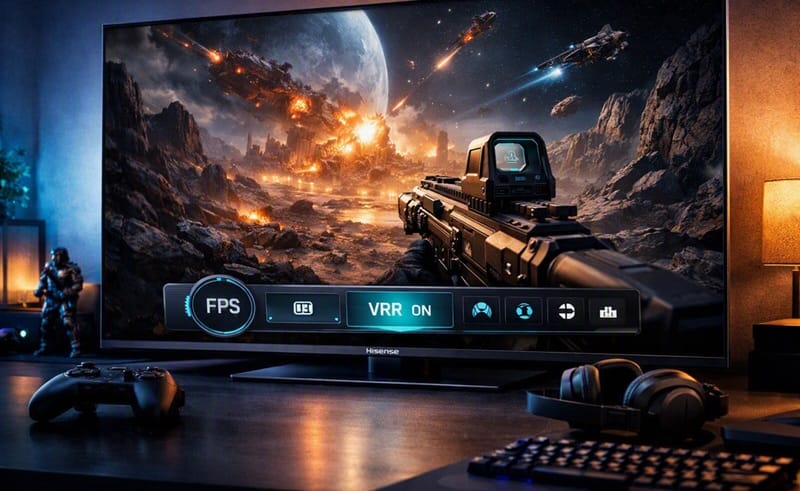
- Use Hisense’s Game Bar overlay to watch real-time FPS and VRR status, so you can pin down exactly where the handoff happens.
- On PC, frame-generation features that smooth out frame rate can keep you further from the floor instead of letting it fluctuate across it.
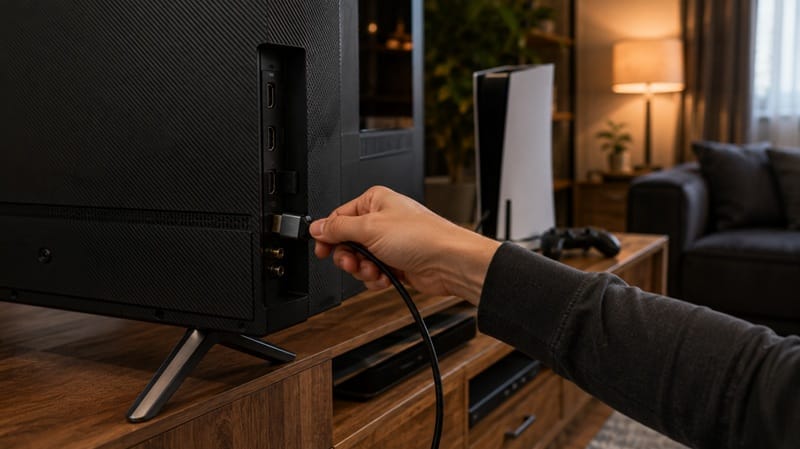
- Confirm HDMI Format is set to “Enhanced” and your console isn’t outputting a fixed 60Hz signal — RTINGS specifically noted that VRR doesn’t engage at all when the source is locked to 60Hz.
What Doesn’t Really Help
Turning up local dimming or backlight brightness doesn’t address the transition-point cause, since the flicker comes from the refresh-rate multiplier, not the backlight strength itself. Firmware updates rarely eliminate it either, since it’s a spec-level behavior rather than a bug — though processing refinements can sometimes narrow how noticeable the transition looks. That’s a narrower, spec-level kind of software limitation than the broader firmware and platform reliability questions we cover in Hisense TV picture quality and software reliability trade-offs.
What This Means for You in Practice
Buy This If…
…you mostly play at a stable, locked frame rate, or you’re comfortable using Game Bar and frame-rate caps to manage VRR transitions when they do come up. Outside of that specific scenario, this isn’t a broader VRR reliability problem — it’s narrow and situational, tied to the exact moments described above. If gaming performance overall matters more to you than this one issue, our best OLED TVs for gaming roundup is worth comparing against Hisense’s Mini-LED lineup before you decide.
Skip This If…
…you’re extremely sensitive to any brightness inconsistency during fast-paced PC gaming with wildly fluctuating frame rates, since no current VRR implementation — Hisense, LG, or otherwise — fully eliminates this at the spec level.
FAQs: Hisense TV VRR Flicker Below 48fps
Is Hisense TV VRR flicker below 48fps only a U7SG problem?
No — RTINGS documented it at multiple transition points on the U7SG specifically (not just sub-48fps, as covered above), which argues against a defect in one particular unit rather than for it. Other Hisense ULED sets running the same FreeSync Premium Pro setup should behave similarly near their own VRR floor, even if the exact fps numbers differ by model and size. Full test results are in RTINGS’ U7SG review.
Does turning VRR off fix the flicker completely?
Turning VRR off removes the flicker, but it brings back the tearing and stutter VRR was designed to prevent in the first place. Capping frame rate a few fps below the transition point keeps VRR active while avoiding the repeated crossing that triggers the flicker — usually a better trade-off than losing VRR altogether.
Will a firmware update fix this?
Treat this as a known VRR-spec behavior rather than a bug ticket item — you won’t find LFC transition flicker listed as an addressable fix in Hisense’s release notes, since the refresh-rate multiplier itself is defined by the HDMI VRR standard, not by Hisense’s code. Where updates do help is in processor-level motion and dimming refinement, which can make each transition look less obvious over successive firmware versions without removing it.
Should I buy a different TV if VRR flicker bothers me?
Try the frame-rate cap and Game Bar approach first — most people who notice this stop noticing it once they’re no longer repeatedly crossing a transition point. If it’s still bothering you after that, it’s less a Hisense-specific flaw and more a personal sensitivity that would likely follow you to another mini-LED or OLED set built to the same HDMI VRR spec, LG panels included, as covered in the comparison above.
Does upgrading to a higher-end Hisense model fix this?
Not automatically. LFC operates at the HDMI VRR level, not the price tier — a flagship Hisense running the same FreeSync Premium Pro setup can hit the same transition points as a mid-range one. Moving up the lineup usually buys more brightness and more local-dimming zones, not immunity from this.

iYaiii
Editor, GearPulse360
iYaiii is the editor and founder of GearPulse360, specializing in TV reviews and consumer electronics. He researches every recommendation before publishing.
✅ Based on Hisense’s official product specifications and RTINGS data — last verified July 2026