TCL TV Dead Stuck Pixel Out of the Box: What Actually Counts as a Defect
Last updated: July 2026
🕒 8 min read
Disclosure: GearPulse360 participates in the Amazon Associates Program. This particular article contains no affiliate links; other content on our site may.
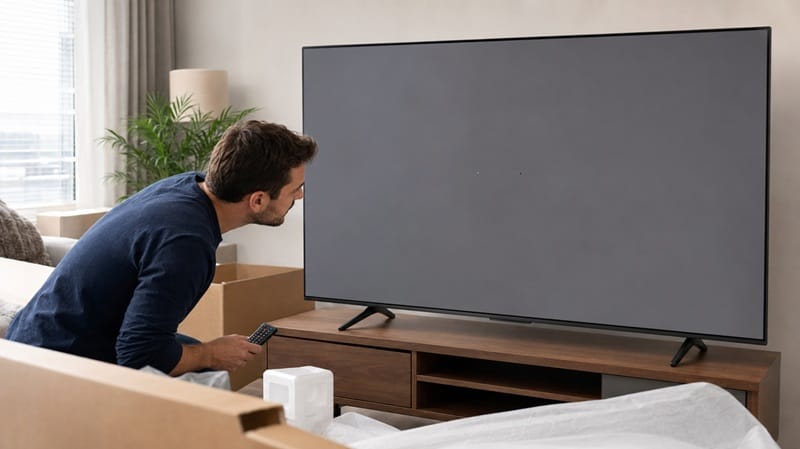
Every new TV ships with an invisible clock running from the moment you plug it in. Most buyers never think about it, because most panels come out of the factory clean. But if you’re staring at a small dot on your new TCL TV that won’t go away no matter what’s on screen, that clock is the first thing that matters — not the dot itself, and not what the box promised.
The instinct is to assume any visible dot means a defective panel and a TV that needs to go back. That’s not quite right. Manufacturers, including TCL, ship panels under a published tolerance for a small number of pixel-level flaws, and a single dot doesn’t automatically clear that bar. What actually matters is how many dots there are, where they sit, and how many days have passed since delivery.
This piece walks through what TCL’s own documentation says a dead or stuck pixel has to look like before it counts as a manufacturing defect, and separates that from the panel-level questions that come up on a different kind of screen entirely. If you own a self-lit panel instead of TCL’s backlit LCD, the diagnosis looks different — our Sony OLED dead pixels breakdown covers how the same complaint plays out on OLED, where there’s no backlight involved at all.
Table of Contents
The Short Answer
A single dead or stuck pixel on a new TCL TV usually isn’t grounds for a return on its own. TCL’s official pixel policy allows a small number of defects per panel depending on resolution, and a 4K set can have up to 16 before it’s considered out of spec. What decides your case is the total count, whether they’re clustered together, and whether you’re still inside the retailer’s return window — not the presence of one dot.
What Counts as a TCL TV Dead Stuck Pixel Out of the Box
Dead Pixels vs. Stuck Pixels
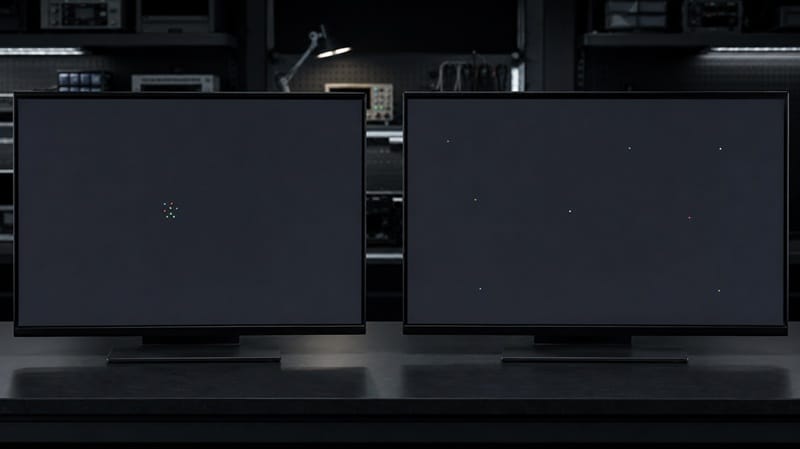
These two get lumped together constantly, but they’re different failures with different odds of resolving. A dead pixel has lost power entirely — it reads as a small black dot against any background, including a pure white screen, and it will not change. A stuck pixel still has power; it’s frozen on a single subpixel color, usually red, green, or blue, and shows up most clearly against a black or dark background. Dead pixels are permanent. Stuck pixels occasionally free themselves, either on their own or after a pixel-cycling test pattern is run for several minutes.
TCL’s Published Pixel Policy
According to TCL’s official pixel policy, the company follows an industry-standard tolerance that scales with panel resolution, allowing roughly 2 defective pixels per million. On a 3840×2160 4K panel, that works out to 8.2 million pixels total and up to 16 acceptable defects before TCL classifies the panel as out of spec. On a 1920×1080 panel, the threshold drops to 4.
TCL’s own Limited Product Warranty backs this up directly: it explicitly lists “malfunctioning pixels of less than two malfunctioning pixels per million pixels” as excluded from coverage, meaning a defect count under that threshold isn’t treated as a covered issue at all. In practice, this means a single isolated dot on a 4K TCL TV sits well inside the manufacturer’s own defined tolerance, even though it’s still visually distracting on a dark scene.
Why the Count and the Clock Both Matter
Cluster Defects Are Judged Differently
TCL’s policy isn’t just a flat number — several defective pixels sitting close together inside a defined area typically counts against a stricter cluster threshold than the same number of pixels scattered randomly across the panel. A tight group of three dots in one corner is a stronger case for a defect than three dots spread across three different quadrants of the screen, even though the total count is identical. If you’re documenting a claim, note whether the defects are grouped or isolated, since that distinction changes how the count gets evaluated.
A Different Kind of TCL Ownership Complaint
Not every early TCL TV issue traces back to the panel itself. If what’s actually bothering you is the set asking for your Google sign-in again a few days after setup rather than a dot on the screen, that’s a separate software-layer symptom with its own fix — our TCL TV Google account keeps logging out after update guide covers that one on its own terms.
A pixel defect on one unit doesn’t tell you anything about panel technology in general — it’s a manufacturing-tolerance issue, not a strike against TCL’s lineup as a whole. Still, if you’re weighing an exchange against a different model or panel type entirely, our best 4K TVs of 2026 roundup lines up this year’s picks across every panel type and screen size for that comparison.
How to Confirm It’s a Real Defect Before You Contact Anyone
Run a full-screen white pattern first — a dead pixel shows as a small black dot that won’t disappear. Then run a full-screen black pattern to check for stuck subpixels, which show up as a fixed bright dot of a single color. Count every defect you find, note whether they’re grouped together or spread out, and photograph each one with the TV displaying that same solid-color pattern, since a photo against normal content is much harder for anyone to verify. Do this on day one if possible; TCL’s manufacturer-level pixel policy doesn’t reference calendar time, but the retailer’s separate return window does, and that’s usually the shorter and more forgiving path if the defect qualifies.
Symptom → Cause → Fix
| SYMPTOM | LIKELY CAUSE | FIX | DIFFICULTY |
|---|---|---|---|
| A single dark dot that doesn’t disappear on any background | A dead pixel — a permanent, low-count manufacturing tolerance issue | Check the count against TCL’s published pixel policy before assuming it qualifies | Easy |
| A fixed red, green, or blue dot visible mainly on dark scenes | A stuck subpixel — powered but frozen on one color | Run a pixel-cycling test pattern for 10–15 minutes; stuck pixels sometimes resolve, dead ones never do | Easy |
| Several dots grouped together in the same region of the panel | A cluster defect, which is judged against a stricter threshold than scattered single pixels | Photograph the cluster on a solid-color test pattern and contact TCL support or the retailer inside the return window | Medium |
If the count is inside TCL’s published tolerance but the defect still bothers you, contacting TCL support directly is still worth doing — policy exceptions do happen.
What This Means for You in Practice
Who Should Pay Attention to This
This matters most if you’re within the first days of owning the TV and the defect count is small enough to sit near TCL’s published threshold, since that’s exactly the range where a retailer’s return policy and TCL’s own pixel policy can disagree with each other. It also matters if you’re comparing TCL’s Mini-LED and QLED lineup against a self-lit alternative going forward — panel technology changes what kind of defect is even possible in the first place, and our OLED vs Mini LED compared breakdown lays out those tradeoffs beyond just defect risk.
Who Doesn’t Need to Worry
If you’ve owned the set for months without a single defect appearing, this isn’t something to go looking for. Pixel-level failures on a healthy panel are exceedingly rare after the early ownership window closes, and a panel that shipped clean tends to stay that way for the life of the TV.
FAQs: TCL TV Dead and Stuck Pixels
How many dead pixels are acceptable on a new TCL TV?
TCL’s published pixel policy allows roughly 2 defective pixels per million, which works out to up to 16 acceptable defects on a standard 4K panel before it’s considered out of spec. Smaller or lower-resolution panels have a proportionally lower threshold.
What’s the difference between a dead pixel and a stuck pixel on a TCL TV?
A dead pixel has no power and shows as a black dot against any background, including white. A stuck pixel still has power but is frozen on one color, usually most visible against black. Dead pixels don’t come back; stuck pixels sometimes do.
How long do I have to return a TCL TV with a dead pixel?
TCL’s own warranty terms don’t set a specific window for reporting a pixel defect. According to TCL’s published Limited Product Warranty, coverage runs one year from purchase for parts and labor on non-commercial units, but the same document explicitly excludes any pixel count below the 2-per-million threshold from counting as a defect at all. In practice, the return window that actually applies to a small pixel count is whatever the retailer you bought from offers, since TCL’s warranty document doesn’t set one on its own. If you do file a claim with TCL directly and it comes back denied, our breakdown of tcl tv warranty claim denied covers what the denial letter usually cites and whether it’s worth pushing back on.
Can a stuck pixel fix itself over time?
Sometimes. A stuck subpixel is still receiving power, so it’s occasionally possible to unstick it by running a rapidly cycling color test pattern for several minutes at a time. A true dead pixel has no power reaching it at all, so the same fix won’t do anything for it.
Does TCL replace a TV for a single dead pixel?
Usually not on its own. A single isolated dot is well inside the tolerance TCL’s own pixel policy allows, which means the stronger path for a single-pixel case is typically the retailer’s general return window rather than a manufacturer defect claim.

iYaiii
Editor, GearPulse360
iYaiii is the editor and founder of GearPulse360, specializing in TV reviews and consumer electronics. He researches every recommendation before publishing.
✅ Based on TCL’s official pixel policy and warranty documentation — last verified July 2026