What Is a TV Backlight, and How Do You Fix One?
Last updated: August 2026
🕒 8 min read
Disclosure: GearPulse360 is a participant in the Amazon Associates Program. Some pages on this site contain affiliate links, and we may earn a commission from qualifying purchases at no extra cost to you.
You’re a few minutes into a movie when the picture starts to look off — not gone exactly, just dim, gray, and washed out, like someone left a thin curtain over the screen. Sound still plays fine. If you shine a flashlight at the panel at an angle, you can actually make out the picture underneath. That’s not a subtle contrast problem. It’s almost always the backlight.
Most people never think about what’s physically making their TV’s picture bright until it stops working, and then the word “backlight” shows up everywhere from repair forums to the TV’s own settings menu, which makes the confusion worse. Is that a cheap part swap or a repair bill big enough to justify a new TV instead?
Two unrelated things share the word “backlight” on a TV: the physical LED light source behind an LED, QLED, or Mini-LED panel, and a picture-mode slider in the settings menu that happens to have the same name. What follows is about the hardware — what it is, why it fails, and what a real fix looks like. If you came here because a Roku TV’s Backlight slider doesn’t seem to do anything, the on-screen Backlight setting behaves differently from the physical part and that’s the one you’re actually after.
Table of Contents
Quick Answer
A TV backlight is the LED light source behind an LED, QLED, or Mini-LED panel — OLED TVs don’t have one. If your screen looks dark or washed out but sound still works, it’s usually the backlight, not the panel.
- Applies to: LED, QLED, Neo QLED, QNED, Mini-LED TVs
- Doesn’t apply to: OLED TVs (self-emissive, no backlight)
- Quick test: shine a flashlight at the dark screen — a faint image means backlight failure
- Typical fix cost: a single LED strip is often a low-cost repair; a power board failure runs higher
What a TV Backlight Actually Is
Edge-lit, full-array, and Mini-LED explained
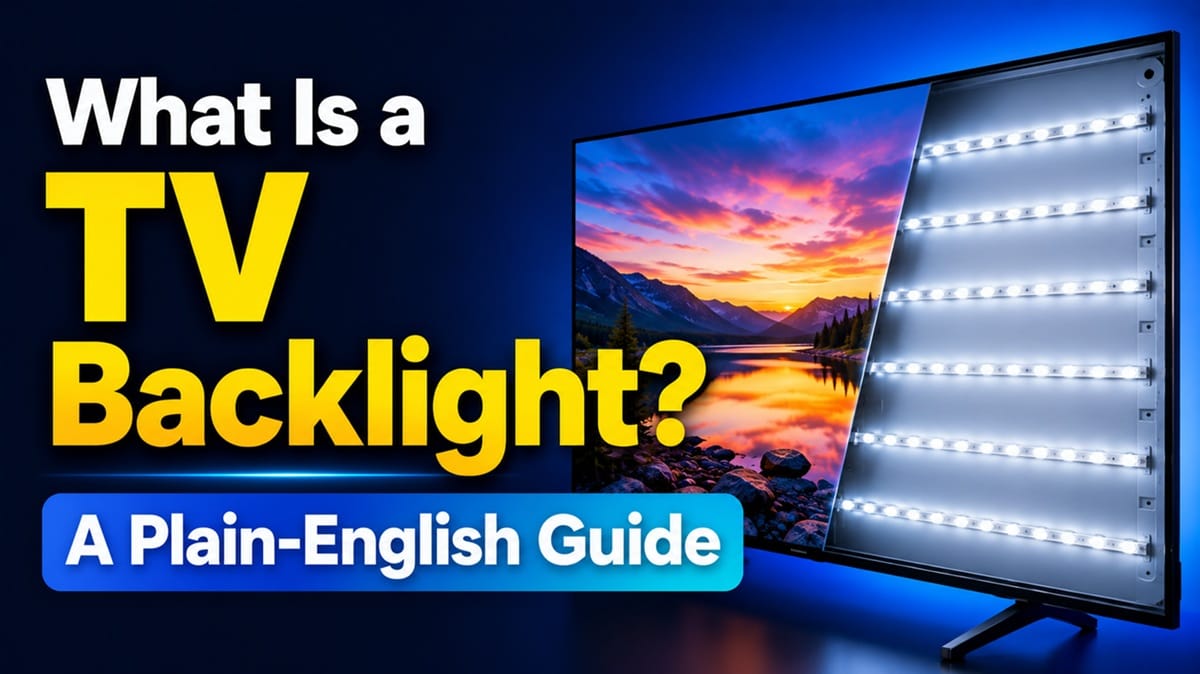
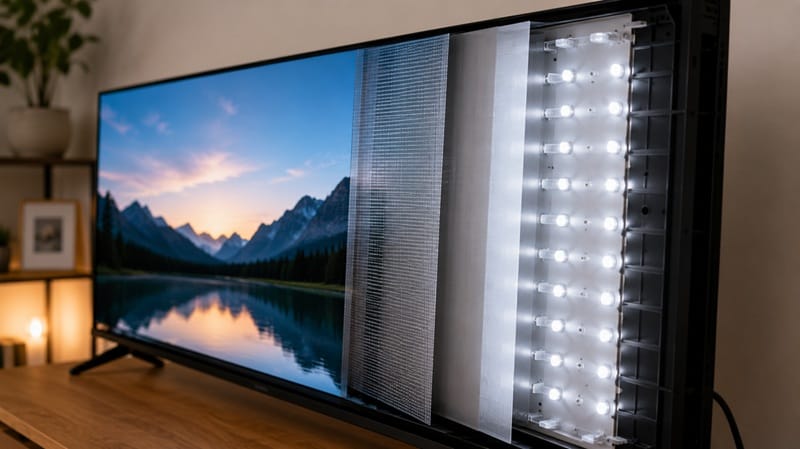
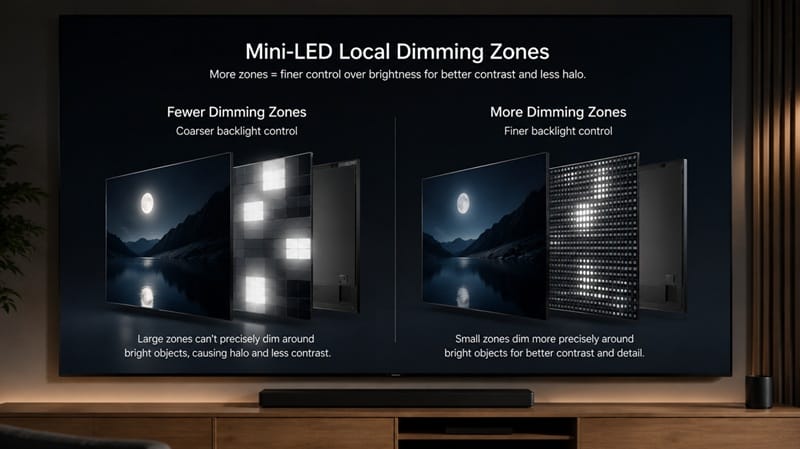
An LCD panel doesn’t generate its own light. It’s a layer of liquid crystal that twists open or closed per pixel, blocking or letting through light from a separate source behind it — the backlight. Three backlight designs dominate current TVs. Edge-lit models place LEDs along the frame’s edges and spread the light inward with a diffuser, which keeps the TV thin but gives coarse control over brightness. Full-array models put LEDs across the entire back panel, divided into local dimming zones that can brighten or dim independently. Mini-LED takes that same full-array idea and shrinks the LEDs, packing in far more of them — sometimes thousands of zones instead of dozens — for finer control.
Why zone count isn’t the whole story
More zones generally mean better contrast, since dark areas of the screen can dim independently from bright ones nearby. But zone count alone doesn’t guarantee good results — per RTINGS’ lighting-zone testing methodology, the algorithm controlling those zones plays a bigger role in real-world picture quality than the raw zone count, which is part of why two TVs with similar specs can look noticeably different in a dark room.
Why It Matters: How a Backlight Actually Fails
The sound-but-no-picture symptom
When a TV’s screen goes dark or badly dimmed while the sound keeps playing normally, that’s the classic backlight-failure pattern. Individual LEDs or entire strips can burn out over years of use, usually from accumulated heat rather than a single dramatic failure. The inverter or power board that supplies voltage to the LED strips can also fail on its own, which produces the same symptom even though the LEDs themselves are fine. A flashlight held at an angle to a dark screen is the fastest way to tell backlight failure apart from other causes — if you can faintly make out a picture, the panel is working and the light behind it isn’t.
Don’t confuse failure with normal blooming
Not every uneven-looking screen means the backlight is broken. A soft glow around bright UI elements on a dark scene — a paused progress bar, an end-credits scroll, a scoreboard graphic — is a normal side effect of local dimming called blooming, and it shows up on every LED-backlit TV to some degree. If you’re seeing this on a Mini-LED set specifically, our breakdown of Hisense Mini-LED blooming walks through when that glow is expected and when it points to something worth investigating. Actual backlight failure looks different: it’s a uniformly dark or gray screen, or a section of the panel that’s completely dead, not a halo around a bright object.
If you’re shopping for a replacement and want to skip this failure mode entirely, our best 4K TVs of 2026 roundup covers this year’s Mini-LED and QLED lineup with local dimming and backlight quality factored into every pick.
How to Fix a TV Backlight
Start with the cheap, reversible checks before assuming a part needs replacing.
Step 1: Confirm it’s actually the backlight
Shine a flashlight at an angle into the dark screen. A faint image means the panel and video processing are working and the light source behind it isn’t — that’s backlight failure. Nothing at all, even with the flashlight, points toward a different problem, like the panel or its driving board.
Step 2: Run the manufacturer’s built-in picture test
Most current TVs have a self-diagnosis tool that displays a test image independent of any external source, which helps separate a TV-side hardware fault from a bad HDMI cable or a streaming app glitch. On Samsung sets, for example, Samsung’s own picture-test tool under Settings → Support → Self Diagnosis will show whether the panel itself is displaying correctly. If the test image is also dark or missing, that confirms an internal hardware issue rather than something upstream.
Step 3: Decide between DIY, professional repair, or replacement
Symptom → Cause → Fix
| SYMPTOM | LIKELY CAUSE | FIX | DIFFICULTY |
|---|---|---|---|
| Screen dark, faint image visible with a flashlight, sound normal | One or more LED strips burned out | Replace the affected LED strip(s) — a relatively low-cost part if you’re comfortable opening the panel | Medium |
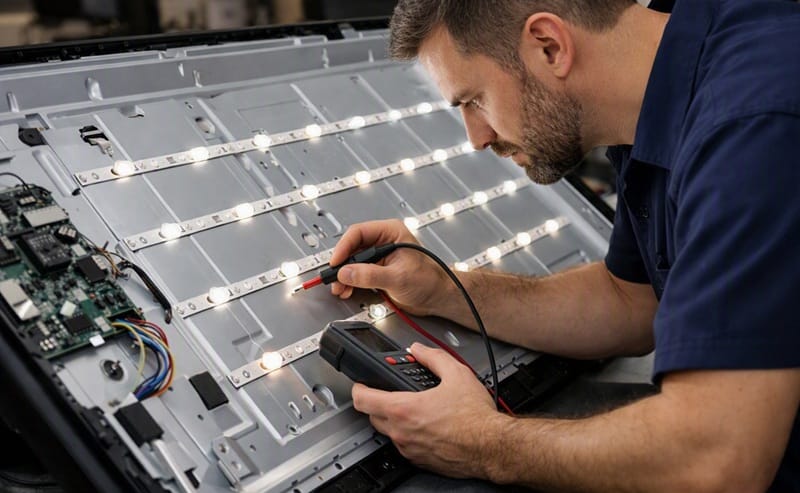
| Backlight flickers on and off, or comes on briefly then dies | Failing power or inverter board supplying voltage to the strips | Board replacement — usually needs a technician to test voltages safely and source the correct board | Hard |
| One section of the screen is dark, rest is normal | Localized strip failure or a damaged connector in that zone | Open the back panel to inspect and re-seat or replace the affected strip’s connector | Medium |
If the issue persists after trying these steps, contact your manufacturer’s support line or an authorized repair center.
What This Means for You in Practice
Who Should Pay Attention to This
This applies to anyone with an LED, QLED, Neo QLED, QNED, or Mini-LED TV — any set that relies on an LCD panel lit from behind. If your screen is a few years old and starting to look dimmer or grayer than it used to, or if you’re seeing a fully dark screen with working sound, the backlight is the first thing worth checking. Shoppers comparing panel types before a purchase may also want to see our OLED vs Mini LED comparison, since it’s the clearest way to understand what you’re trading away — and gaining — by avoiding a backlight-dependent design altogether.
Who Doesn’t Need to Worry
OLED owners can skip this entirely. Since every pixel on an OLED panel produces its own light, there’s no separate backlight component to fail — screen problems on an OLED TV trace back to a different cause, like the panel itself or the driver electronics, not a backlight.
FAQs: TV Backlight
What is a TV backlight?
A TV backlight is the LED light source behind an LCD, QLED, or Mini-LED TV’s screen — it’s what actually produces the light that shines through the liquid crystal layer to form the picture. According to RTINGS’ testing, local dimming, the feature that lets a backlight adjust brightness zone by zone, doesn’t apply to OLED TVs at all since their panels have perfect per-pixel contrast without needing it.
How do I know if my TV’s backlight is broken vs. a settings problem?
Check your picture settings first — a Backlight or Brightness slider set near zero produces a dim screen that looks similar to hardware failure. If the settings are normal and the screen is still dark with sound playing, run the flashlight test: a faint visible image in a dark room points to backlight hardware, not a setting.
Is it worth fixing a TV backlight, or should I just replace the TV?
It depends on the TV’s age and the repair cost relative to a new set. A single failed LED strip is often a cheap, quick fix on a TV that’s otherwise in good shape. A failing power board, or a TV already several years past its typical panel lifespan, tips the math toward replacement, especially with newer Mini-LED sets offering meaningfully better local dimming than models from a few years ago. If running costs are part of that decision too, it’s worth knowing how many watts a TV actually uses — backlight design has a real effect on the number.
Can I fix a TV backlight myself?
A single burned-out LED strip is a realistic DIY repair for someone comfortable with basic electronics and static-safe handling, since it usually means removing the back panel and swapping one strip. Power board or inverter issues involve testing live voltages and are safer left to a professional, both for your safety and the TV’s.
Can I fix a TV backlight myself?
A single burned-out LED strip is a realistic DIY repair for someone comfortable with basic electronics and static-safe handling, since it usually means removing the back panel and swapping one strip. Power board or inverter issues involve testing live voltages and are safer left to a professional, both for your safety and the TV’s.
Do all TVs have a backlight?
No — only LCD-based TVs do, which covers standard LED, QLED, Neo QLED, QNED, and Mini-LED models. OLED TVs are self-emissive, meaning each pixel lights itself, so there’s no separate backlight layer to fail or replace.

iYaiii
Editor, GearPulse360
iYaiii is the editor and founder of GearPulse360, specializing in TV reviews and consumer electronics. He researches every recommendation before publishing.
✅ Based on spec analysis and Samsung’s official and RTINGS data — last verified August 2026