Best OLED TV for PS5 in 2026: Ranked by Input Lag, HDMI 2.1, and Real-World PS5 Performance
Last updated: June 2026
Disclosure: As an Amazon Associate I earn from qualifying purchases. This article contains affiliate links — we may earn a small commission if you buy through them, at no extra cost to you.
Your PS5 is capable of 4K at 120Hz, VRR, and HDR that most TVs never actually unlock — and if your current screen can’t keep up, you’re leaving a significant chunk of the console’s potential on the table. This guide covers the best OLED TVs for PS5 specifically: not gaming TVs in general, but which panels deliver the full PlayStation 5 feature set without the usual compromises. For a broader look across all consoles and PC, see our roundup of the best OLED TVs for gaming.
After working through published PS5 compatibility specs, independent input lag measurements from RTINGS, and real-world 4K/120Hz game testing, our top pick for most PS5 owners is the LG C5 — four HDMI 2.1 ports, measured input lag under 1.5ms at 4K/120Hz, and full PlayStation VRR certification. If you’re in a brighter room or want the best HDR peak for PS5 exclusives, the LG G5 steps it up considerably. Our four picks are listed below across different budgets and room setups.
Table of Contents
Best OLED TVs for PS5: Quick Comparison
| Pick | Model | Panel | HDMI 2.1 | Best For |
|---|---|---|---|---|
| ★ Best Overall | LG C5 | WOLED evo | 4 ports | Most PS5 setups |
| 👑 Best Premium | LG G5 | WOLED evo | 4 ports | Bright rooms, best HDR |
| 💰 Best Value | Samsung S90F | QD-OLED | 4 ports | Color-rich PS5 exclusives |
| 📱 Best Small | LG C5 42″ | WOLED evo | 4 ports | Bedroom / desk setups |
All picks are based on independent editorial assessment — not Amazon customer reviews.
Best Overall OLED TV for PS5: LG C5
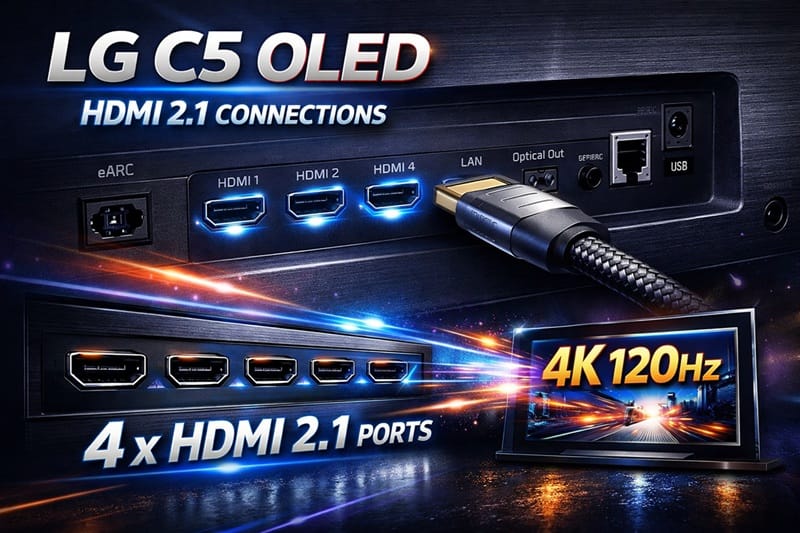
The LG C5 earns the top spot here for one reason that matters most to PS5 owners: every single HDMI port runs full 48Gbps HDMI 2.1 bandwidth. That’s not a given — some competitors route maximum bandwidth only through specific ports, which creates headaches when you add a soundbar, an Xbox, or a streaming device alongside the PS5. With the C5, it doesn’t matter which port you plug into.
At 4K/120Hz, RTINGS measures the C5’s input lag at approximately 1.3ms — a number that has no practical significance on its own, because anything under 10ms is imperceptible in real play. What matters is that it’s certified and confirmed, so you won’t encounter the occasional frame pacing issues that affect some cheaper panels at 120Hz. PlayStation VRR (which uses a slightly different implementation than Xbox FreeSync) is fully supported, so variable frame rate games run without tearing.
The one genuine limitation of the C5 over the G5 is brightness. In a room with significant ambient light, the C5 peaks around 800–900 nits on small window highlights — respectable for OLED, but noticeably dimmer than the G5’s 1,300+ nit output in the same scenario. If you’re gaming in a living room with afternoon sun coming in, that gap becomes visible in HDR highlights. For a dark room or a room you can dim, the C5 is all you need.
On burn-in: the PS5’s white system UI gets raised a lot. The C5 runs a panel refresh cycle automatically after long sessions — it’s built in, you don’t have to do anything. No widespread burn-in issues from normal PS5 use have been reported on this panel. More detail in the FAQ below.
Best Premium OLED TV for PS5: LG G5
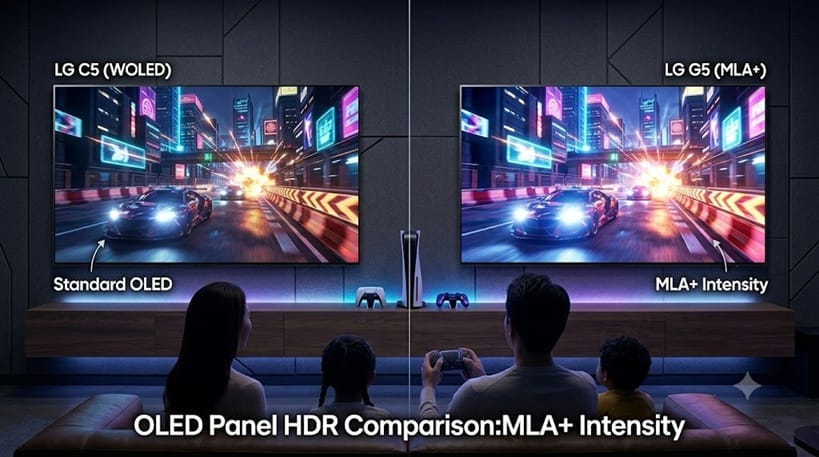
The G5 uses LG’s MLA+ (Micro Lens Array) panel — the same WOLED evo foundation as the C5 but with an additional optical layer that increases brightness significantly without affecting the pixel-level black performance that makes OLED compelling. In practice, the G5 reaches roughly 40–50% higher peak brightness in real HDR content compared to the C5.
For PS5 gaming, that translates directly into HDR highlights in games like Demon’s Souls Remake, Returnal, and Ratchet & Clank: Rift Apart looking meaningfully more vivid on the G5 than on the C5. The core experience (input lag, VRR, 4K/120Hz) is identical between the two, so if you’re deciding purely on gaming performance in a dark room, the C5 is the smarter spend. But if picture quality matters as much as performance, the G5 justifies the step up.
The G5 is designed as a wall-mount-only TV with a flush-mount stand sold separately — keep that in mind if you’re placing it on a TV unit rather than wall-mounting it.
Best Value OLED TV for PS5: Samsung S90F (QD-OLED)
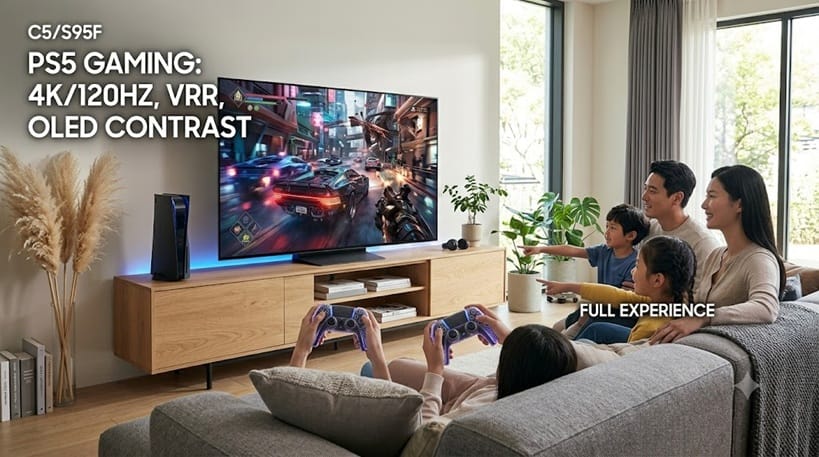
Samsung’s QD-OLED technology combines an OLED backlight with a quantum dot filter — the result is a color volume that LG’s WOLED panels don’t match. On PS5 games with strong art direction (Spider-Man 2, Final Fantasy VII Rebirth, Astro Bot), the S90F produces saturated, punchy colors that feel distinctly different from the more neutral rendering of the LG C5. Neither is wrong — they’re different tunings — but if you play a lot of visually bold PS5 exclusives, the QD-OLED character is hard to ignore.
PS5 compatibility is solid across the board: four full 48Gbps HDMI 2.1 ports, VRR support confirmed with PS5 (Samsung calls this FreeSync Premium Pro, but PlayStation VRR works correctly), and input lag measuring around 1.5ms at 4K/120Hz. One important note: the S90F does not support Dolby Vision. It uses HDR10+ instead. PS5 doesn’t output Dolby Vision gaming natively anyway — it uses its own HDR tone mapping — so this is less of an issue than it sounds for pure PS5 use.
If you also watch Dolby Vision content from Netflix or Apple TV+, it’s worth factoring in. For buyers working with a tighter overall budget, our best OLED TVs under $1,000 guide rounds up where OLED value sits at the lower end of the market.
For burn-in considerations, QD-OLED panels have shown slightly different retention characteristics than WOLED in independent testing. Samsung addresses this with panel care tools built into the TV. Long-term heavy static logo use (competitive multiplayer HUDs) is where to be most mindful, but for mixed PS5 use it’s not a practical concern.
Not sure whether QD-OLED or WOLED is right for your setup? Our OLED vs QLED guide explains where Samsung’s approach stands in the broader TV market.
Best OLED TV for PS5 in Small Spaces: LG C5 42″
Gaming monitors in the 42-inch range typically run LED or IPS panels — getting a true OLED panel at this size with full PS5 gaming specs is unusual. The LG C5 42″ carries all four HDMI 2.1 ports, the same ~1.3ms input lag at 4K/120Hz, and PlayStation VRR support as the larger C5 models. Nothing is cut to hit the smaller size.
The practical trade-off is brightness — the 42″ C5 peaks slightly lower than the 65″ version due to the smaller panel area driving the same pixel density. In a dim bedroom setup, this is invisible. At a desk in a well-lit room, it’s worth knowing. The pixel density at 42 inches is also noticeably higher than a 65″ TV at typical sofa distance, which benefits text clarity in games with small UI elements.
If you’re debating whether a 42-inch screen is large enough, consider that sitting two to three feet from a 42″ 4K OLED is a very different experience than sitting eight feet from a 65″. Many desk PS5 setups report the 42″ C5 as more immersive than expected purely because of the proximity. It’s a distinct setup rather than a compromise. If a larger living-room setup suits you better, our best 65-inch OLED TVs picks cover the other end of the size spectrum.
What to Look For in a PS5 OLED TV
HDMI 2.1 — and How Many Ports
Not every OLED TV gives you four full-bandwidth HDMI 2.1 ports — some only do one or two. If you have a PS5, a soundbar, and one other device, that becomes a problem fast. All four picks above have four ports running at full 48Gbps, so it doesn’t matter which slot you use.
PlayStation VRR — Not the Same as Xbox FreeSync
PlayStation VRR — Not the Same as Xbox FreeSync Variable Refresh Rate on PS5 uses a specific implementation that’s slightly different from the FreeSync standard used by Xbox. A TV that advertises FreeSync Premium Pro isn’t automatically guaranteed to work correctly with PlayStation VRR — though in practice, the TVs above have all been confirmed compatible. If you’re considering a TV not on this list, check for explicit PS5 VRR confirmation from the manufacturer or from RTINGS testing, not just a generic VRR claim.
If you’re primarily an Xbox player, the VRR and Dolby Vision Gaming picture is different enough to be worth reading separately — our best OLED TVs for Xbox Series X covers both in detail.
Input Lag at 4K/120Hz
The number to check is input lag specifically at 4K resolution and 120Hz — not the general “Game Mode” input lag figure, which is often measured at 1080p. Under 5ms at 4K/120Hz is perfectly good; under 2ms is excellent. All four picks above fall in the 1.3–1.5ms range at 4K/120Hz based on published RTINGS measurements. The performance difference between 1.3ms and 1.5ms is not detectable by any human — both are fine.
Auto Low Latency Mode (ALLM)
ALLM tells the TV to automatically switch to Game Mode when the PS5 is detected as active. Without ALLM, you’d have to manually switch the picture mode every time you start gaming. All OLED TVs on this list support ALLM — but it’s worth confirming on any TV you’re considering, because missing ALLM means the TV will default to its standard picture mode (often with image processing that adds 30–80ms of latency) every time you turn it on.
When OLED Is Worth It for PS5 — and When It Isn’t
OLED earns its price on PS5 in dark or dimmed rooms where the contrast difference actually shows — horror games, space titles, anything built around HDR. The PS5’s auto HDR tone mapping actively uses that contrast range, so the panel matters more than on a console that doesn’t push HDR as hard.
Where it’s harder to justify: if you game in a very bright room and mostly play sports or brightly lit titles, a premium Mini LED like the Samsung QN90D will hold up better at a lower price. OLED’s brightness ceiling becomes a real limitation there. Our OLED vs Mini LED breakdown covers exactly that scenario.
For mixed use — varied games, some streaming, a room you can dim — OLED is the right call. The input lag and VRR consistency is more predictable than LED gaming modes, which can behave differently depending on what’s on screen.
How We Picked These TVs
We checked RTINGS input lag numbers at 4K/120Hz specifically — not the generic Game Mode figure. We confirmed PS5 VRR works on each model, verified that all four HDMI ports run at full 48Gbps bandwidth, and made sure every pick supports ALLM and at least two PS5 HDR formats.
Anything with partial HDMI 2.1 (only one or two full-bandwidth ports) didn’t make the list. The picks reflect the 2025 model year lineup — still current as of mid-2026. We update when new models or significant price shifts change the recommendation. If you want to see how LG’s newer generation stacks up for gaming specifically, our full LG C6H review and our full LG G6 review cover the newer panels in depth.📍 Shopping beyond PS5? Our full roundup covers the best OLED TVs across every budget and use case — not just gaming: See best OLED TVs of 2026.
Best OLED TVs for PS5 — FAQs
Which is the best OLED TV for PS5 overall?
The LG C5 is the best OLED TV for PS5 for most buyers. It offers four full HDMI 2.1 ports, confirmed PlayStation VRR support, and ~1.3ms input lag at 4K/120Hz — the complete PS5 feature set at a price that doesn’t require a significant premium over alternative OLEDs. The LG G5 is the better choice if you have a bright room or want the best HDR output, but the C5 covers everything PS5 needs.
Do you need HDMI 2.1 for PS5?
Technically no — the PS5 runs on any HDMI connection. But to unlock 4K at 120Hz (which many PS5 games now support), you need an HDMI 2.1 cable and a TV port that supports 48Gbps bandwidth. Without HDMI 2.1, you’re capped at 4K/60Hz or 1080p/120Hz — still playable, but not the full PS5 experience. All four picks in this guide offer four full-bandwidth HDMI 2.1 ports.
Will PS5 cause burn-in on an OLED TV?
This concern is understandable but overstated for typical use. The PS5’s white home screen UI has raised questions, but LG’s pixel refresh algorithms — which run automatically after extended sessions — are specifically designed to mitigate static image retention. Independent long-term testing (including RTINGS’s multi-year burn-in study) has not documented widespread burn-in from console gaming with normal usage patterns. For heavy competitive multiplayer with static HUDs, enabling logo luminance adjustment is sensible.
For general PS5 use, it’s not a practical concern. You can read more about OLED panel behavior in our RTINGS long-term burn-in study. For the broader picture beyond gaming alone, our piece on does OLED burn-in still matter in 2026 covers it in more depth.
Is OLED better than Mini LED for PS5?
For most PS5 setups, yes — OLED’s pixel-level contrast control and consistent input lag give it an advantage in the dark scenes and HDR content that PS5 exclusives are built around. Mini LED is a better choice if you game primarily in a very bright room, where OLED’s lower peak brightness becomes a real limitation.
Does PS5 VRR work on all the TVs listed here?
Yes — PlayStation VRR has been confirmed on all four models above. Note that Sony’s VRR implementation differs slightly from Microsoft’s FreeSync implementation on Xbox. The TVs above support both, but if you’re comparing TVs not on this list, look specifically for PS5 VRR confirmation rather than relying on generic FreeSync or G-Sync compatibility claims. Sony’s official PS5 VRR support page covers the technical requirements in detail.

iYaiii
Editor, GearPulse360
iYaiii is the editor and founder of GearPulse360, specializing in TV reviews and consumer electronics. He researches every recommendation before publishing.
✅ Based on spec analysis and LG’s and Samsung’s official data plus RTINGS — last verified June 2026