OLED Motion Response Time Explained: What the Numbers Mean
Last updated: June 2026 | 🕒 8 min read
Disclosure: As an Amazon Associate I earn from qualifying purchases. This article contains affiliate links — we may earn a small commission if you buy through them, at no extra cost to you.
You’re three spec sheets deep, and every OLED TV claims “0.1ms response time” while a couple also brag about “120Hz” or “BFI mode” like that settles things. None of it tells you whether the basketball game or your FPS lobby will actually look sharp during fast motion.
Based on RTINGS’ independent testing data and editorial research into how OLED panels handle motion, the short version is that response time and refresh rate solve different problems, and OLED’s advantage in one of them is bigger than most marketing copy lets on.
This guide breaks down what “response time” and “motion handling” actually measure on an OLED panel, why OLED’s near-instant pixel switching matters more than the Hz number alone, and how settings like black frame insertion change what you see during fast scenes — including how that connects to why OLED TVs dim automatically (ABL) when brightness and motion features stack up.
Table of Contents
The Short Answer: What OLED Response Time Actually Means
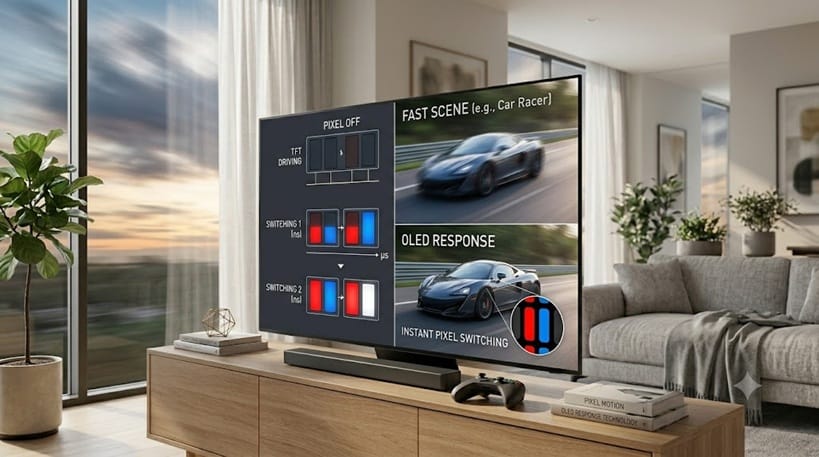
Response time measures how fast a pixel switches between colors, usually expressed in milliseconds. OLED pixels emit their own light and switch almost instantly — well under 1ms in most cases — which is why OLED panels produce noticeably less motion blur than LCD-based TVs, regardless of the refresh rate printed on the box.
What Response Time and Motion Blur Actually Measure
Pixel Switching Speed, Not Picture Quality
Response time on its own doesn’t describe sharpness, color, or contrast — it only describes how quickly a pixel can change from one shade to the next. On LCD TVs, that switch happens by twisting liquid crystals, which takes measurable time and leaves a faint trail behind fast-moving objects. OLED pixels skip that step entirely, since each one is its own light source that turns on, off, or shifts color almost instantly.
That difference is why two TVs with identical refresh rates can look completely different during a fast camera pan: the panel technology underneath the Hz number is doing most of the work. It’s also why a budget OLED can out-perform a pricier LCD on pure motion clarity, even when the LCD wins on brightness or local dimming zones.
Think about a hockey puck sliding across the ice on screen. On a slow-responding panel, the puck can leave a faint smear or double-image behind it as pixels struggle to fully switch before the next frame arrives. On OLED, that same puck stays crisp because each pixel has already finished its transition well before the next frame is due.
Why Refresh Rate Alone Doesn’t Tell the Whole Story
Refresh rate (60Hz, 120Hz) describes how many times per second the image updates. A faster refresh rate gives you more frames to work with, but if the pixels themselves are slow to switch, those extra frames can still blur together. Think of it like a flipbook: more pages help, but only if each page is drawn cleanly instead of smudged from the last one.
This is the gap that marketing copy tends to skip over. A 144Hz LCD panel with a sluggish response time can still produce more visible blur than a 120Hz OLED, because the refresh rate only controls how often a new frame arrives — not how cleanly the panel displays it. When you’re comparing spec sheets, refresh rate and response time need to be read together, not as substitutes for each other.
You can see this exact dynamic play out on a real 144Hz Mini LED panel in our breakdown of TCL QM8K motion blur, which walks through where a fast refresh rate helps and where panel-level response time still limits it.
Why It Matters More in 2026: BFI, VRR, and Faster Content
Black Frame Insertion (BFI) on OLED
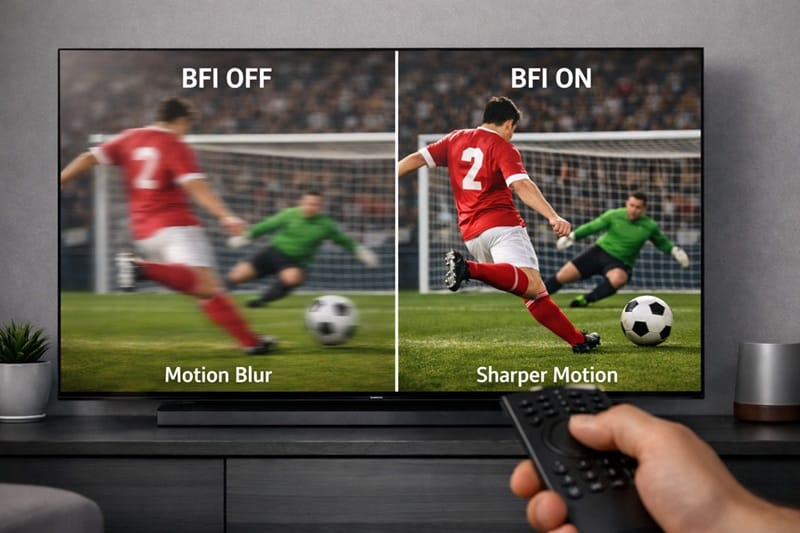
Most current OLED TVs include a BFI mode, which briefly flashes a black frame between real frames to cut down on the “sample-and-hold” blur that affects all fixed-frame displays, OLED included. RTINGS’ panel-level testing shows BFI on OLED tends to outperform similar modes on LCD sets because OLED’s near-zero pixel switching time lets the black frame insertion work cleanly without the ghosting that slower panels introduce. The trade-off is reduced peak brightness and, on some sets, a flicker some viewers notice more than others. RTINGS’ motion testing shows how much this varies model to model.
Variable Refresh Rate and Sports or Gaming Content
VRR (variable refresh rate) syncs the TV’s refresh rate to match what a game console or PC is outputting, which reduces stutter rather than blur specifically. It’s a separate fix for a separate problem — pairing fast response time with VRR is what makes OLED panels a popular pick for gaming, though long sessions are also when it’s worth knowing how to prevent OLED burn-in.
VRR isn’t entirely trouble-free on every panel, though. Some LG OLED owners run into a visible flickering or brightness-pulsing effect specifically when VRR is active, usually tied to how the panel handles rapid refresh-rate changes rather than anything wrong with the TV’s response time itself — our LG OLED VRR flicker guide covers why that happens and what settings actually fix it.
📍 Already comparing models on motion alone? Once response time and BFI make sense, the easiest next step is seeing how today’s top panels stack up side by side in our best OLED TVs of 2026 roundup.
Reading the Spec Sheet Without Falling for Marketing Language
“Ultra-fast response time” and “enhanced motion” are marketing phrases, not measurements. The numbers that actually matter are the response time in milliseconds (lower is better), whether BFI is available and at what brightness cost, and whether VRR is supported for the refresh rates you’ll actually use. A 144Hz panel with sluggish pixel switching can still show more visible blur than a well-tuned 120Hz OLED, so the Hz figure shouldn’t be read in isolation.
It also helps to separate what a TV does automatically from what requires a menu setting. Response time and base motion clarity come built into the panel — you’re not adjusting them. BFI, motion smoothing, and VRR, on the other hand, are all settings you can turn on, off, or tune, and the right combination depends on what you’re watching. A movie night calls for a different setup than a competitive match. On LG sets specifically, switching into Filmmaker Mode turns motion smoothing off automatically as part of its calibration — and that’s also part of why Filmmaker Mode looks noticeably dimmer than other presets, not a separate issue with the TV.
What This Means for You in Practice
Who Should Pay Attention to This
Competitive gamers, sports viewers, and anyone who watches a lot of fast camera pans or action sequences will notice motion handling the most. If that’s your main use case, it’s worth comparing the best OLED TVs for gaming specifically, since that roundup weighs motion and input lag alongside picture quality.
Who Doesn’t Need to Worry
If most of your viewing is streaming shows, movies, or slower-paced content, OLED’s baseline response time advantage already covers you — there’s little practical reason to chase BFI settings or worry about Hz figures beyond 120Hz.
FAQs: OLED Motion Response Time
What is a good OLED response time?
Most current OLED TVs measure well under 1ms, which is fast enough that response time itself is rarely the limiting factor in motion clarity — panel-to-panel differences in BFI implementation and processing matter more. RTINGS’ response time testing breaks down how this is measured across models.
Does higher Hz mean less motion blur on OLED?
Not by itself. A higher refresh rate gives the panel more frames to display per second, but OLED’s fast pixel switching is what prevents those frames from blurring together — the two specs work together rather than one replacing the other.
Will BFI make my OLED TV look dimmer?
Yes, typically. Black frame insertion briefly turns pixels off between frames to sharpen motion, which lowers average brightness — most OLED TVs let you adjust BFI intensity or turn it off for darker rooms versus brighter ones.
Is OLED motion handling good enough for competitive gaming?
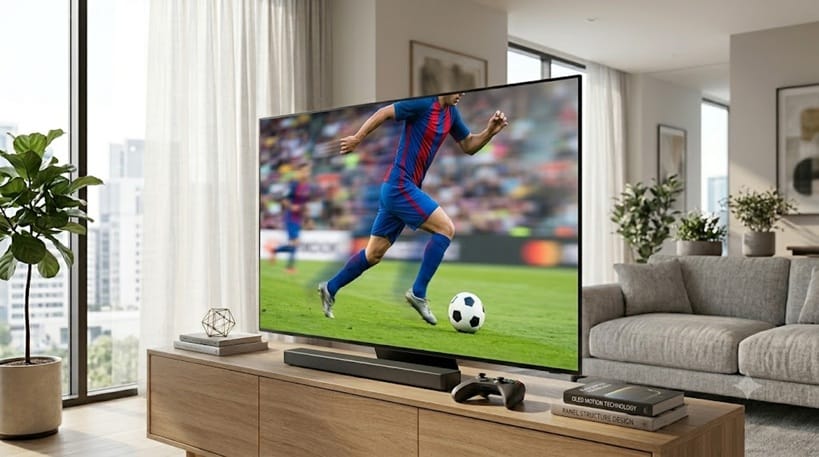
For most players, yes — OLED’s near-instant response time is one reason it’s become a popular pick for console and PC gaming. If gaming performance is your priority, fast-motion content like sports benefits from the same underlying response time advantage.
Does fast response time affect OLED burn-in risk?
No — response time and burn-in risk are unrelated. Burn-in is about prolonged static content, not how quickly pixels switch during motion, so a fast-response panel isn’t more or less protected either way.

iYaiii
Editor, GearPulse360
iYaiii is the editor and founder of GearPulse360, specializing in TV reviews and consumer electronics. He researches every recommendation before publishing.
✅ Based on spec analysis and RTINGS data — last verified June 2026